
Hey Evgenii
Inspiring
March 6, 2023
Answered

turn off layer isolation via script

  • March 6, 2023
  • 1 reply
  • 3371 views

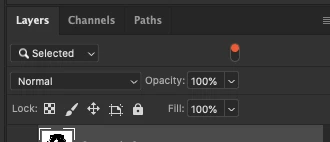
Guys is there a way to turn off layer filtering in photoshop via script? I used script listener to run menu item: select-isolate layers, if I run action again it cancels isolation - this is exactly what I need, but if I can the code from script listener again it doesn't cancels isolation, it only applies
This topic has been closed for replies.
Correct answer Stephen Marsh

@Hey Evgenii 


Some menu commands need to be inserted into an action step to be successfully recorded by ScriptListener. Here is the SL code cleaned and put into a function:


isolateLayers();

function isolateLayers() {
	function s2t(s) {
        return app.stringIDToTypeID(s);
    }
	var descriptor = new ActionDescriptor();
	var reference = new ActionReference();
	reference.putEnumerated( s2t( "layer" ), s2t( "ordinal" ), s2t( "targetEnum" ));
	descriptor.putReference( s2t( "null" ), reference );
	executeAction( s2t( "isolateLayers" ), descriptor, DialogModes.NO );
}


Or you can just call the menu item as follows:


app.runMenuItem(stringIDToTypeID('isolateLayers'));


Hope this helps!

1 reply

Stephen Marsh
Community Expert
Stephen MarshCommunity ExpertCorrect answer
Community Expert
March 6, 2023

@Hey Evgenii 


Some menu commands need to be inserted into an action step to be successfully recorded by ScriptListener. Here is the SL code cleaned and put into a function:


isolateLayers();

function isolateLayers() {
	function s2t(s) {
        return app.stringIDToTypeID(s);
    }
	var descriptor = new ActionDescriptor();
	var reference = new ActionReference();
	reference.putEnumerated( s2t( "layer" ), s2t( "ordinal" ), s2t( "targetEnum" ));
	descriptor.putReference( s2t( "null" ), reference );
	executeAction( s2t( "isolateLayers" ), descriptor, DialogModes.NO );
}


Or you can just call the menu item as follows:


app.runMenuItem(stringIDToTypeID('isolateLayers'));


Hope this helps!

Hey Evgenii
Inspiring
March 6, 2023

Thank you, Stephen, for clearing this up for me! However my question was on how to undo the isolation or clear filtering layers. The code you provided works in one way - it only enables the isolation, but doesn't disables, however if I run action with the menu item it will do both enable/disable

Stephen Marsh
Community Expert
Community Expert
March 6, 2023

For some reason running the second time doesn't execute undo command on my machine

Yes I know that it is possbile to achive the same results, but isolation is much faster than for example preserving current hide/visible state of all layers and then restoring it afterwards 


The code toggles on/off for me in v2021 and v2022.


The code doesn't work in v2023... But the Action does! :]


I know it is fast, but we can only do what is possible in scripting when the GUI can't be recorded.


When things need to happen fast, using AM code is generally the way to go. For example, @jazz-y has posted some really sweet code in order to be able to "instantly" capture and restore selected layers and layer visibility (great for use with a loop that messes with the original layer selections or visibility).


This advanced scripting is beyond my abilities.