Participant
August 5, 2025
解決済み

Turn on Rich Tool Tips

  • August 5, 2025
  • 返信数 2.
  • 225 ビュー

Hello, 


I am fairly new to Photoshop and i am still learning how to use the tools on the left hand side of the program. When i started, the rich tool tips videos have been helpful in explaining what certain tools does etc etc but recently I have realised that they no longer pop up on my screen.


i have tried checking the Rich Tool Tips box on Settings > Tools but it still does not come up like it used to. Any help would be much appreciated. 


MacOS Sequioa 15.5

Photoshop 26.9.0 release 
解決に役立った回答 Ged_Traynor

@LR_ try manually resetting your Photoshop preferences
https://helpx.adobe.com/ie/photoshop/using/preferences.html#Manually
Remember to back up your settings before doing the preference reset
https://helpx.adobe.com/ie/photoshop/using/preset-migration.html


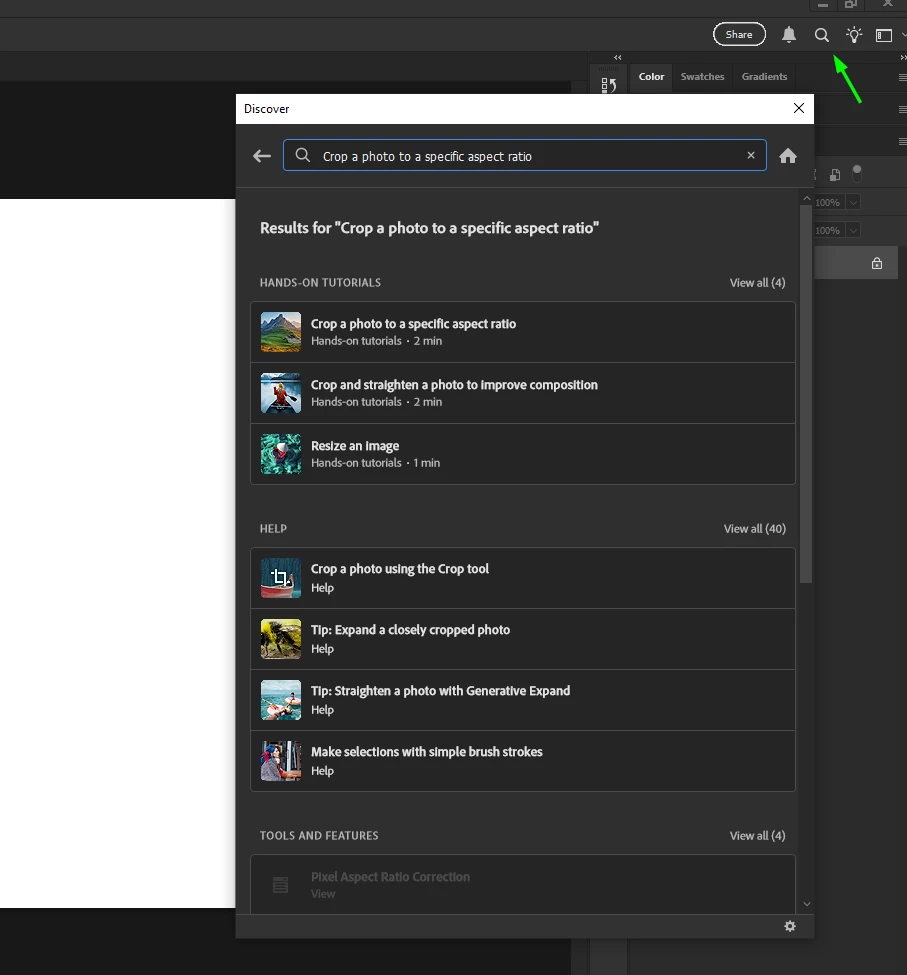
You can also use the discover panel for tutorials on various tools etc

返信数 2

Srishti Bali
Legend
August 5, 2025

Hi @LR_


Thanks for reaching out, and welcome to Photoshop! It’s great to hear that the Rich Tool Tips have been helpful in your learning journey. As @Ged_Traynor mentioned, resetting preferences is one way to bring them back — but before trying that, I’d like to ask a few quick questions to help us troubleshoot:

  • Are Rich Tool Tips missing for all tools, or just specific ones?

  • Can you recall roughly when they stopped appearing? Did this happen after a Photoshop update or a change to your system?

  • Have you tried hovering your cursor over a tool for a few seconds? (If you move the mouse too quickly or click right away, the tip might not show up.)


Let us know — we’re happy to help further!


Regards,

Srishti

Ged_Traynor
Community Expert
Ged_TraynorCommunity Expert解決!
Community Expert
August 5, 2025

@LR_ try manually resetting your Photoshop preferences
https://helpx.adobe.com/ie/photoshop/using/preferences.html#Manually
Remember to back up your settings before doing the preference reset
https://helpx.adobe.com/ie/photoshop/using/preset-migration.html


You can also use the discover panel for tutorials on various tools etc