MahaB82A
Legend
September 27, 2023
Question

Tween Animations

  • September 27, 2023
  • 2 replies
  • 318 views

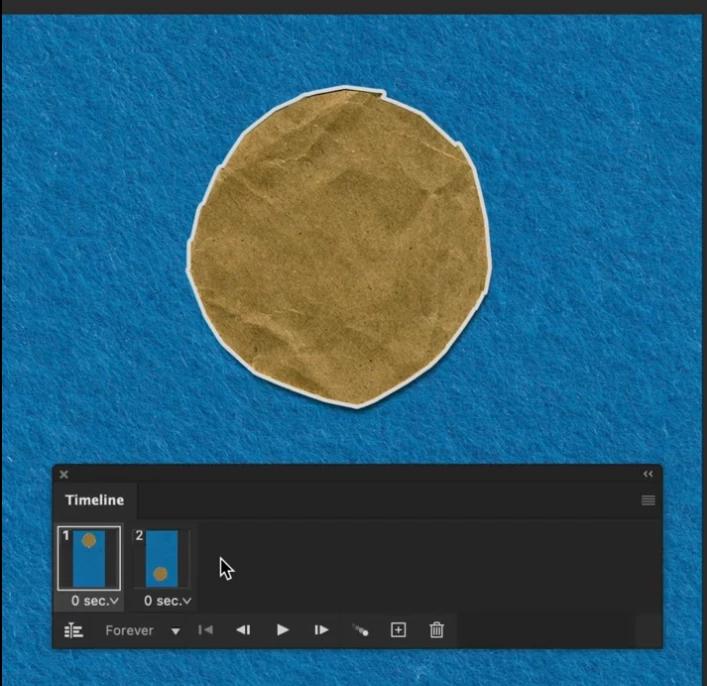
In this tutorial two layer have been brought side by side for animation [time 0.14]. How can it be done? Because I have two separate layers in the layer panel. Only one layer comes in the Timeline.



This topic has been closed for replies.

2 replies

davescm
Community Expert
Community Expert
October 1, 2023

First make sure you are using the Frame Animation timeline  (you are given a choice between Create Frame Animation and Video Timeline) when you first use the timeline in a project. If it is set to make a video timeline before clicking on it, click the small reveal arrow and change it to Frame Animation.


Once you are using frame animation timeline, click on the drop down button at the top right of the timeline window and choose 'Make Frames from Layers'. You should now have a frame for each layer.


Dave

c.pfaffenbichler
Community Expert
Community Expert
September 29, 2023

Could you please post screenshots with the pertinent Panels (Toolbar, Layers, Timeline, Options Bar, …) visible? 

MahaB82A
MahaB82AAuthor
Legend
October 1, 2023

Video is already attached.

c.pfaffenbichler
Community Expert
Community Expert
October 1, 2023

The video appears to be a tutorial and the png is not meaningful.

I asked you to post meaningful screenshots.