MahaB82A
March 8, 2023
Answered

Two monitor issue

  • March 8, 2023
  • 1 reply
  • 1172 views

I have two monitors for one system unit. Drop down menu of tools in 1st monitor appear in 2nd monitor. How to fix this issue?
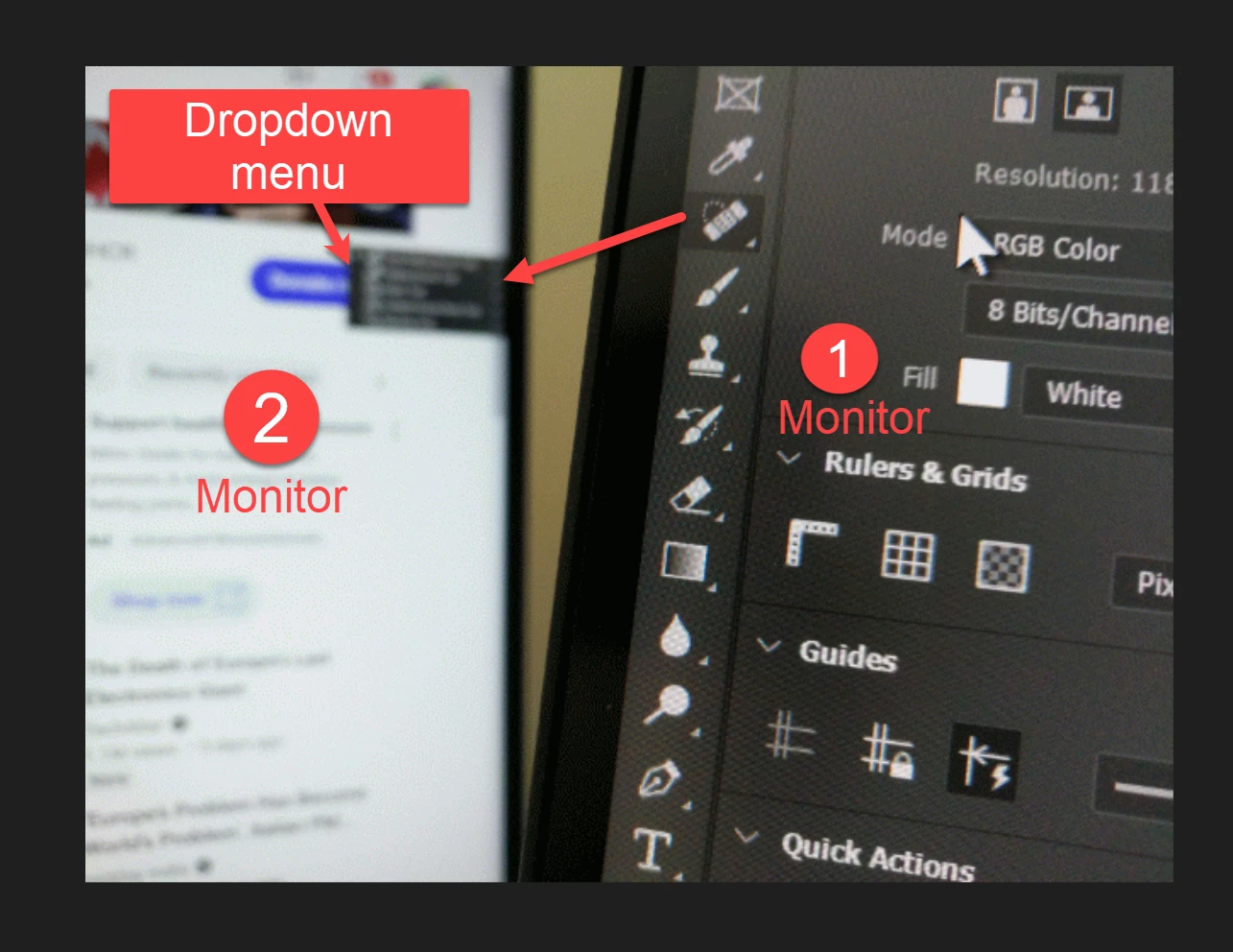

 

This topic has been closed for replies.
Correct answer Ged_Traynor

You haven't mentioned what operating system you have and your version of Photoshop, but if it's Windows 11 and Photoshop version 24.2 it's a known issue

https://community.adobe.com/t5/photoshop-ecosystem-bugs/p-ps-24-2-toolbar-submenu-goes-off-screen-to-my-laptop-secondary-screen/idc-p/13628673

1 reply

Semaphoric
Community Expert
Community Expert
March 8, 2023

Look in the Widows Settings for Desktop. Try rearranging the position of the desktops, and see if that helps.

MahaB82A
MahaB82AAuthor
March 8, 2023

It was not the case before. It was a sudden occurance. Rearranging the monitor is not possible because main moitor [1st one] is bigger than 2nd one. 

Ged_Traynor
Community Expert
Ged_TraynorCommunity ExpertCorrect answer
Community Expert
March 8, 2023

You haven't mentioned what operating system you have and your version of Photoshop, but if it's Windows 11 and Photoshop version 24.2 it's a known issue

https://community.adobe.com/t5/photoshop-ecosystem-bugs/p-ps-24-2-toolbar-submenu-goes-off-screen-to-my-laptop-secondary-screen/idc-p/13628673