Henik
Participant
March 24, 2020
Question

two photoshop updates in creative cloud

  • March 24, 2020
  • 2 replies
  • 524 views

Can someone tell me why creative cloud is showing me  a new photoshop update and a 20.0.9 version that was just updated
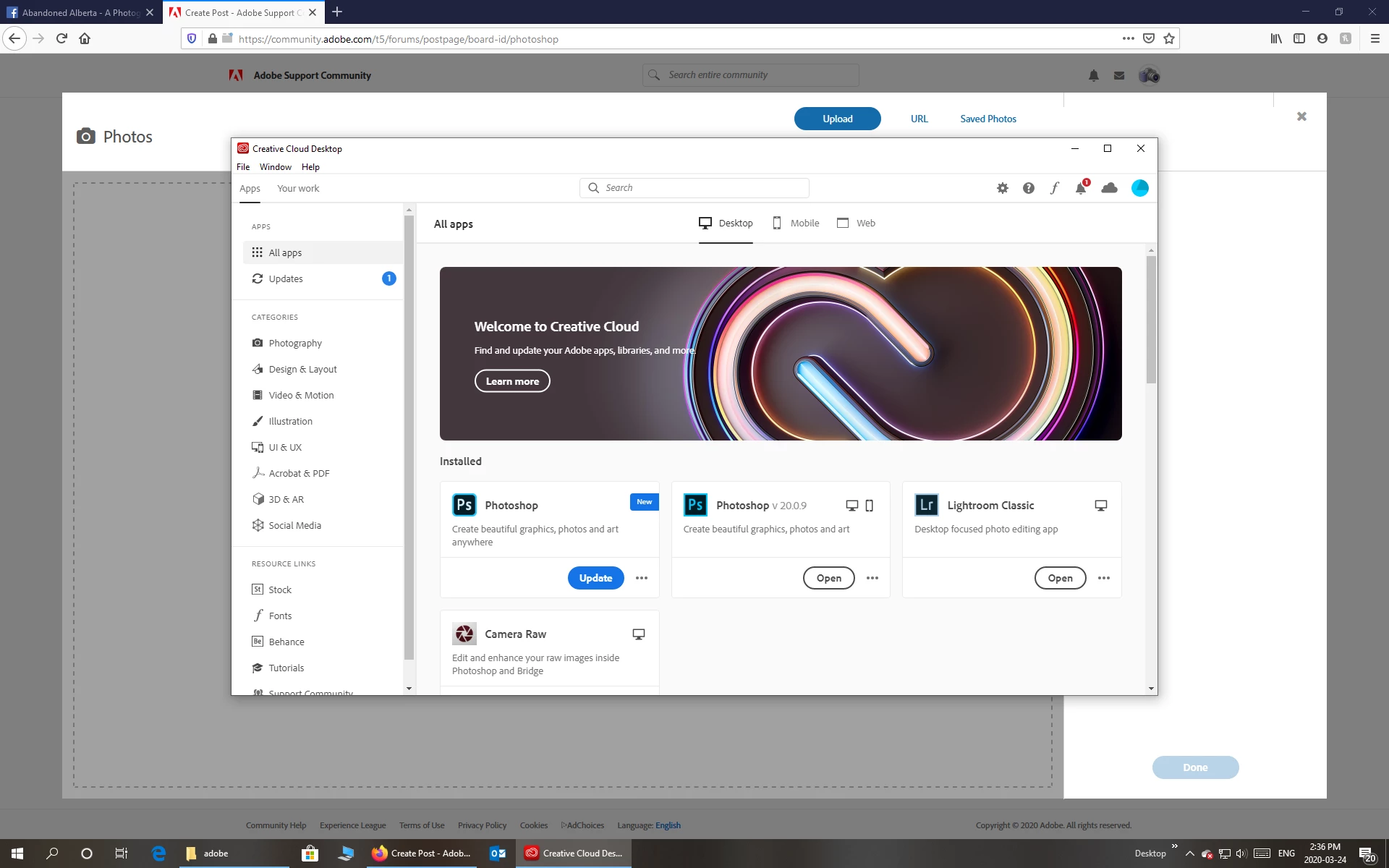


This topic has been closed for replies.

2 replies

Conrad_C
Community Expert
Community Expert
March 25, 2020

The most common reason for you to have two major versions of Photoshop is that, when the new version came out last fall, the Creative Cloud desktop app asked you if you wanted to erase all older versions, and you answered No. So the previous version (20) was kept on your machine, the new one (21) was installed, and you are still getting updates for both.


If you no longer want either version, click the three dots next to the button and choose Uninstall from the menu that pops up.

If you want to keep both versions, you can click Update for both versions.


More info:

Photoshop 2020 is version 21. This is the current version.

Photoshop 2019 is version 20.

That sounds weird, but it's because the year doesn't align exactly with all of the versions going back to the beginning. For example, Photoshop 1.0 came out in 1990, and version 15 of Photoshop (the first version to get a year in the name) was Photoshop CC 2014.

Ussnorway7605025
Legend
March 24, 2020

the launcher sees two builds of Photoshop on your machine and is asking which one to upgrade

  • note that current builds of Photoshop are riddled with new bugs so its a good idea to keep the old build when you upgrade so you can keep doing your work when the new build hits a bug i.e, the build you have [from before the upgrade] and the new one you just upgraded too
