

dragantomas
Inspiring
November 19, 2024
Question

Unable to migrate preferences from 2024 to 2025 Photoshop Version

  • November 19, 2024
  • 1 reply
  • 1187 views

Hi all,


Macos Sonoma, M1 Max 64Ram


I made a complete clean reset of 2025 (26.0.0) photoshop because saving (as) was always jumping spinning wheel until saving process is complete (also ‘Save Progress’ option in the bottom left was not showing any more) so all of the (migrated from the 2024 version) preset preferences were deleted as well.


Now as I still have 2024 (25.12.0) version, I wanted to migrate its preset preferences again onto version 2025. However when I go to Edit > Presets > Migrate Presets, a dialog graph jumps reading: 

There are no presets to migrate from the older versions. 
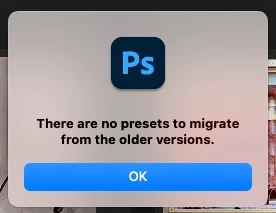
Does someone knows how to fix this and migrate preferences?


1 reply

Ged_Traynor
Community Expert
Community Expert
November 19, 2024
Anshul_Saini
Community Manager
Community Manager
November 19, 2024

Hi @dragantomas,


The HelpX link shared by Ged provides multiple solutions for migrating presets and preferences. If the automated migration isn’t working, the best approach would be to manually move them from your Adobe Photoshop 2024 folder to the 2025 folder.


Here’s how:


To Migrate Presets


1. Navigate to:

/Applications/Adobe Photoshop 2024/Presets/Tools

2. Copy the contents of this folder.

3. Paste them into:

/Applications/Adobe Photoshop 2025/Presets/Tools


To Migrate Preferences


1. Go to:

~/Library/Preferences/Adobe Photoshop 2024 Settings

2. Copy specific preferences or the entire folder.

3. Paste them into:

~/Library/Preferences/Adobe Photoshop 2025 Settings


Once the files are moved, restart Photoshop 2025, and the presets and preferences should appear.


Let me know if you run into any issues!


Best,

Anshul Saini

Participant
January 22, 2025

Hello Anshul, where are the ~/Libraries/ directories you're referring to on windows? I'm at a loss here, had a new install that did not keep any of my frustratingly-many custom keybindings