samjay
Participant
April 13, 2020
Answered

Unable to move selection with stylus

  • April 13, 2020
  • 1 reply
  • 695 views

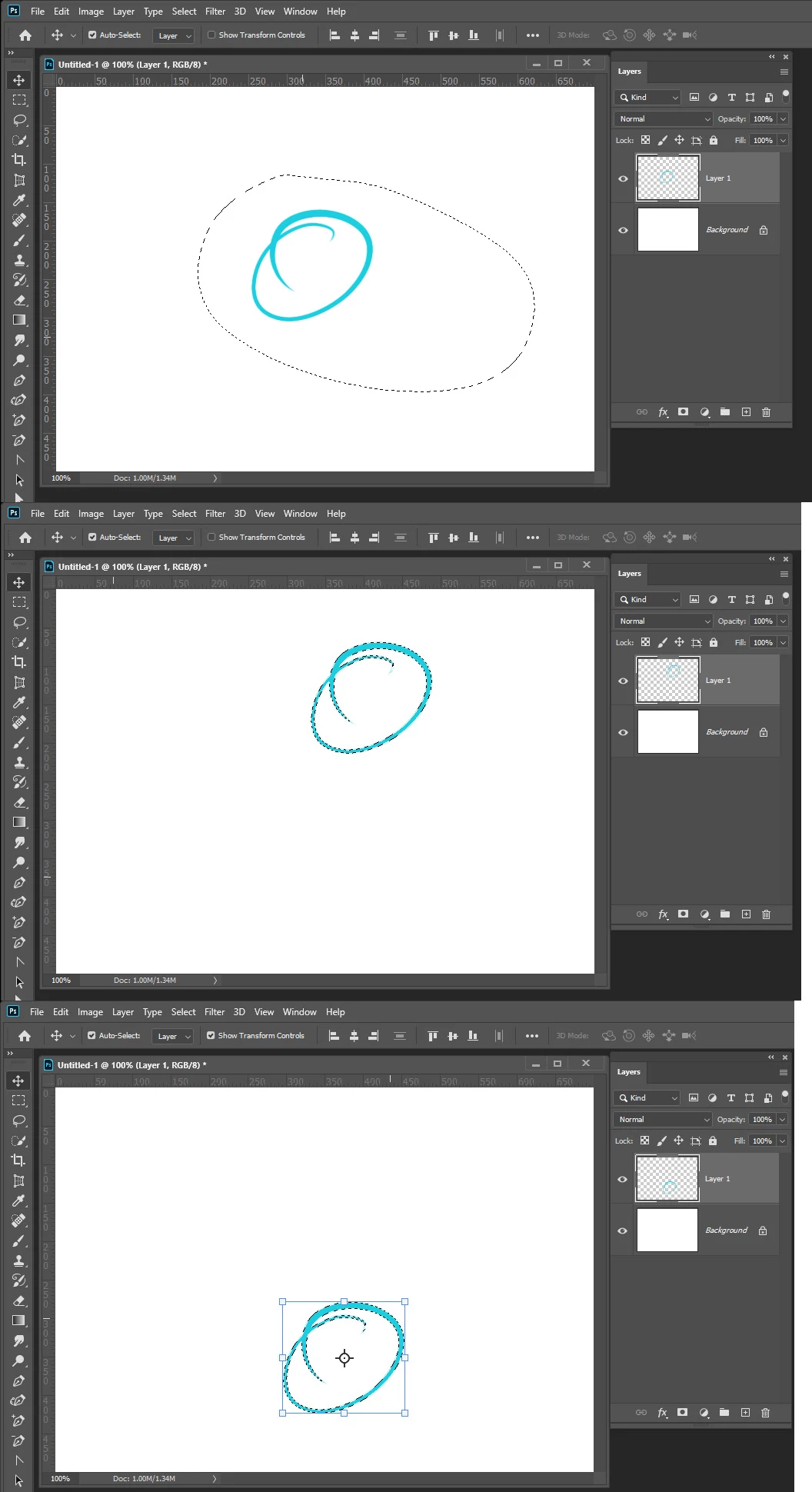
It seems like I'm unable to move an object I've selected with my stylus (see the attached video). Perhaps it has to do with my pen settings, but unsure. Is there a fix?


Running Photoshop 21.1.1 on an HP Zbook Studio x360 G5.


Advice appreciated. Thanks.

This topic has been closed for replies.
Correct answer samjay

Then your layer is a normal raster layer and you should be able to select pixels and move your the pained in pixels.  The thing is I can not explain why in your lasso section was de-selected and your painted circle layer's transparency was loaded as a selection as if you did a Ctrl+Left Click one the layers content thumbnail in the layers Palette.  Have you installed any third Party Plug-in, Photoshop extensions. event handlers.  The changed selection I saw looked like it was programmed not likely to be a random bug, The selection was around the pixels you painted in the layer.


On my Windows system when I move the pixels the selection does change to  just the selected layer pixels any I can move The pixels anywhere with the move tool with or without the move tool displaying the transform controls. Note: To move the Pixels the cursor must be within the selection on a select cyan area.


If  you are using a Pen Adobe Broke Photoshop WinTab support in updated 21.1.0 and did not fix it in  21.1.1.  Be sure Photoshop and your Pens are using Windows INK API.

Thanks. Turns out it was related to the stylus driver. I tried re-installing the Wacom AES Digitizer Driver from the drivers page for my machine, rebooted, and the move tool is now working properly as it should. Also updated to Photoshop 21.1.2. 


Appreciate the help. 🙂

1 reply

JJMack
Community Expert
Community Expert
April 13, 2020

Try resetting all Photoshop tools. If that does not fix Photoshop operation. Try resetting your Photoshop Preferences. Not only did it not moved the selected content yous selected. It looks like you did a magic wand selection of your cyan circle without touching cyan, The selection changed.  You video is poor can not see your layers palette to  see what photoshop's current  target is or the tool option bar to see if the move tool auto select is on or not.  I have no Idea why the selection changed

JJMack
samjay
samjayAuthor
Participant
April 13, 2020

I used the lasso tool to make the selection and made sure I was on the same layer as the shape I was selecting. Auto select was also off. I did try Preferences > General > Reset Preferences on Quit, but am still experiencing the same issue.

JJMack
Community Expert
Community Expert
April 13, 2020

If its shape layer just target the layer and move it with the move tool no selection is needed.  It just needs to be the current Photoshop target. You can also use free transform to scale it, move it, distort it. Withe the vector tools you can edit the shape.


You actually can not select pixels on a shape later.  A shape layer  is more  a fill layer with a vector layer mask.  The fill can be no fill empty, Solid Color Fill, Gradient Fill or Pattern fill.


When you move a shape you are actually moving the Path in the vector layer mask.

JJMack