
hugohs
Participant
June 11, 2021
Question

Unable to nudge channels

  • June 11, 2021
  • 2 replies
  • 1992 views

I'm working on a project where I need to nudge and otherwise manipulate the individual channels in an RGB image. I've had the issue I'm about to describe happen before, but I've never a) been able to figure out what triggers it nor b) been able to resolve it once it happens.


Initially, after creating the image, I'm able to go to the Channels palette and use the move tool to move that channel. Or I can use the Transform tool to rotate or resize just that channel. At some point though, I am suddenly unable to manipulate the individual channels. I then get, for instance the following error:
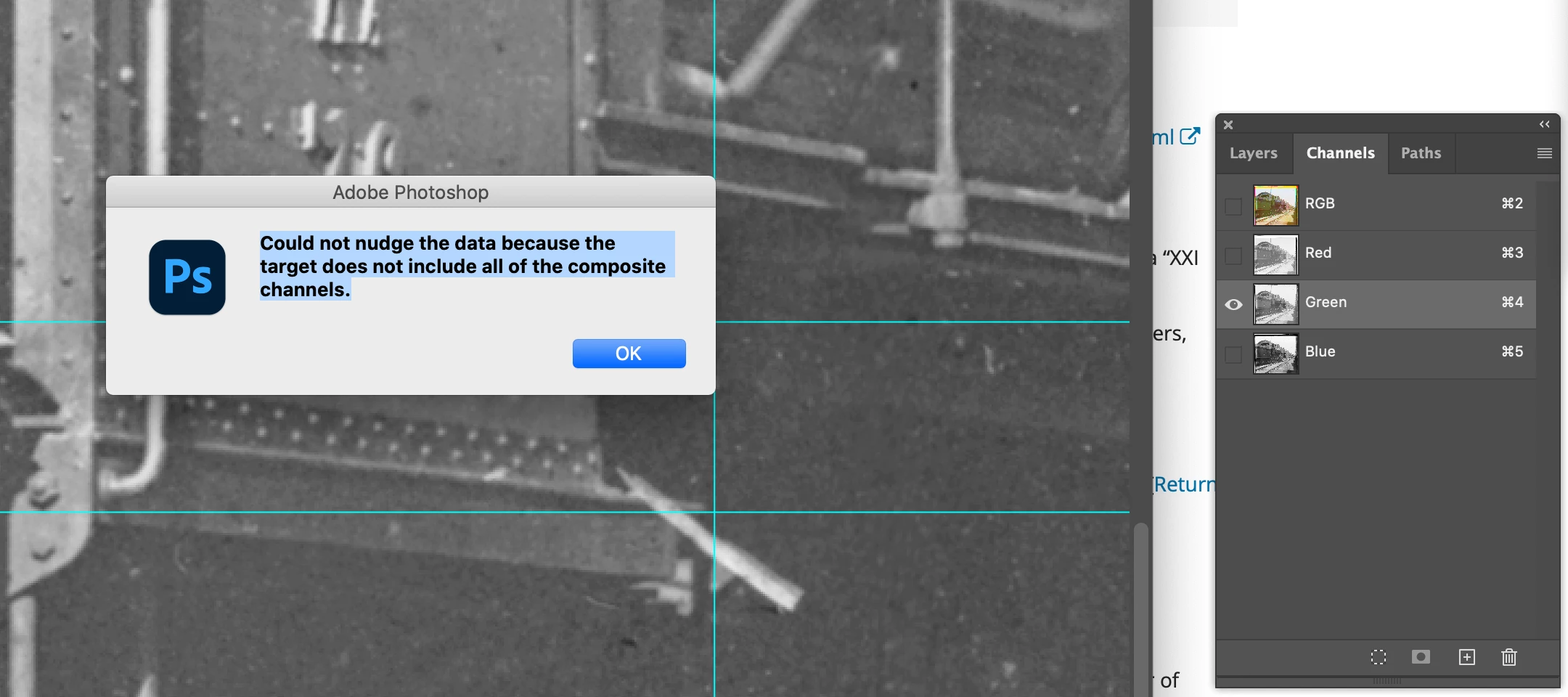
 

The error message implies I can't move the 'data' because the target doesn't include all composite channels - but I don't want to move all the composite channels - I want to move just the, for instance, green channel. And just minutes before I was doing just that. I'm assuming here that 'the target' is the selected channel?


What am I missing? Thank you!


I've looked around and see that some people are able to resolve this by making sure they aren't editing in Quick Mask mode. I've checked that...

This topic has been closed for replies.

2 replies

c.pfaffenbichler
Community Expert
Community Expert
June 11, 2021

c.pfaffenbichler
Community Expert
Community Expert
June 11, 2021

Is there an active Selection? 


I recommend you abandon this approach and use Smatz Objects that only affect single Channels. 

hugohs
hugohsAuthor
Participant
June 11, 2021

Thank you for your suggestion - it's an interesting one. And perhaps it's the only solution. I hate to think I'd want to do somejust a certain way just because that's how I've always done it but.. 


a) When I first copy the data into each of the channels I can nudge, roteate, resize them exactly as I want.


b) Each of the channels are just that - the RGB components of a single image, so having to deal with a smart object seems to introduce unnecceesary complkexity for no added benefit - I just want to manipulate the RGB channels indiviually


and, of course, I've worked with these images for 20 years and this used to 'just work'.


I thought maybe I was breaking this when I would rotate (as opposed to nudge) on of the channels, but I just tested and this does not break it. I'll keep poking at this.


c.pfaffenbichler
Community Expert
Community Expert
June 11, 2021

Could you please post screenshots with the pertinent Panels (Toolbar, Layers, Options Bar, …) visible? 

Is the Layer a Background Layer? Is there a Selection? 


b) Each of the channels are just that - the RGB components of a single image, so having to deal with a smart object seems to introduce unnecceesary complkexity for no added benefit - I just want to manipulate the RGB channels indiviually


Whar if you need to do some touch up on the original image or exchange the image altogether? 

Or want to transform, scale, filter one Channel mutiple times without unnecessary image degredation?