
Participant
April 8, 2023
Question

Uninstall a Photoshop that appears not installed in ACC

  • April 8, 2023
  • 2 replies
  • 823 views

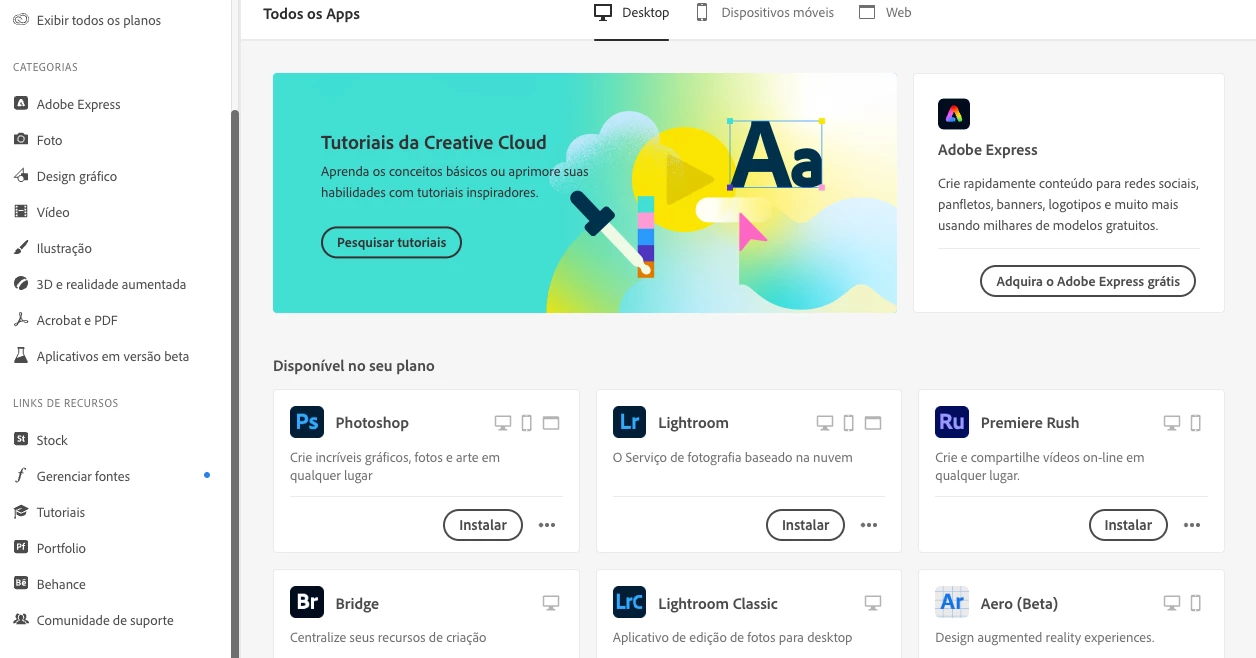
I mjust change the language of my Photoshop (Mac user) from portuguese to english. The instructions are simple, just click UNINSTALL on Adobe Creative Cloud app. But on the app Photoshop appears as not installed, I only can install it (as you can see in the picture, "INSTALAR", install in portuguese)! But, I assure you, it is installed and fully functional.  So I need instructions, is it ok simply install again? In this case, win't have a conflict between both versions? Thanks in advance.
This topic has been closed for replies.

2 replies

Stephen Marsh
Community Expert
Community Expert
April 10, 2023
thatsmauri
Community Expert
Community Expert
April 9, 2023

If you want to uninstall it, you will have to change the language back to English first. Your installed app will then return.

Participant
April 9, 2023

I can not "change back". It was installed inportuguese by default. To change to English, I must uninstall photoshop and install again. But it doesn't apoear on acc app list, as you can see in the pic. 

thatsmauri
Community Expert
Community Expert
April 9, 2023

Sorry, but it doesn't make sense for me. Perhaps due to my poor English. I have one photoshop installed in portuguese. The acc app doesn't recognize it, so I can't uninstall to install again in English, as Adobe teaches. 


No worries 🙂 An example: My default install language is set to German in the Preferences of the Creative Cloud desktop app. If I change it to any other language, my already installed app(s) will vanish from it as well - just like in your case. I agree this is confusing, but I suppose it's simply a limitation in how the Creative Cloud desktop app works.


You just have to switch back to Portuguese and Photoshop will reappear/show up as "Installed". Uninstall Photoshop, switch the language back to English and you should now be able to install the English version of Photoshop.