

Unusual gradient/ transparency pixelation issue.
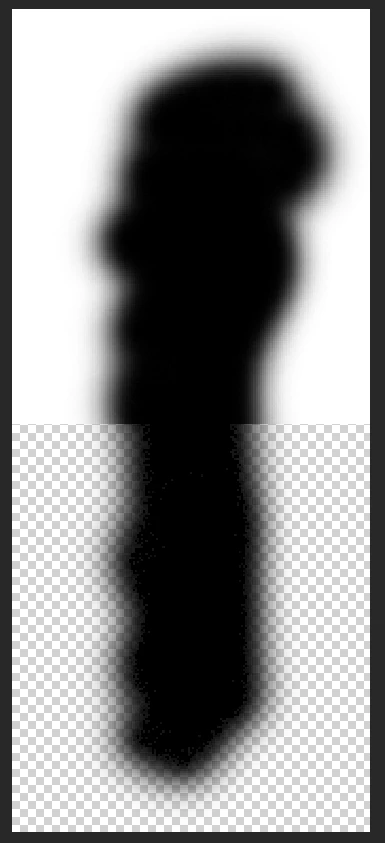
2 Weeks ago after I formatted my hardrive and installed a new and clean version of Photoshop CC I ran into a weird problem (see attached picture). All of my soft brush strokes/ gradients from a dark color to transparent get this weird pixelation instead of beeing smooth like they should.
I have tried the following things without sucess:
-Reset brushes
-Reset/ delete preferences
-Reinstall Photoshop
-Rollback, update and switch GPU Drivers
-Turn off OpenGL
-Switch to different color-modes /-profiles
-Start windows in save mode without drivers
-Change monitors
I have only found a single thread on a different website about this issue (https://www.photoshopgurus.com/forum/photoshop-newbies/27693-brush-pixelation-transparent-background.html). Unfortunately they could not find a working solution either. I thought it was a hardware problem, but saving a psd-file with said issue in it and opening it on my other PC with a different version of Photoshop (CS6) replicated the problem (now persistend on this computer aswell). The problem appears only in Photoshop. Other Adobe programms and other photo editors (namely "gimp" and "paint.net") have no problem with transparency whatsoever.
The exported pictures (png and jpg) look fine, this only appears while working inside photoshop.
Here is a video I found showing my exact problem https://www.youtube.com/watch?v=MpKcfyMcmCo
These are my specs:
-OS: Windows 7 Professional
-GPU: GTX 1070
-CPU: i5 3570k
-RAM: 24GB
-Mainboard: Gigabyte Z68x-UD3H
I hope you can help me.
 AdChoices