
Inspiring
November 6, 2016
Question

Updated Photoshop and Not Working

  • November 6, 2016
  • 2 replies
  • 565 views

Hello,

With my CC subscription I updated  to Photoshop 2017, but now I can't open Photoshop. I get the following dialog box:
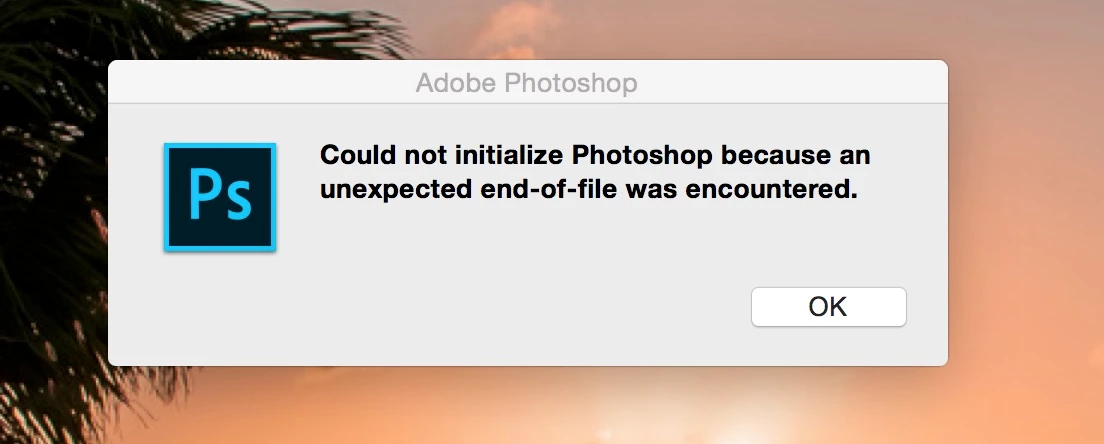
I am using a Macbook Pro, running OS X Yosemite 10.10.5

Thanks in advance for any assistance.

    This topic has been closed for replies.

    2 replies

    Barb Binder
    Community Expert
    Community Expert
    November 6, 2016

    An alternative is to reinstall CC 2015 while you figure out the CC 2017 issues. Scroll down "Install an older CC version with the Creative Cloud App" in this blog post for specific instructions on how to do it:

    Adobe Creative Cloud: It’s Not Working After the Upgrade - Rocky Mountain Training

    ~Barb at Rocky Mountain Training
    Inspiring
    November 6, 2016

    Barb,

    Thank you for you help. I took your advice and reinstalled the older CC version, and I'm back to work. I then took the extra step and uninstalled Photoshop 2017. I think I will take also take the advice in the article and wait a bit longer before I try to update to Photoshop 2017.

    Again, thanks for your assistance.

    Barb Binder
    Community Expert
    Community Expert
    November 6, 2016

    I don't know about you, Marc, but I find it hard to resist an upgrade alert. I'm learning.

    ~Barb at Rocky Mountain Training
    JJMack
    Community Expert
    Community Expert
    November 6, 2016
    Inspiring
    November 6, 2016

    JJMack,

    Thank you for the direction. It would appear that this will also remove Lightroom from my machine as well. I have backed up my the two Libraries that I am using just in case, but if I uninstall CC does this mean that I am starting essentially with Lightroom CC that has nothing?