
Updated Photoshop - Edit options + other things changed - How to get old back?
I updated Photoshop CC today (v20.0 - I believe) and now all kinds of things have changed and it's horrible!
First the scaling of images has changed when bring image into another image (as layer) the sizing doesn't stay... what I mean is, when holding down the Shift key the proportions change... figured out that now, you can't hold the shift key down where you did before to keep the proportion the same, it's actually like Adobe reversed the function where now you don't hold the shift key and the proportion will stay but holding shift distorts the proportion....
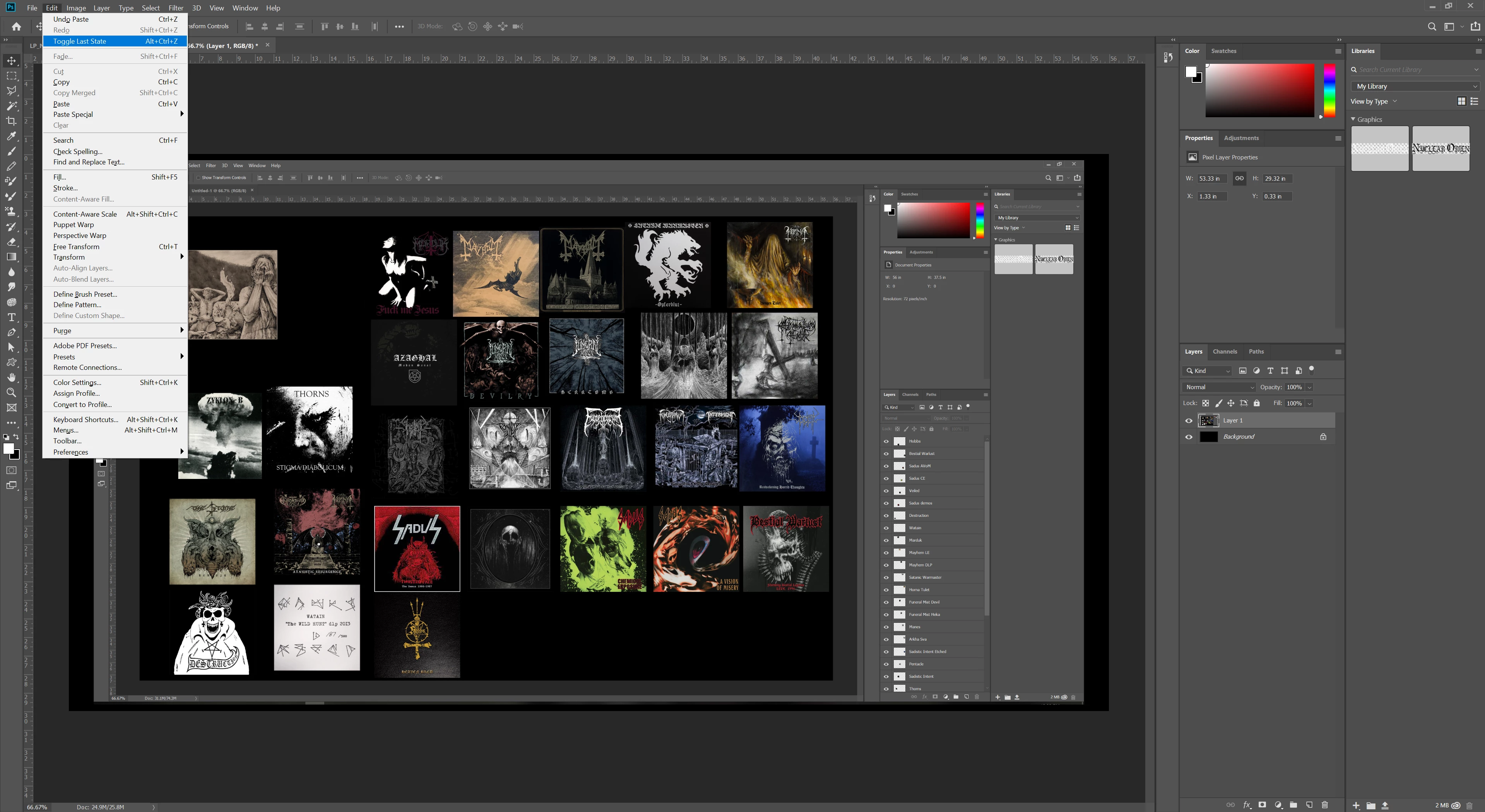
So anyways, that was just one thing, i figured that out, but my REAL issue I need help with is the EDIT options tab - Menu Chooses - After the update options changed where now options of STEP BACKWORDS and STEP FORWARDS are missing and replaced with Undo (rarely shows) - Redo (only works for last actions used) - and Toggle (which IMO sucks)
HOW can I get this back to way it was prior to update? OR is there keyboard shortcut I should be using to be able to go STEP BACKWARDS as Edit menu previously allowed you to do for all/every step action you preformed? Image of what I'm talking about the way it is now:
 AdChoices