/t5/photoshop-ecosystem-discussions/use-normal-layer-as-mask-layer/td-p/11918341Mar 22, 2021
Mar 22, 2021
Copy link to clipboard
Copied
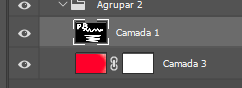
Using the image above, how can I copy the contents of "Camada 1" into the mask of "Camada 3", in order of use the "Camada 1" content as a mask for the other layer?
Trevor.Dennis • Community Expert, Mar 22, 2021Mar 22, 2021
Remove the layer mask from Camada 3
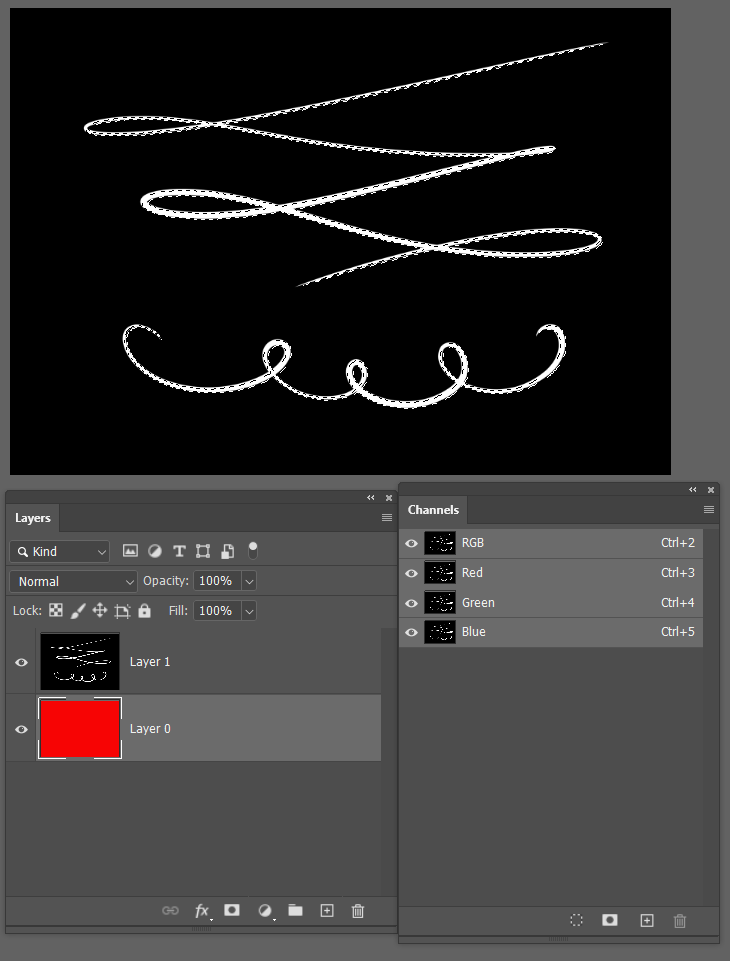
Make sure the white on black layer is turned on with nothing obscuring (layers above) and Ctrl click any of the three channels to load it as a selection
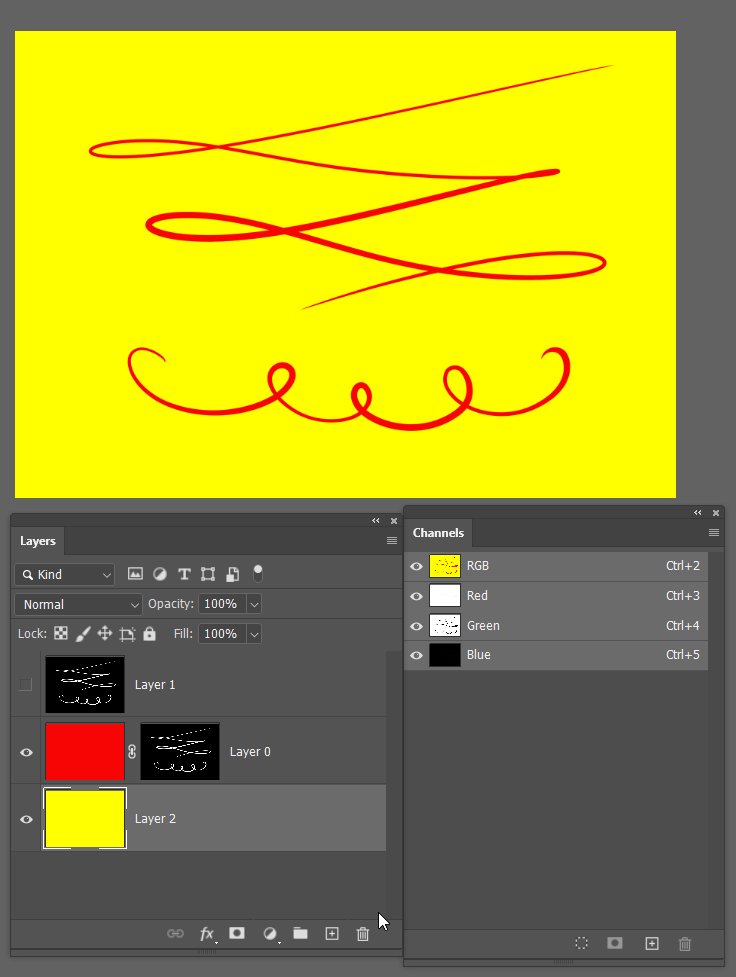
Add a layer mask to Camdan 3. Job done
I have used the yellow layer just to show what is masked
/t5/photoshop-ecosystem-discussions/use-normal-layer-as-mask-layer/m-p/11918431#M524198Mar 22, 2021
Mar 22, 2021
Copy link to clipboard
Copied
Remove the layer mask from Camada 3
Make sure the white on black layer is turned on with nothing obscuring (layers above) and Ctrl click any of the three channels to load it as a selection
Add a layer mask to Camdan 3. Job done
I have used the yellow layer just to show what is masked
/t5/photoshop-ecosystem-discussions/use-normal-layer-as-mask-layer/m-p/11922408#M524698Mar 24, 2021
Mar 24, 2021
Copy link to clipboard
Copied
LATEST
I do it like this: 1. Ctrl + click on the layer thumbnail to load it as a selection. 2. Ctrl + C to copy the pixels 3. Alt + click on the desired mask thumbnail to show the mask 4. Ctrl + V to paste the pixels into the mask 5. Click on any layer thumbnail to hide the mask











 3
Replies
3
Replies




 AdChoices