TenTin
Known Participant
March 20, 2023
Answered

Vector Shape and Smart Object

  • March 20, 2023
  • 6 replies
  • 3388 views

Why doesn't SO (Smart Object) support shape resizing?

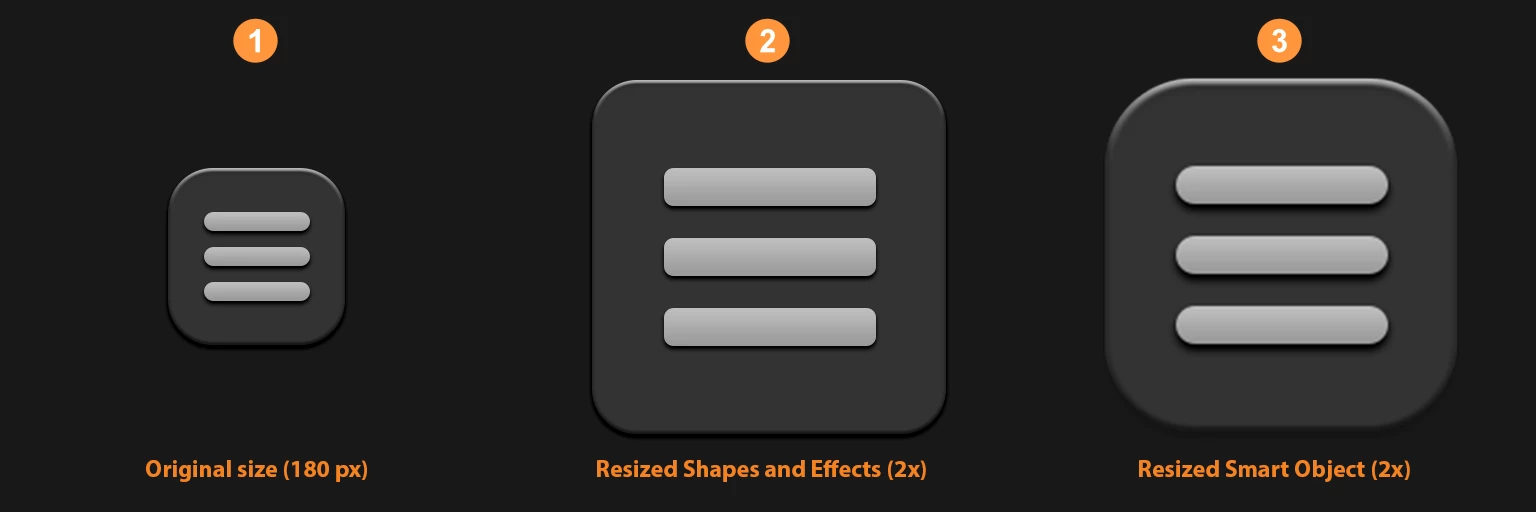
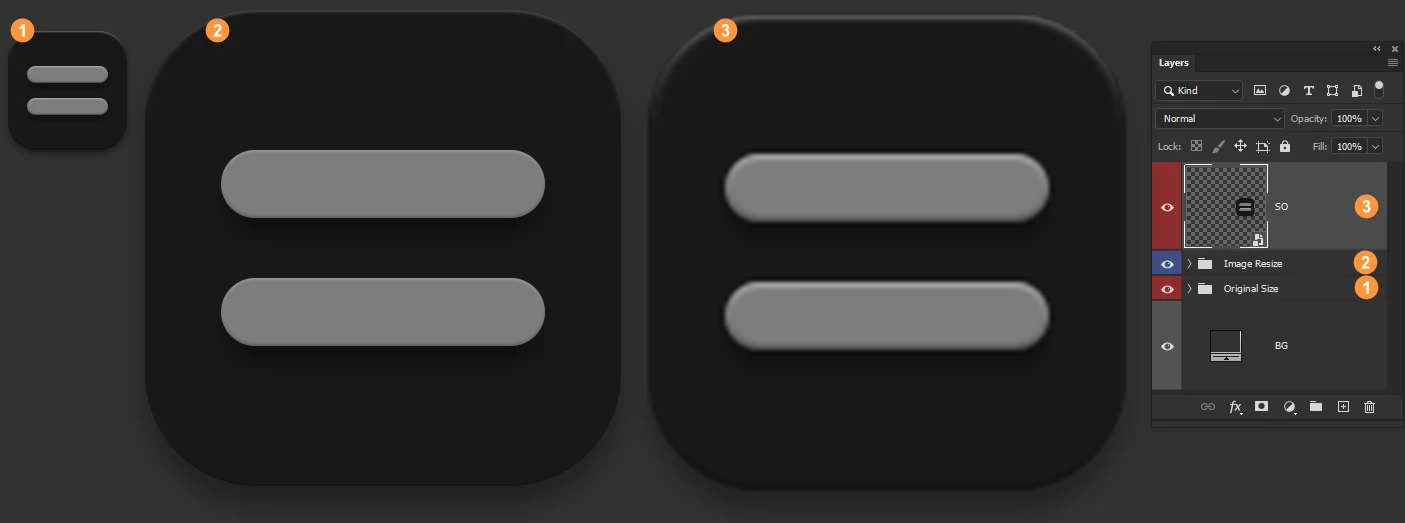
I have designed an icon (180 px). I changed its scale (2x) and also its effects. This operation changed the shape's corner radius too. I converted the icon (all shapes with its effects) to SM, then changed its size (2x), the corner radius and effects are as the original, but the vector/shape data changed (rasterized) and have jagged edges. 


What should I do to preserve the vector/shape data (corner radius and sharp edges) and its effects when I resize its size?!
 

This topic has been closed for replies.
Correct answer c.pfaffenbichler

Number 2 is upscaled by the "Image Size" option (no SO) that preserves vector data (sharp edges) but doesn't scale styles proportionally. Number 3 is a SO layer (resized 4x) that preserves style scale proportionally but doesn't do that for vector data (jagged edges).


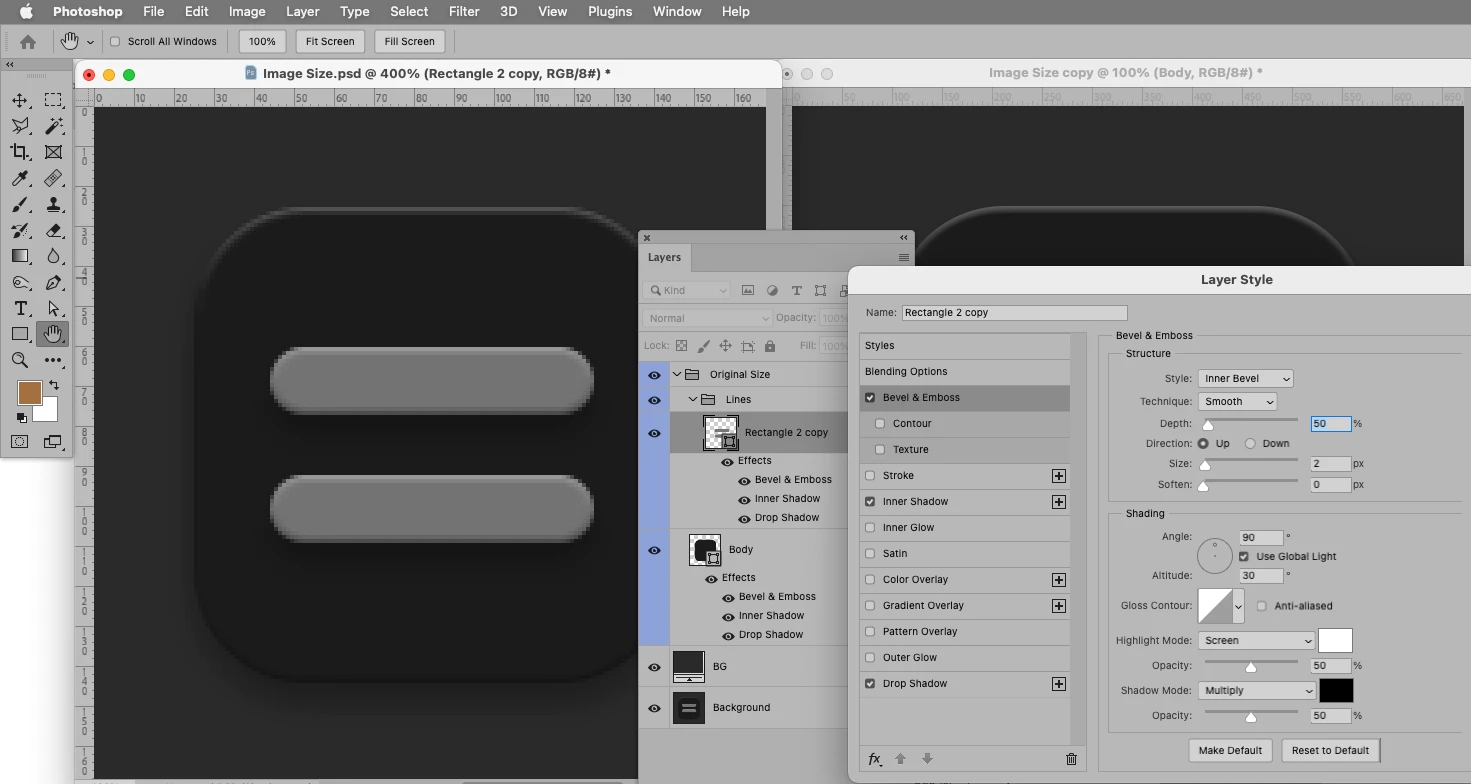
With less small values in the Bevel & Emboss Layer Style the difference pretty much disappears. (left the original size, right 400% upsampled)

6 replies

c.pfaffenbichler
Community Expert
Community Expert
March 21, 2023

Another point: 

When a scaled Vector Smart Object contains pixel data (either placed images or effects like Drop Shadows for example) that will also just be resampled pixel data.

TenTin
TenTinAuthor
Known Participant
March 21, 2023

AFAIK, Ps manages the shape layers as vectors (by resizing a shape it doesn't miss sharpness). PSB is just a container bigger than PSD (psB= PhotoShop Big File Format) to save more than 1 GB of data. Why doesn't SO preserve the vector data?!! PDF also has vector data! 
There are many geniuses (software engineers) in Adobe, why don't they make the SO to preserve shape/vector and even text layer data when resizing?! What a headache... 🥱


Some guys (icon designers) design icons at a small size (like 128px) with shape/vector layers. They resize the image (also "Scale Styles") to provide the icon at another size. How do they do that?
One way is to design in Ai but doesn't have the full "Styles" support like Ps. Another way is to design the icon from scratch at a large size! What about the small size (with the vector/shape layers, not the pixel layers)?! 🙄

c.pfaffenbichler
Community Expert
Community Expert
March 21, 2023
quote

Why doesn't SO preserve the vector data?!!

What are you talking about?

Of course the vector data of Shape Layers is maintained in the psb.

The Smart Object instance is pixel data nontheless and it is based on the psb’s preview (pixel), not a pdf (as in Vector Smart Objects). 

c.pfaffenbichler
Community Expert
Community Expert
March 21, 2023

Please provide the image for testing. 

TenTin
TenTinAuthor
Known Participant
March 21, 2023

Here is the PSD (Attachment) ... 😴

c.pfaffenbichler
Community Expert
Community Expert
March 21, 2023

The Layer Styles seem to numerically scale fine, too, but the ones that are originally 1px seem to look different after scaling, even though they are at 4px. 

Try »Create Layers« before resampling. 

c.pfaffenbichler
Community Expert
Community Expert
March 21, 2023

Converting any layer/s to a Smart Object creates a Smart Object as a psb. 

psb is a pixel image format. 


Either keep the Shape Layers as Shape Layers (and amend the corner radii manually [edit: also Layer Styles, if necessary]) or create the Smart Object at the largest necessary size (but keep in mind that downsampling may also result in some unwanted artefacts). 

Trevor.Dennis
Community Expert
Community Expert
March 21, 2023

You need to give us a detailed step by step of your workflow, otherwise we can only assume you are using the right steps when you might not be.

TenTin
TenTinAuthor
Known Participant
March 21, 2023

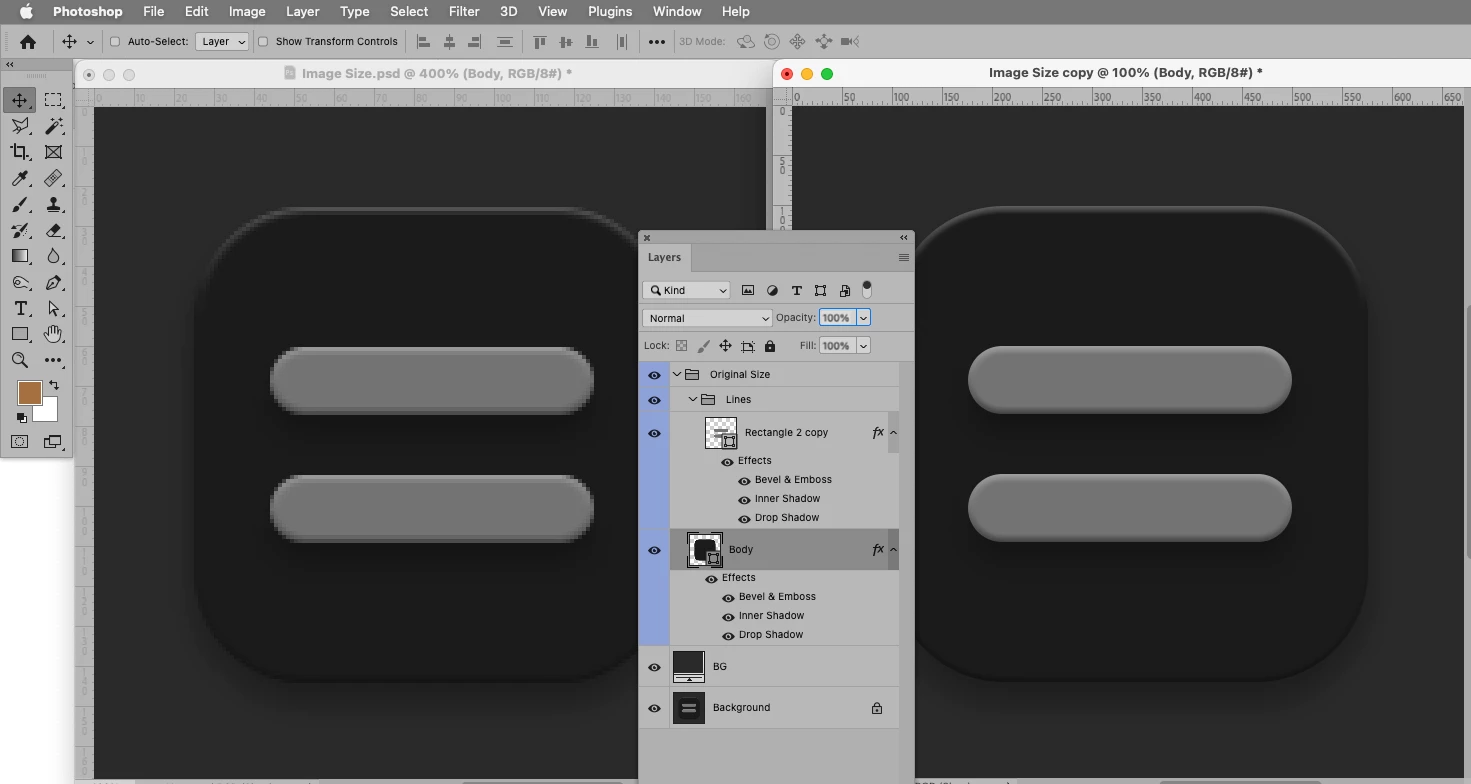
Is this enough?!

Bojan Živković11378569
Community Expert
Community Expert
March 21, 2023

You are in transform mode which is designed for speed not quality. While scaling in free transform mode it will quickly render preview and thats what you see. Commit changes using checkmark in the Options bar or using Enter/Return. Ensure that you are in 100% view then judge and take screenshot to showcase result.

Bojan Živković11378569
Community Expert
Community Expert
March 21, 2023

What is viewing percentage when you see jadged edges? Judge only at 100% view.

TenTin
TenTinAuthor
Known Participant
March 21, 2023

100%.

Kevin Stohlmeyer
Community Expert
Community Expert
March 20, 2023

Hi @TenTin - Im not seeing the same behavior you are describing.

Here is how I built my sample:

1. Each piece is a vector shape with effects in separate layers (bevel and emboss on large piece, drop shadow on the buttons).


2. Select all and convert to Smart Object.


3. Transform and the object maintains scale on both effects and shapes.


TenTin
TenTinAuthor
Known Participant
March 21, 2023

Hi, 

Wondering!!

Is your photoshop from Andromeda? Mine is from the Milky Way! 🤔 🤔

Bojan Živković11378569
Community Expert
Community Expert
March 21, 2023

Commit changes then take screenshot,  I see checkmark in the Options bar.