
Mrinabh
Participant
January 5, 2022
Answered

Vertical lines in thumbnails PSD files in macOS

  • January 5, 2022
  • 3 replies
  • 380 views

Not sure if this is specific to macOS, I am seeing weird vertical lines in thumbnail previews of certain Photoshop files. Have not found a specific setting and/or file format (eg color depth, layers/edits, etc) to repro the issue - at this point seems random.
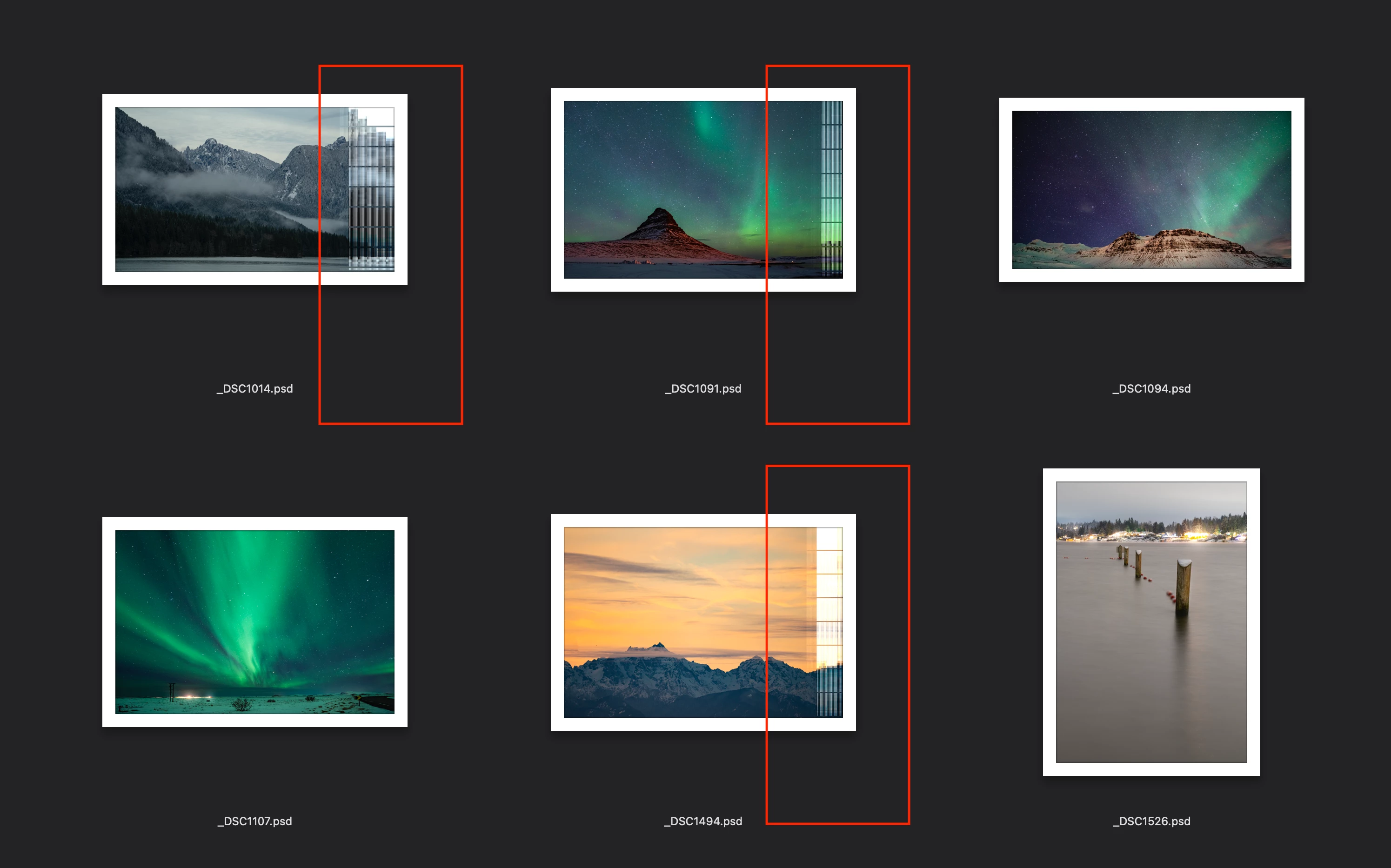
This topic has been closed for replies.
Correct answer gener7

See if  doing a "non-destructive change" such as turning a layer off and on will help. It should force the thumbs to redraw on the new system because it is a change you can re-save.


Another thought is to clear the MacOS thumbnail cache using the instructions provided.

https://www.maketecheasier.com/clear-quick-look-cache-mac/

3 replies

Legend
January 7, 2022

If you view the files/thumbnails in Bridge do you get those lines as well?

gener7
Community Expert
gener7Community ExpertCorrect answer
Community Expert
January 6, 2022

See if  doing a "non-destructive change" such as turning a layer off and on will help. It should force the thumbs to redraw on the new system because it is a change you can re-save.


Another thought is to clear the MacOS thumbnail cache using the instructions provided.

https://www.maketecheasier.com/clear-quick-look-cache-mac/

Mrinabh
MrinabhAuthor
Participant
February 1, 2022

Flushing out the quicklook cache resolved the issue - thanks so much!

benlebel
Participant
January 5, 2022

Have them too since I upgraded my MBP a few months ago. Would also like to know why and how to fix it.