
Participant
March 31, 2021
Question

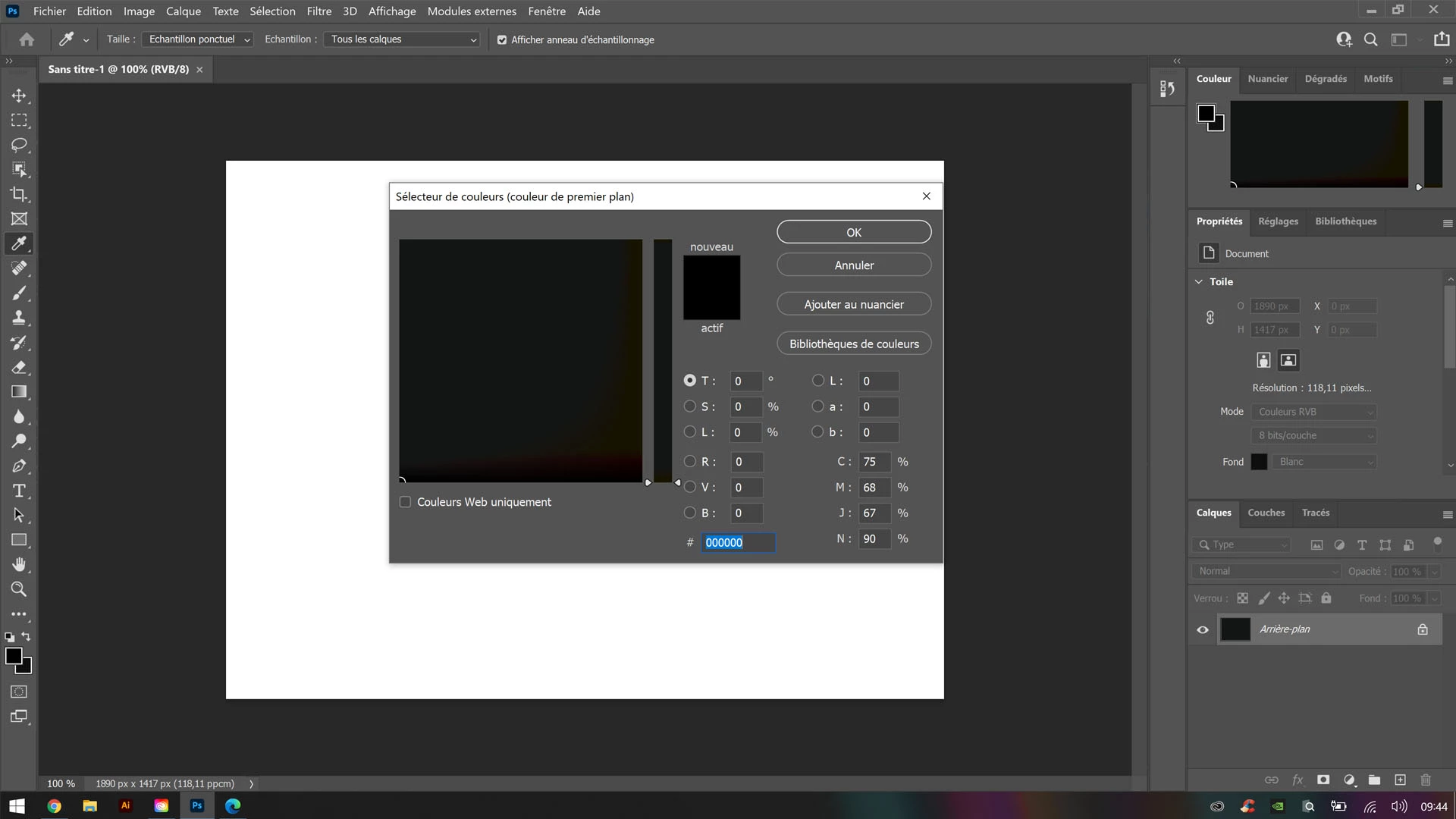
Very dark almost black color chart

  • March 31, 2021
  • 2 replies
  • 510 views

Hello, I just bought a Zenbook Duo Pro and I have a problem with the colors in my photoshop.
Indeed my color chart is extremely dark and all the colors are almost black.
I have searched everywhere but I cannot find the solution. Do you have an idea ?
Thank you


This topic has been closed for replies.

2 replies

davescm
Community Expert
Community Expert
March 31, 2021

Hi

By changing the monitor profile to sRGB in your operating system, you have verified that the problem was a faulty monitor profile. However, whilst that restores colour, for accurate colour the monitor profile should describe your particular monitor with its current settings. The only way to do that is to use a measurement device such as the Xrite i1Display to calibrate and profile your monitor.


Dave


Edit : c.pfaffenbichler posted the same whilst I was typing 🙂

c.pfaffenbichler
Community Expert
Community Expert
March 31, 2021

Could you try setting the monitor profile to sRGB on the OS side (just to verify whether the monitor profile is faulty)? 


What have you done for all-purpose trouble-shooting so far?
Restoring Preferences after making sure all customized presets like Actions, Patterns, Brushes etc. have been saved might be a good starting point:
https://helpx.adobe.com/photoshop/using/preferences.html
https://helpx.adobe.com/photoshop/kb/basic-trouble-shooting-steps.html

Participant
March 31, 2021

Indeed, the Asus default color profile in Windows settings conflicted with the sRGB profile. I found vibrant colors in Photoshop. Thank you

c.pfaffenbichler
Community Expert
Community Expert
March 31, 2021

sRGB should not be used as a monitor profile, though, that’s just for testing. 

Ideally you should create a custom profile with a calibrator …