Answered
Vibrance greyed out
Hi, I try to edit my image however 'vibrance' is greyed out. Other options are good to use eg.brightness, hue and saturation etc. Please help and thank you

Hi, I try to edit my image however 'vibrance' is greyed out. Other options are good to use eg.brightness, hue and saturation etc. Please help and thank you
Hi
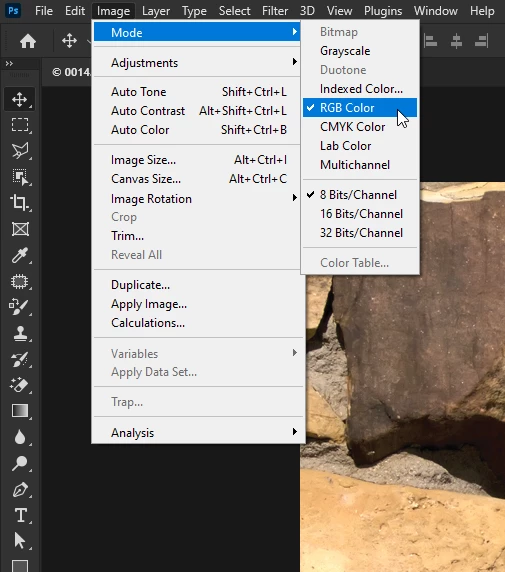
Change the mode to RGB Color, vibrance is not available in CMYK color mode
Already have an account? Login
Enter your E-mail address. We'll send you an e-mail with instructions to reset your password.
 AdChoices