
jameshoty
Known Participant
August 19, 2018
Answered

View percentage%

  • August 19, 2018
  • 1 reply
  • 3159 views

The zoom tool is fixed at 50% 66% then it jumps straight to 100% (follow by 200%). Is there a place where I can enter (e.g.) 80%. This is because 66% is little small and 100% is little big on my current workspace. Is there a micro zoom similar to the micro shifting.
    This topic has been closed for replies.
    Correct answer gener7

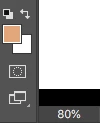
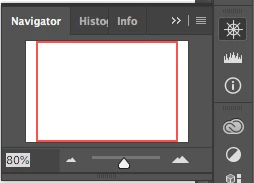
    Two ways by entering a custom zoom:

    Status bar at the bottom of the workspace or in the Navigator Panel.

    1 reply

    gener7
    Community Expert
    gener7Community ExpertCorrect answer
    Community Expert
    August 19, 2018

    Two ways by entering a custom zoom:

    Status bar at the bottom of the workspace or in the Navigator Panel.

    jameshoty
    jameshotyAuthor
    Known Participant
    August 19, 2018

    Oh that small little place at the status bar. This is what I am looking for. Thanks.

    But to make life a little more convenient (people are getting lazier these days ), can this 80% that I set be fixed for all future sessions (until I change to another percentage)?

    D Fosse
    Community Expert
    Community Expert
    August 19, 2018

    I would like to set 80% every time I open a document until I set to another value. This is so that I do not have to keep setting to 80% while I am working a one particular documents for a few days. Not sure if I am "too demanding" of it.


    You do realize that 80% will only work for documents of that exact pixel size?

    And why can't you just use "Fit to Screen" ctrl+0?