violentchalupa
Participating Frequently
February 20, 2019
Answered

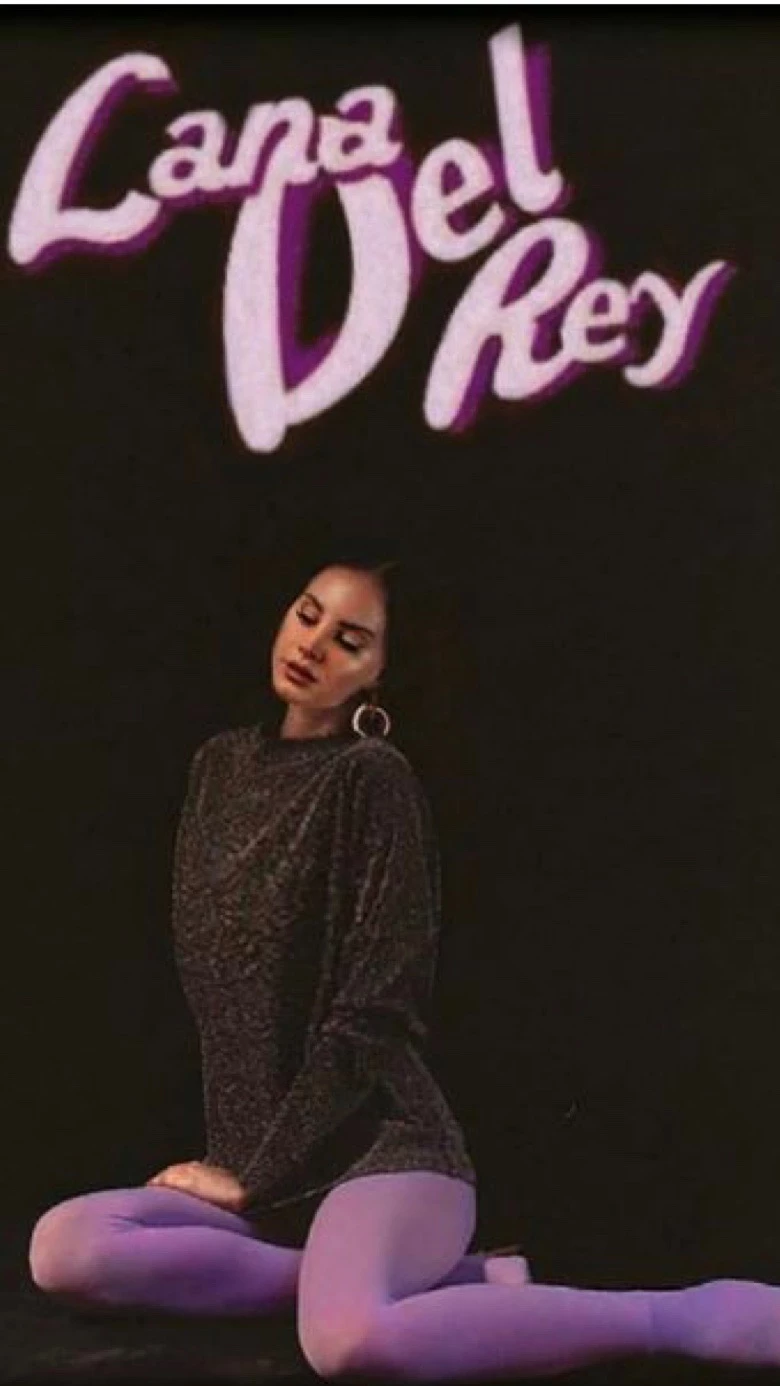
Vintage Text/Logo effect

  • February 20, 2019
  • 6 replies
  • 737 views

Hi does anyone know how i would achieve this low res vintage text effect in photoshop?
    This topic has been closed for replies.
    Correct answer c.pfaffenbichler

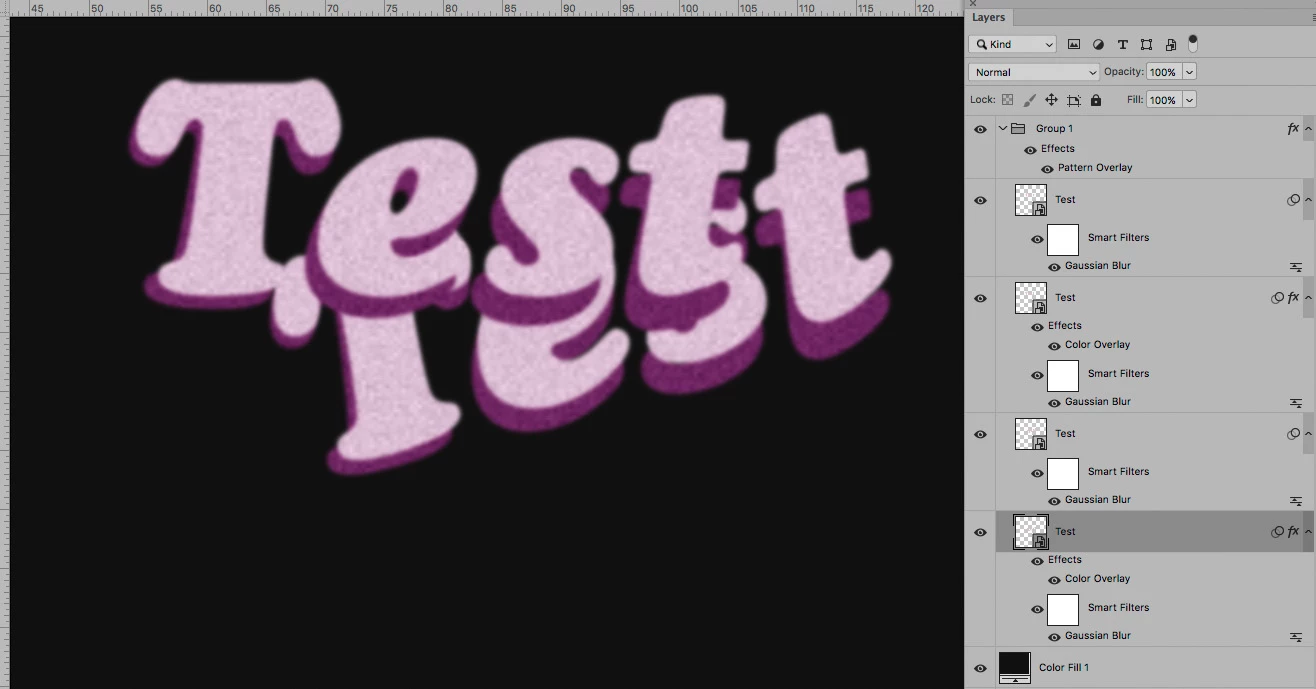
    Smart Object instances with Gaussian Blur applied, individually transformed, with Color Overlays and a noisy Pattern Overlay set to Blend Mode »Linear Light« might work. (edited)
    6 replies

    violentchalupa
    Participating Frequently
    February 21, 2019

    Amazing!! Exactly what I needed. Thank you

    c.pfaffenbichler
    Community Expert
    c.pfaffenbichlerCommunity ExpertCorrect answer
    Community Expert
    February 20, 2019

    Smart Object instances with Gaussian Blur applied, individually transformed, with Color Overlays and a noisy Pattern Overlay set to Blend Mode »Linear Light« might work. (edited)

    Bojan Živković11378569
    Community Expert
    Community Expert
    February 20, 2019

    I have some free actions which will create depth https://www.designeasy.co/2018/05/free-retro-effects-photoshop-actions.html

    The rest is as already mentioned above: blur and grain/noise.

    KShinabery212
    Community Expert
    Community Expert
    February 20, 2019

    You should be able to also add NOISE to it as well to make it look as if it is pixelated. 

    There should be a NOISE filter. 

    If you can not find it let me know.

    Let's connect on LinkedIn. https://www.linkedin.com/in/kshinabery/
    JJMack
    Community Expert
    Community Expert
    February 20, 2019

    Blur filter

    JJMack
    jane-e
    Community Expert
    Community Expert
    February 20, 2019
