

Wacom Express Key Remote- Touch Ring Rotate & Zoom Not working in Photoshop
Model: Cintiq 27QHD
Wacom Driver: 6.4.0-9 (current)
Photoshop: 24.1.0 (Latest)
Apple M1 Max Mac Studio
MacOS 13.1 Ventura
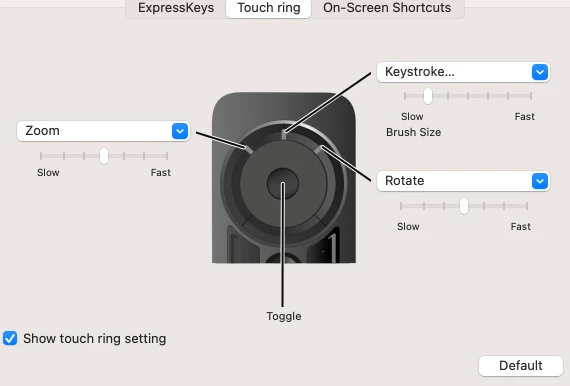
After upgrading my computer (from a 2013 iMac running OSX 10.13.6 with Wacom driver 6.3.44-2) to the current setup listed above my Express Key Remote is not fully working. Specifically two the touch ring settings for Zoom and Rotate. Everything was set up exactly the same on my old system and working flawlessly.
All of the other buttons on the remote are working as sett up, including the center touch ring setting for brush size, but the settings for zoom and rotate no longer function at all.
I don’t know if this is a Wacom related issue or Photoshop but I’m hoping there is a simple fix for this, or a setting in Photoshop that I have missed. I use both of these features extensively in my work on a daily basis and really need to getting this working.
Does anyone here have any insight as to how I might resolve this?
Grateful for any help offered.
Brett B.
 AdChoices