I updated to Wacom 3.6.41-1 driver and I got Pressure sensitivity back!
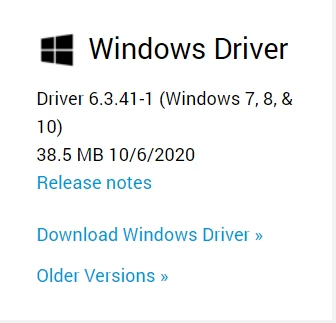
I had to "fight" my way a little, though? I should have first uninstall the existing version: when I rebooted, the Wacom Tablet Properties app complained that it could not find the tablet? So I unstalled 6.3.41-1, rebooted, reinstalled and then it worked.
You have extensive experience with the Wacom tablet and Pen as I can see! Thank you so much for your generous help...
FWIW-1, I'm preparing for my Photoshop's Monday night class at UQAM (french university in Monréal) and I wanted to demonstrate students how different brushing is with a pen as opposed to brushing with the mouse. I picked up this used Wacom tablet off eBay, earlier this summer, but I had not used it with my PC for a while...
FWIW-2, in my testing this summer, I was kind of "turned off" by the disconnect between the tablet and the screen? Somehow, the contact between the tablet surface and the corresponding effect on the screen is not instantaneous? As soon as I lift the Pen off the tablet ever so slitgtly, the contact is lost -- nothing I can do about that. I wondered whether I should have gotten a Cintiq tablet instead or one of those models where we paint directly on the screen?
So, out of curiosity, I installed Photoshop 2021 on my old Microsoft SurfacePro3 tablet and it works like a charm with the Windows Pen, pressure sensitiviy and all. I plan to demonstrate the two environments to my students Monday night but I suspect it is best to directly work off the screen than off a "remote area" like a tablet....
Thanks again for your kind and prompt help!
Roger Breton
www.graxx.ca



 AdChoices