Participant
May 9, 2020
Answered

Wacom intuos drag click and pressure problem

  • May 9, 2020
  • 2 replies
  • 2581 views

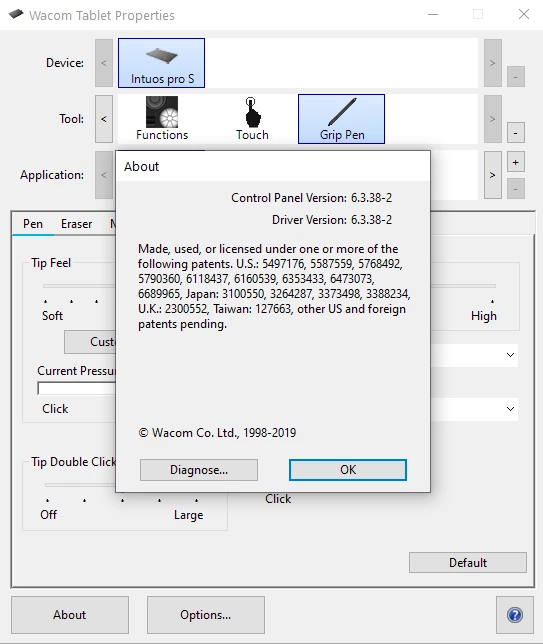
Hi, so i have some problem with my wacom, it perform drag click even though the pen tip doesn't touch the surface yet, and also in  Wacom Tablet Properties the pressure bar show pressure even though the pen tip doesn't touch the surface too.

Hope that is clear, and does anyone have a solution to this, i really really need help

Thank youu
This topic has been closed for replies.
Correct answer JJMack

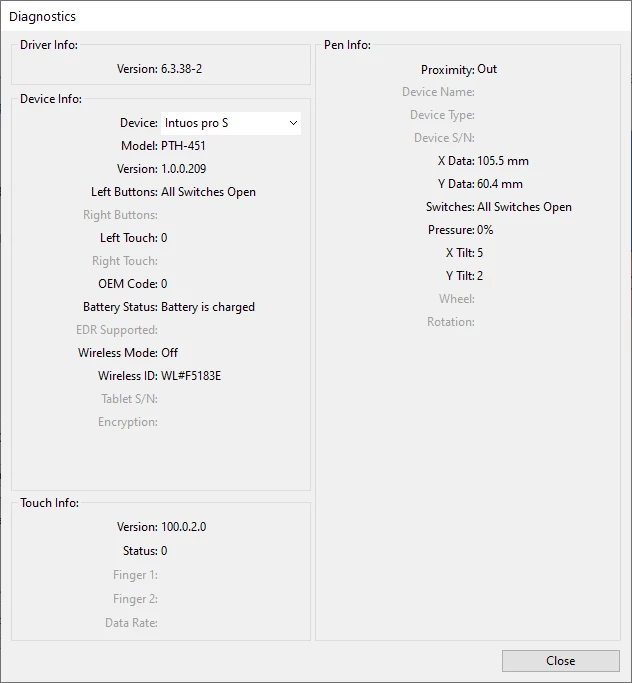
If the Wacom diagnoustic always shows pressure you need to work with Wacom the get your intuos fixed. When the pen is not touching the tablet  it should show 0%.


2 replies

Participating Frequently
November 23, 2020

hi, i have the same problem as you .... it is really frustrating, hope adobe support resolve soon

Participant
November 23, 2020

Turns it problem with the pen, try contact to contact people at wacom and they will ask you a bunch of detail, and then desided the right action, for me they want me to change the pen, and now i dont have the drag click and pressure problem.

JJMack
Community Expert
Community Expert
May 9, 2020

Are you seeing 0% pressure x and y position and tilt?  That is very useful.  When you have the Pen bottom button set to Alt+Right Click with 0% pressure the pen is closes to the surface there  is no pen touch left click dragging left and right and up and down you can set the Brush Tip size and hardness without painting on the canvas. Its not a problem. If you are seeing pressure above 0% I would say you have a problem with your tablet and pen 

JJMack
Participant
May 9, 2020

Hi, i'm sorry i don't really get what you mean, but my pressure show 9% even thoug the pen don't touch the surface

JJMack
Community Expert
JJMackCommunity ExpertCorrect answer
Community Expert
May 9, 2020

If the Wacom diagnoustic always shows pressure you need to work with Wacom the get your intuos fixed. When the pen is not touching the tablet  it should show 0%.


JJMack