Participant
June 22, 2021
Answered

Wacom intuos not working in Phostoshop

  • June 22, 2021
  • 2 replies
  • 1397 views

I have Wacom Intuos S, but i can't use brush tool with it in PS. Just nothing happening when i try to do it. With mouse it is no problem. What can cause it?

This topic has been closed for replies.
Correct answer JJMack

I have no problem using my Wacon Intuos Pro Small with a good Wacom device driver on  Windows 10,  with  Photoshop 22.4.2  When all are configured to work together using WinTab or Windows INK.  I use WinTab for I feel it performs better than INK.
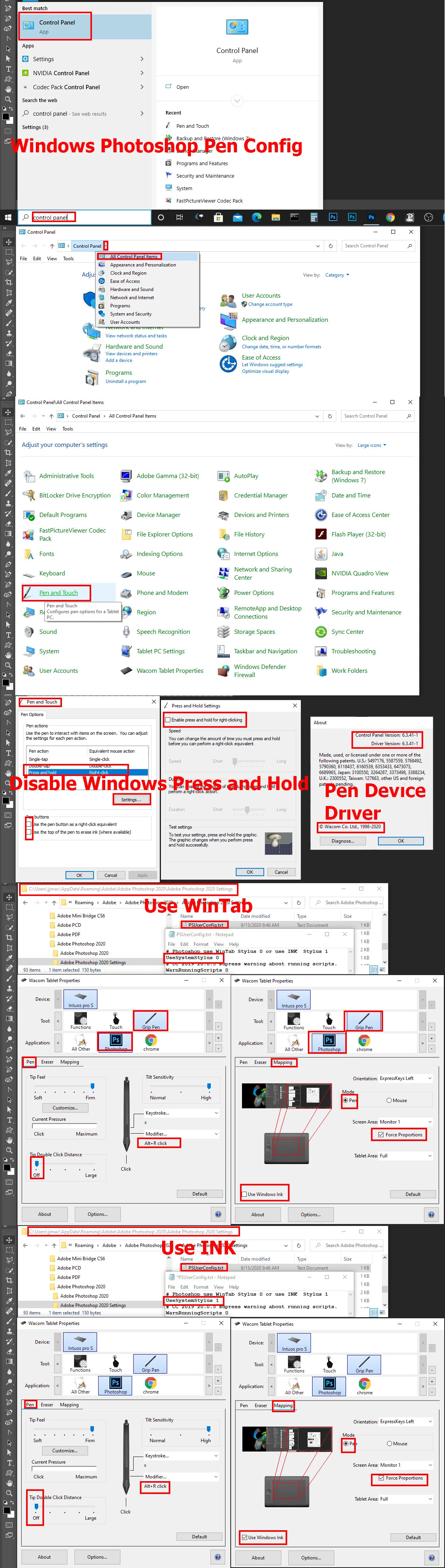
 

However, I will not write I have no issues in Photoshop 2021
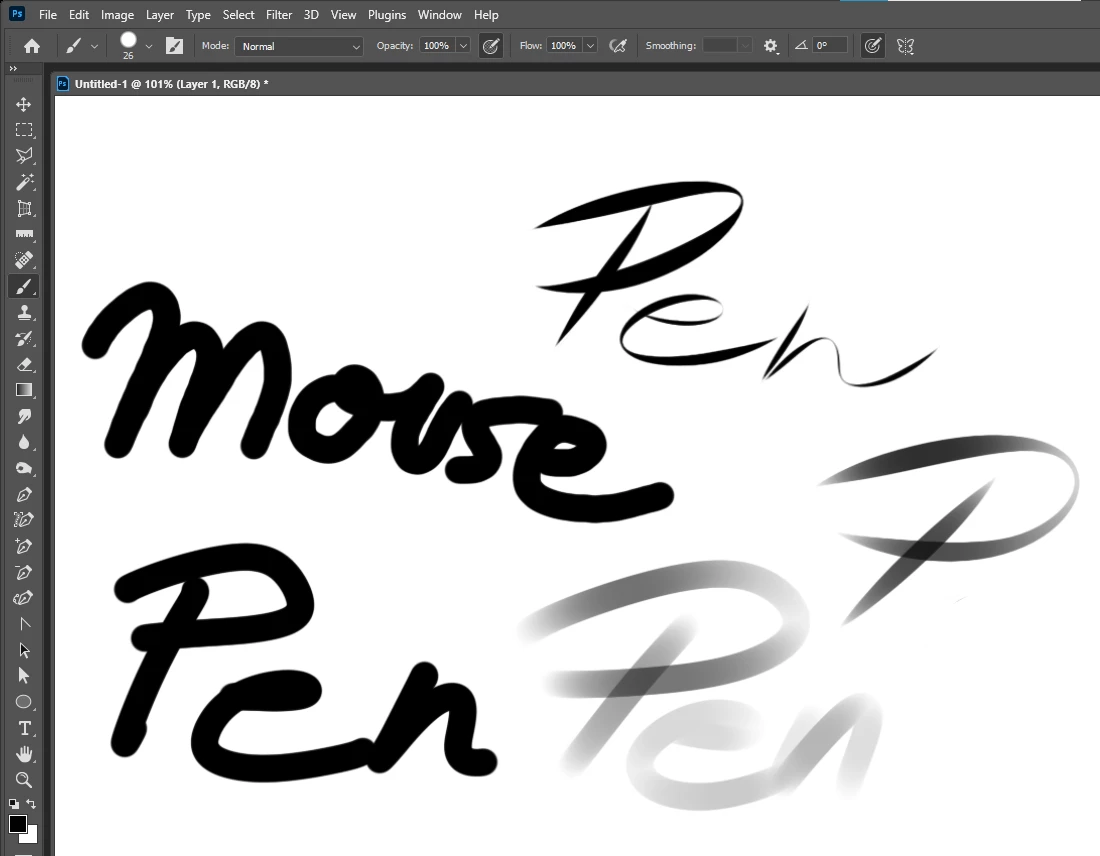
2 replies

JJMack
Community Expert
JJMackCommunity ExpertCorrect answer
Community Expert
June 22, 2021

I have no problem using my Wacon Intuos Pro Small with a good Wacom device driver on  Windows 10,  with  Photoshop 22.4.2  When all are configured to work together using WinTab or Windows INK.  I use WinTab for I feel it performs better than INK.


However, I will not write I have no issues in Photoshop 2021

JJMack
Participant
June 22, 2021

It worked with WinTab, thanks alot for all your effort. I appreciate that.

Kevin Stohlmeyer
Community Expert
Community Expert
June 22, 2021

Did you recently update your Photoshop? What version of PS are you running?

Did you check for updates for the Wacom drivers?

Participant
June 22, 2021
My Windows, Phostoshop and Wacom drivers are latest. I just bought my
Intuos so it can't have outdated drivers.

I will add that my tablet is working perfectly in Clip Studio, but in
Photoshop it is working only with square-marking tool.

Maybe i should change some settings in PS?
JJMack
Community Expert
Community Expert
June 22, 2021

Ther may be a bug in the latest Wacom driver I use 6.3.41-1 I see no reasion the update to 6.3.43-3  but for you I'll download that and try it.

JJMack