


- Home
- Photoshop ecosystem
- Discussions
- Way to check if 1000s of.tifs are saved with trans...
- Way to check if 1000s of.tifs are saved with trans...


Copy link to clipboard
Copied
Is there a way to check this setting was enabled on 1000s of files? Such as with bridge, up in the filename, or even down in bottom left of window.
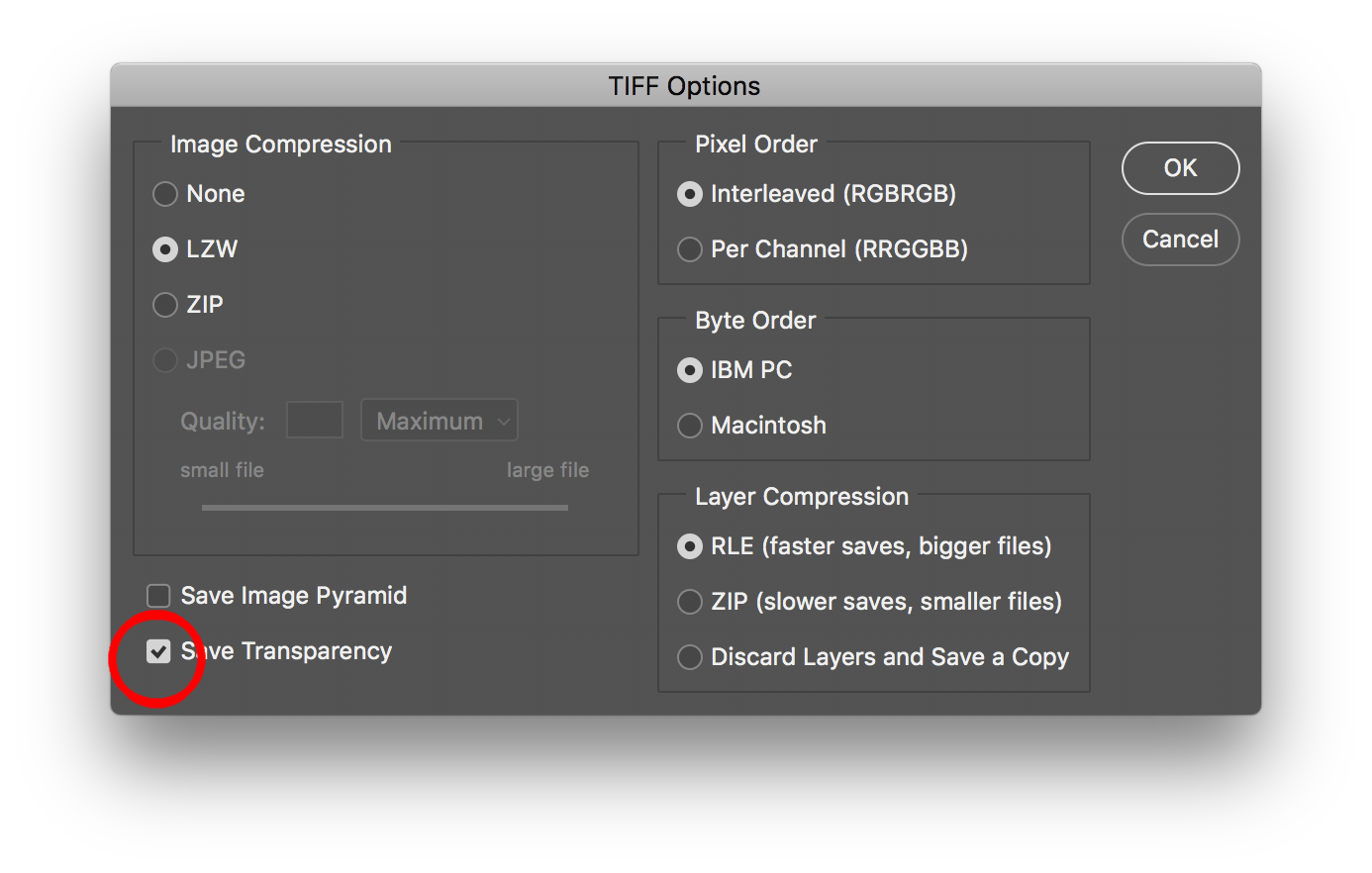
Opening up each file and doing a save as, is really time consuming.


 1 Correct answer

OK, here is a hack to another Adobe Bridge script to add TIFF files WITH transparency to a collection… Yes, I know you wish to locate files without transparency, but at least this is a start… Stay with me here :]
Once the collection is created, apply a unique metadata entry such as a label; star rating or keyword that is not used in your files to all of the transparent images in the collection.
Now when you view the images outside of the collection back in their original locations, the label
...

Explore related tutorials & articles
 39
Replies
39
39
Replies
39

Copy link to clipboard
Copied
You can use the following Adobe Bridge script:
Where three different methods are explored (Adobe Bridge; native Mac OS script; cross platform ExifTool).
Info on installing Adobe scripts here:
Prepression: Downloading and Installing Adobe Scripts
P.S. Whether or not the transparency checkbox has been ticked, the above methods check for non-flattened, layered data.
Copy link to clipboard
Copied
Thank you very much for your reply. All the tifs are layered so unfortunately this wont help.
I need to find which ones are missing the transparency setting, so can flip that setting. Or a script that will turn that setting on.
Copy link to clipboard
Copied
OK, I should be able to come up with an ExifTool solution (perhaps an Adobe solution, but no promises). I’ll look into it and post back later.
_______________
The following ExifTool command line code will look for only TIFF files in the main top level folder or any sub-folders under this path. A new folder will be created in each directory/sub-directory titled “TIFF TRANS OFF”. The files without the transparency box checked will be moved the these named folders:
exiftool -ext .tiff -ext .tif -if 'not defined $AlphaChannelsNames' -directory=%d'TIFF TRANS OFF' -r 'system path to top level folder'
The following ExifTool command line code will look for only TIFF files in the main top level folder or any sub-folders under this path. A new folder will be created in each directory/sub-directory titled “TIFF TRANS ON”. The files with the transparency box checked will be moved the these named folders:
exiftool -ext .tiff -ext .tif -if 'AlphaChannelsNames =~ /Transparency/' -directory=%d'TIFF TRANS ON' -r 'system path to top level folder'
_______________
The following ExifTool command line code will look for and overwrite only TIFF files in the main top level folder or any sub-folders under this path. The files without the transparency box checked will have an Adobe Bridge label of “Review” applied to them:
exiftool -overwrite_original -ext .tiff -ext .tif -label='Review' -if 'not defined $AlphaChannelsNames' -r 'system path to top level folder'
The following ExifTool command line code will look for and overwrite only TIFF files in the main top level folder or any sub-folders under this path. The files with the transparency box checked will have an Adobe Bridge label of “Approved” applied to them:
exiftool -overwrite_original -ext .tiff -ext .tif -label='Approved' -if '$AlphaChannelsNames =~ /Transparency/' -r 'system path to top level folder'
_______________
NOTES:
The first two examples move the original files.
In the second set of examples the original files are overwritten. Rather than using an Adobe Bridge Label, a Bridge Star Rating could be used. Or perhaps a metadata entry such as a Keyword could be added. There are many possibilities.
The commands found above are for the Mac OS, users of Windows would simply need to swap the straight single quote marks for straight double quotes.
Copy link to clipboard
Copied
ExifTool reports the following for a TIFF file that has the transparency box checked:
| | AlphaChannelsNames = .Transparency
| | - Tag 0x03ee (13 bytes):
| | 44e0: 0c 54 72 61 6e 73 70 61 72 65 6e 63 79 [.Transparency]
| | UnicodeAlphaNames = .Transparency
| | - Tag 0x0415 (30 bytes):
| | 44fa: 00 00 00 0d 00 54 00 72 00 61 00 6e 00 73 00 70 [.....T.r.a.n.s.p]
| | 450a: 00 61 00 72 00 65 00 6e 00 63 00 79 00 00 [.a.r.e.n.c.y..]
I believe that the text in bold red may be key pieces of info that could be used in a script…
EDIT: Further research appears to back up this theory…
Adobe Photoshop File Formats Specification
0x03EE | 1006 | Names of the alpha channels as a series of Pascal strings. |
0x0415 | 1045 | (Photoshop 5.0) Unicode Alpha Names. |
Copy link to clipboard
Copied
Thank you much for both your replies Stephen & Rob. Since this is at work, I do not have admin rights to install install Exiftool, or drop scripts in Photoshop folder
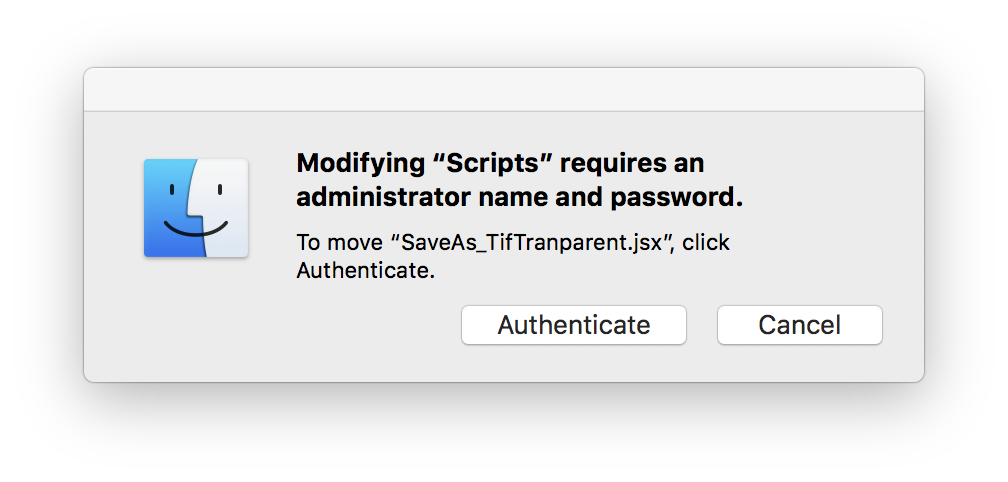
But could drop the script from Rob into into the Reveal My Startup Scripts bridge folder. Not sure how to get that to work from bridge as my expertise in more commensurate in Illustrator, but Photoshop only as retoucher. Will look into getting this to work later today and report back.
Copy link to clipboard
Copied
The script that I posted in reply #5 is for Bridge though and will hopefully work as intended (it did in my testing on CS6 and CC2018 on the Mac OS).
I was not aware about user permission issues when installing scripts or ExifTool:
NOTE:
https://www.sno.phy.queensu.ca/~phil/exiftool/install.html
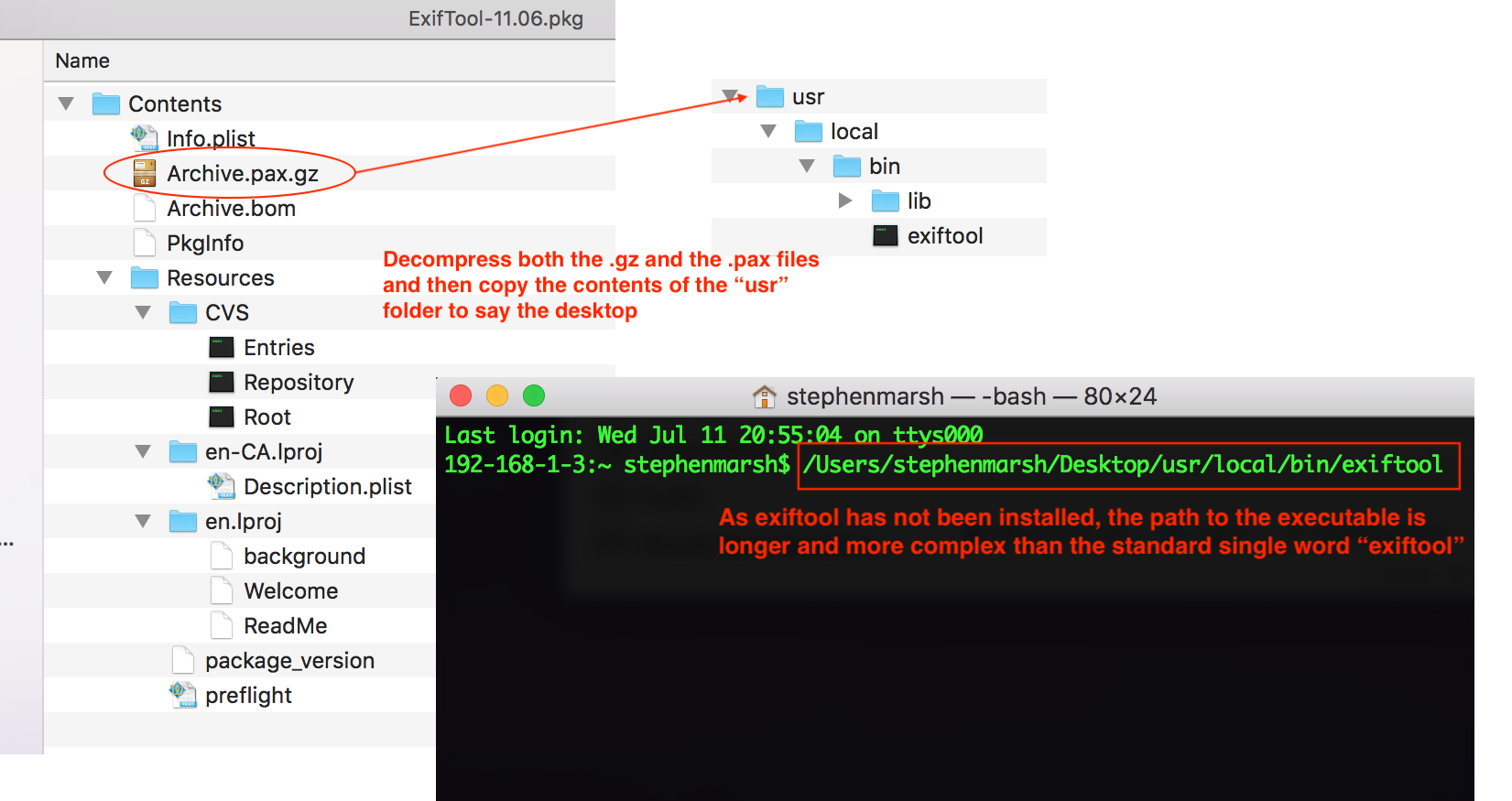
ExifTool does not need to be installed to run. Just download and extract either the full Perl distribution on Mac/Linux, or the Windows EXE version on Windows, and run it directly.
However, the benefits of installation are:
- Makes ExifTool available to all users.
- Saves typing on the command line (by placing "exiftool" in your PATH).
________________________
P.S. You can always run a script as a “one off” event using the File > Scripts > Browse… option, scripts only need to be installed to facilitate regular use. If you can’t directly install a script, it is also possible to record the browse path to the script into an action and then play the action to run the script on a regular basis (one soon gets sick of the browse command for repeated use).
________________________
I believe that the script posted by Rob in reply #6 is for Photoshop, not Bridge. In hindsight, perhaps the following code line should be placed at the head of the script:
#target photoshop
It may also be beneficial to add some code to ignore any colour profile warning messages, which may mess up unattended batch processing.
________________________
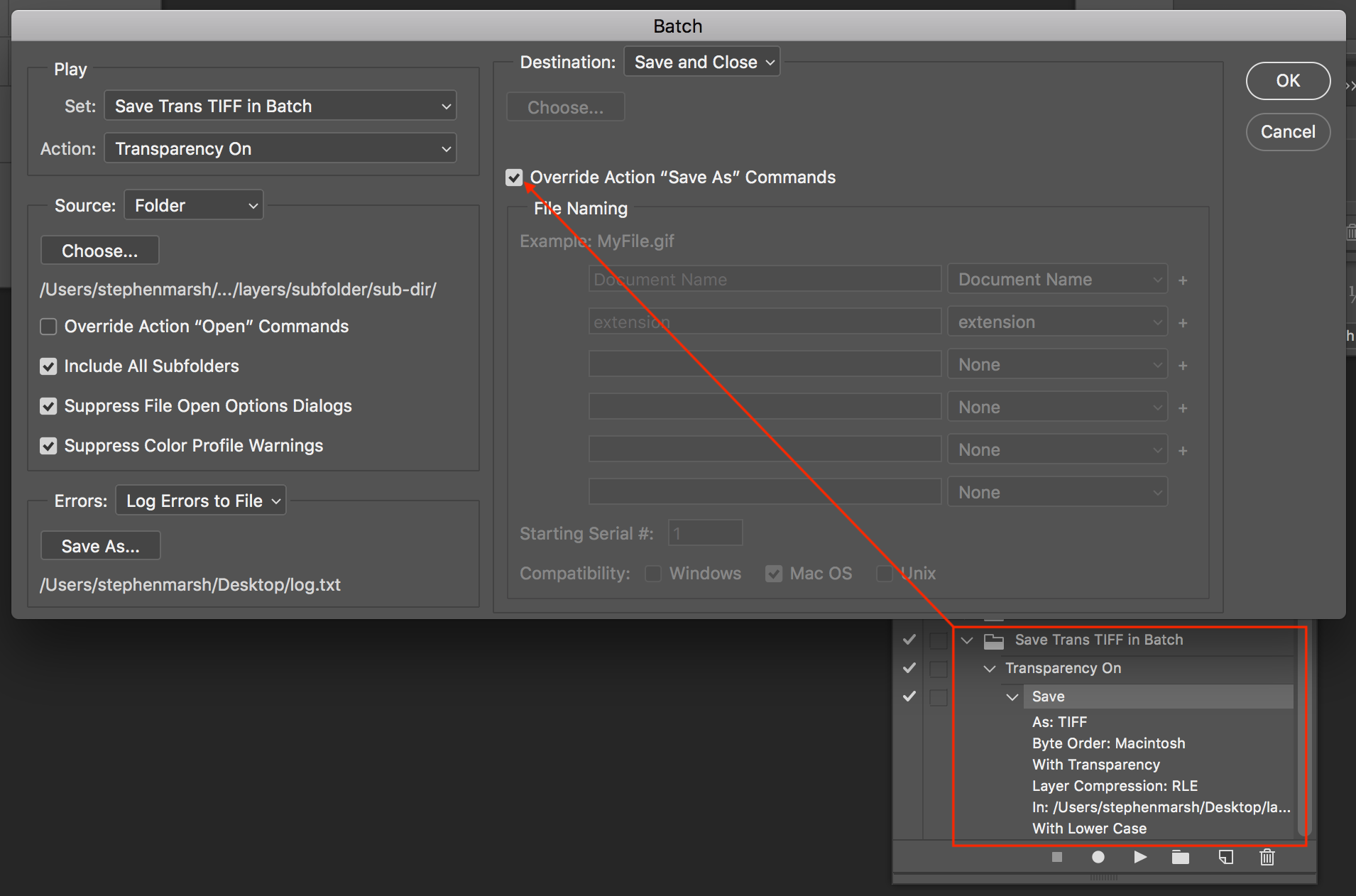
If you can’t install the script in Photoshop, then as I mention in post #9, it is easy enough to create an action and batch run to re-save every file with transparency (whether it needs it or not):
Copy link to clipboard
Copied
I was actually looking for File >> Scripts >> Other Scripts as in Illustrator and somehow missed Browse in my despair. Yet another example of how Adobe is struggling with fundamental basics of consistent usability design.
The script from post#5 is the route I want to go with isolation first, then running save as tif script. Just want to be safe and run on the 5% files needing fixing, to nto stress out server if you follow me. Can the script be updated to instead add nontransparent tifs to collection? Can "withTransparency = new Array(); " be changed to something else? The manager has all these rules such as colorizing files and such, that I would prefer to cause as few waves as possible and make this easier to understand than putting stars on files an d the selecting the opposite.
To me .psd is better than .tif for 3 reasons in ours and most all workflows, can you think of any more pros or cons?
- psd has nonlossy compression for smaller files, faster saves, less server space needed
- psd placed in InDesign allows import options to turn off layers. So we can multiply shadows, and use hard light on semitransparent layers (eg orange juice glass pane)
- with psd we do no chance of settings being wrong (eg: transparency is off, lossy compression is on)
You both have been such a delight to talk to, THANKYOU. For the 50+ people we have on this one new account, this is beyond their comprehension and they do not understand or care to.
Copy link to clipboard
Copied
Can the script be updated to instead add nontransparent tifs to collection?
Mike, I can’t write scripts from scratch, if I am having a good day I can sometimes make simple changes to an existing script.
I can usually find an ExifTool solution in lieu of a script though.
The trick is finding something different between a flat TIFF, a TIFF containing layers without the transparency checkbox active and a TIFF containing layers with the transparency checkbox active.
The script link that I posted in my reply #1 was for layered TIFF files with or without transparency, so a second condition would need to be added to that script. The script in my reply #5 was looking for the key term “Transparency” via a regex in binary data (I couldn’t get the hex code to work, lucky plain text worked)… Perhaps this could be changed to ignore that term.
My reply #3 is the easiest and fastest way to get what you are looking for – if you can figure out how to run or get permission to use ExifTool in your environment.
Copy link to clipboard
Copied
Was hoping someone might be familiar with editing the script enough to return a result of tifs that need transparency turned on.
Have a bigger problem as the "add TIFF files WITH transparency to a collection" bridge script is not working when there are more than a few files. On my test of 2 files worked fine

on more files the spinning beachball ball takes about 3 minutes and returns no result, as if the script was not run.
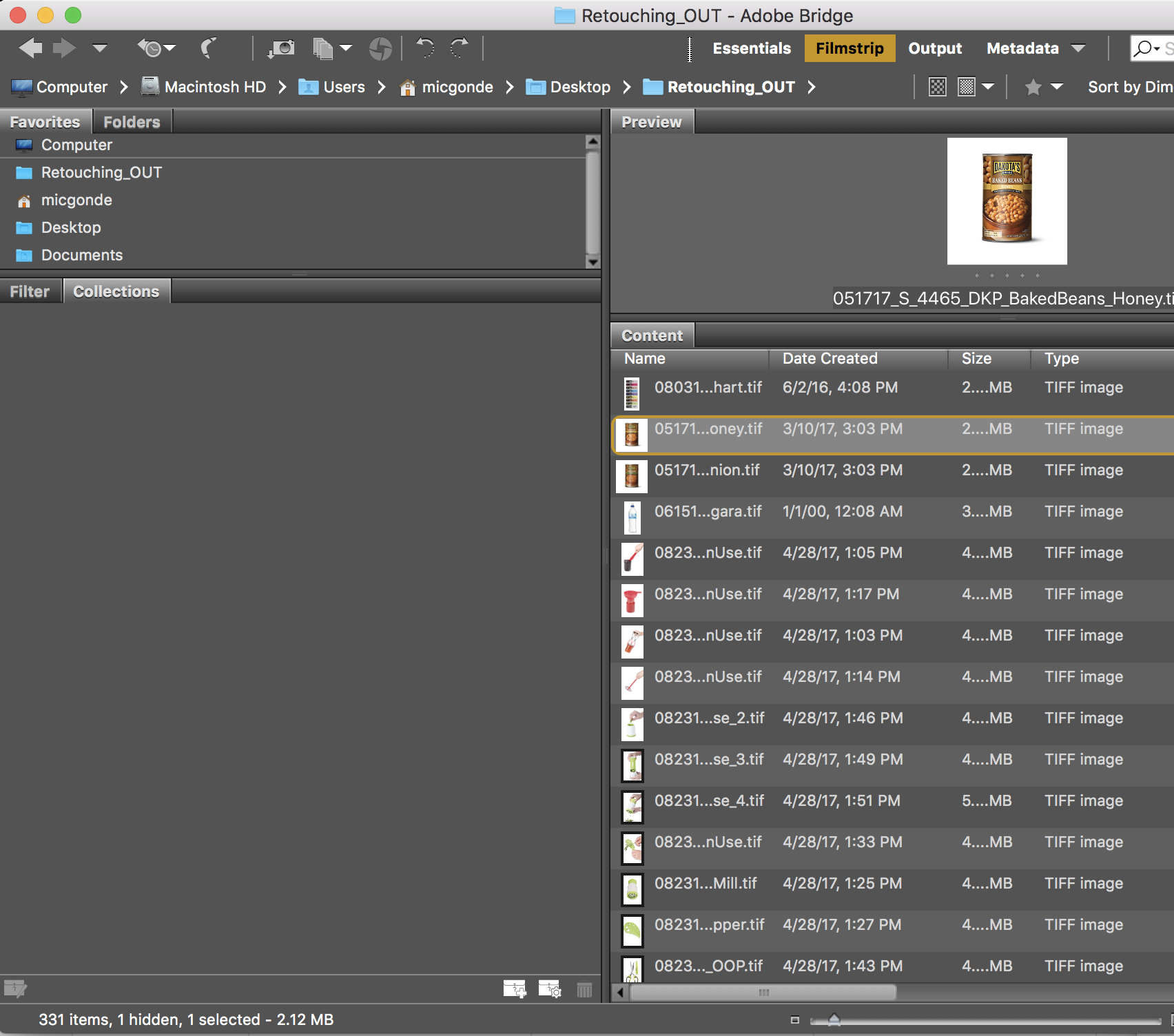
Unfortunately I cannot get IT to install EXIF for me,

Copy link to clipboard
Copied
This is for PSD:
var psdFolder = Folder.selectDialog("Select the folder containing Images", "");
var myFiles = psdFolder.getFiles(/\.(tif)$/i);
var so = new PhotoshopSaveOptions();
so.alphaChannels = true;
so.embedColorProfile = true;
so.layers = true;
so.spotColors = true;
for (var a = 0; a < myFiles.length; a++){
var d = open(myFiles);
d.saveAs(new File(d.path + "/"+ d.name.slice(0, -4) + ".psd"), so);
d.close();
};
Copy link to clipboard
Copied
Unfortunately I cannot get IT to install EXIF for me,
Mike,
I’m not sure what can be done about the script, as I said, I hacked it so the error could be in my edits, or perhaps or there may be better ways etc.
My post #11 indicated that ExifTool does not really require “installation”, you can just run it although you may need to enter a more complex path to point to the application as it is not “installed”.
As for I.T., what can I say? They are there to help. They are not about self protection at the expense of users, nor about placing petty roadblocks to production etc. So I am sure that they will be helpful – rather than hindering you, right? :]
Copy link to clipboard
Copied
Mike, you could try to replace the code line #19 from my post #5 with the following, I’m not sure if it is more robust or not (it is looking for part of the hex value of the transparency tag):
var rex = /\x03\xee/g; // What to look for: ExifTool Tag 0x03ee AlphaChannelsNames = .Transparency
I tested this on 20 files, but they were not large file sizes, I think that the search through binary data simply takes time (presuming that my code hack is not the problem).
___________________
In the short term, I still believe that ExifTool is going to be the fastest and easiest method.
To create a “log file” of the path and filename of all folders/TIFF files under the input folder that do not have the transparent checkbox active:
exiftool -ext .tiff -ext .tif -csv -sourcefile -if 'not defined $AlphaChannelsNames' -r '/top/level/input dir' > '/output/directory/exiftool-log-trans-off.txt'
To create a “log file” of the path and filename of all folders/TIFF files under the input folder that were saved with the transparent checkbox active:
exiftool -ext .tiff -ext .tif -csv -sourcefile -if '$AlphaChannelsNames =~ /Transparency/' -r '/top/level/input dir' > '/output/directory/exiftool-log-trans-off.txt'
___________________
To use ExifTool without “installing” it on the Mac OS:
Copy link to clipboard
Copied
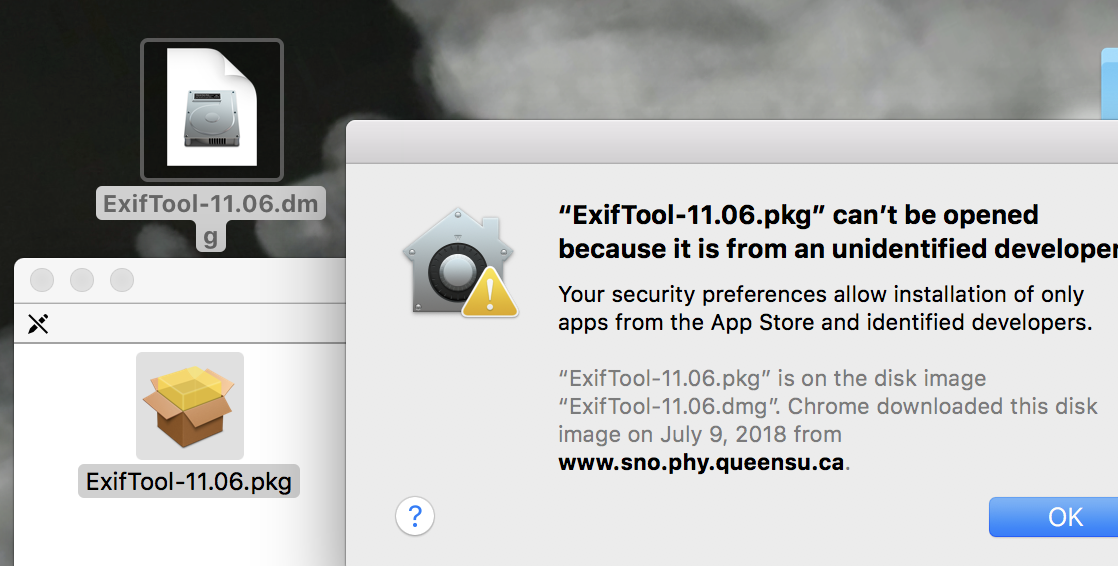
>.< sorry I cannot even unpack the .pkg
I changed the line of code line 19 an got a result 
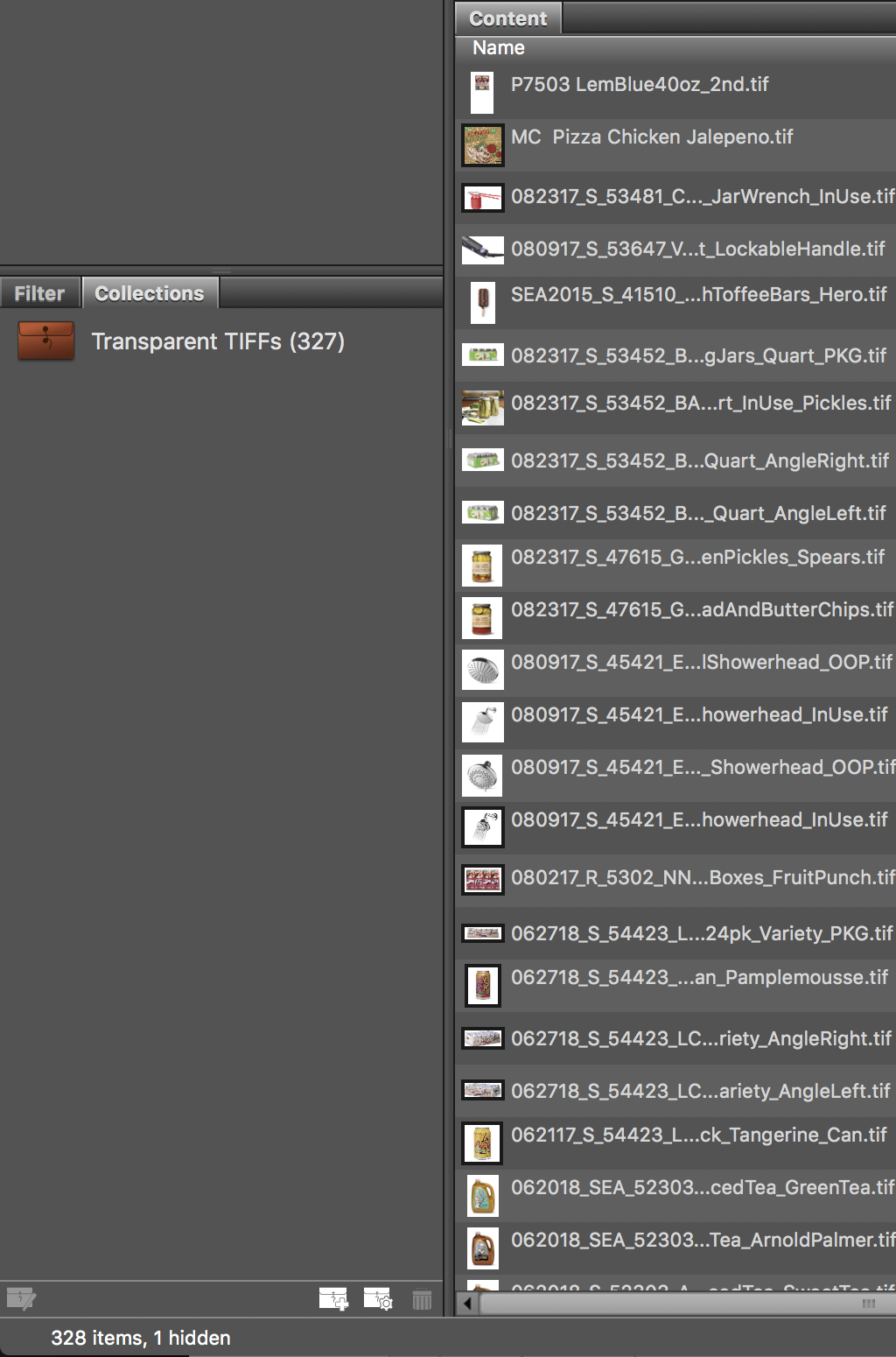
Unfortunately the result is not correct
- the one image excluded already had transparency on
- there should have been more images that do not have transparency setting on in the results. There are a dozen images that have no transparent background, the mood shots. I do not have to flip the transparency setting on those, so would be fine if they got excluded in results.
I ran the original script, but removed any non tif files and folders, and seems to have ran ok for the most part got 288 out of 328. Used the Approved Label to help isolate.
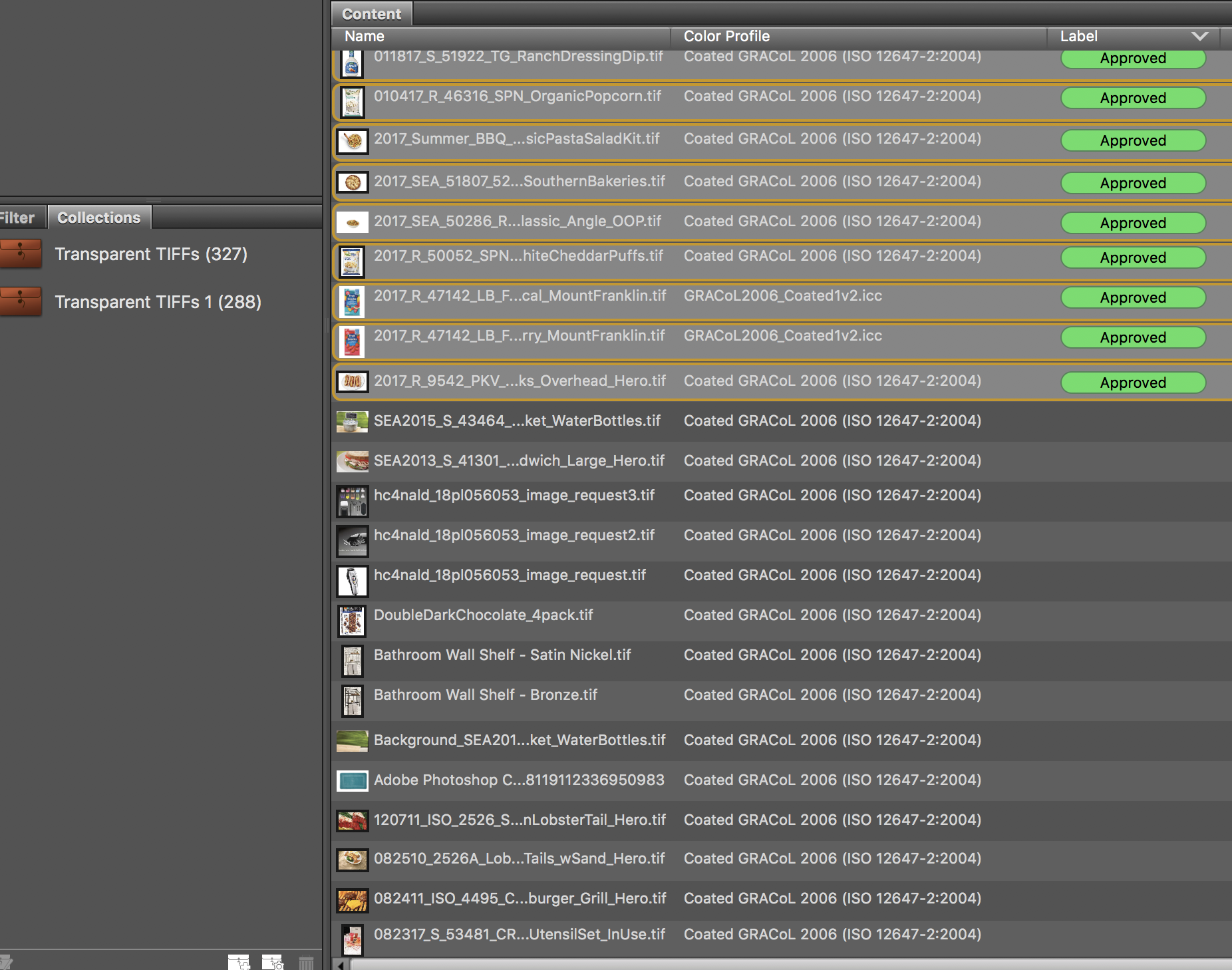
Thankyou so much for your dedication and help with this, much appreciated.
Would still love any help or suggestions anyone has to offer. Marked the answer correct that might best help anyone else, but recommend reading entire thread on this complex issue.
Copy link to clipboard
Copied
The problems my computer are likely from tryin to install EXIF yesterday, so will reboot, catch up on my work, reply to Stephen post after i have had some time to attempt the suggestions.
I seriously doubt than any problems are ExifTool related.
>.< sorry I cannot even unpack the .pkg
This is an OS X security feature: OS X: About Gatekeeper - Apple Support
I ran the original script, but removed any non tif files and folders, and seems to have ran ok for the most part got 288 out of 328. Used the Approved Label to help isolate. Thankyou so much for your dedication and help with this, much appreciated. Would still love any help or suggestions anyone has to offer. Marked the answer correct that might best help anyone else, but recommend reading entire thread on this complex issue.
Glad you finally got there in the end. I too would be interested to see if there are any other solutions.
Copy link to clipboard
Copied
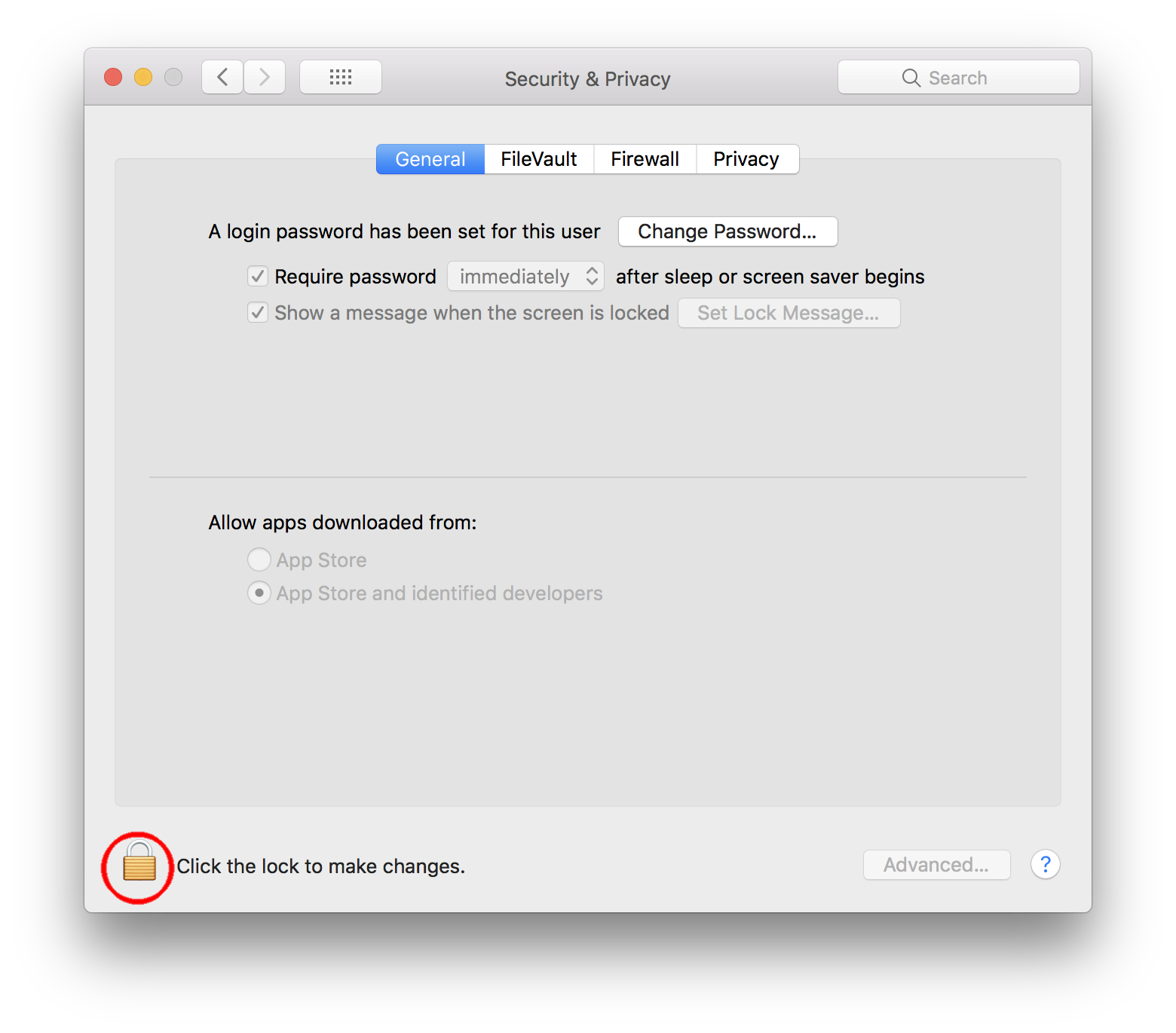
Thanks but computer at work is locked down, so I cannot install EXIF. Even though I can change this in terminal, that would violate my employment contract
Copy link to clipboard
Copied
Yes, it is sad that I.T. are not helpful and that your employment contract limits your ability to do the work that you are employed to do. It is also a shame that you have to resort to asking for help in public forums, rather than having your I.T. staff who are paid to help do nothing.
As serendipity would have it, I just found out another method, using a native Mac OS feature:
1. Open a Terminal.app window
2. Type in cd and a word space at the prompt
3. Drag the folder that you wish to search for transparency from the Finder into the Terminal window to complete the path to the folder
4. Press enter/return to action the directory navigation
5. Enter a new command line in Terminal: sips -g hasAlpha *.tif
You will then have a list of filepaths+filenames and a hasAlpha: yes or hasAlpha: no message against each file! This achieves basically the same “log file” result as I was suggesting in post #19 using ExifTool, however it is not using any 3rd party software and only using native Mac features which should not breach your employment contract.
EDIT: An easier method may be to recursively scan all sub-directories under the top level directory:
find '/path/to/top level folder' -type f -name '*.tif' -exec sips -g hasAlpha {} \;
Copy link to clipboard
Copied
The company I work for is really great, and after applying for 25+ years I finally got into the largest ad agency in Chicago so am happy to be here. But this problem exists at most larger companies, and when I used to work at Frankel I became the Creative Technologies Manager for an agency of 1069 people to resolve exactly these types of issues.
Your terminal suggestion is really great, so thank-you for coming back. What will slow me down is copying what I have selected, and pasting into finder >> go >> go to folder only to find that type of image is not a product shot so transparency does not need to be on.
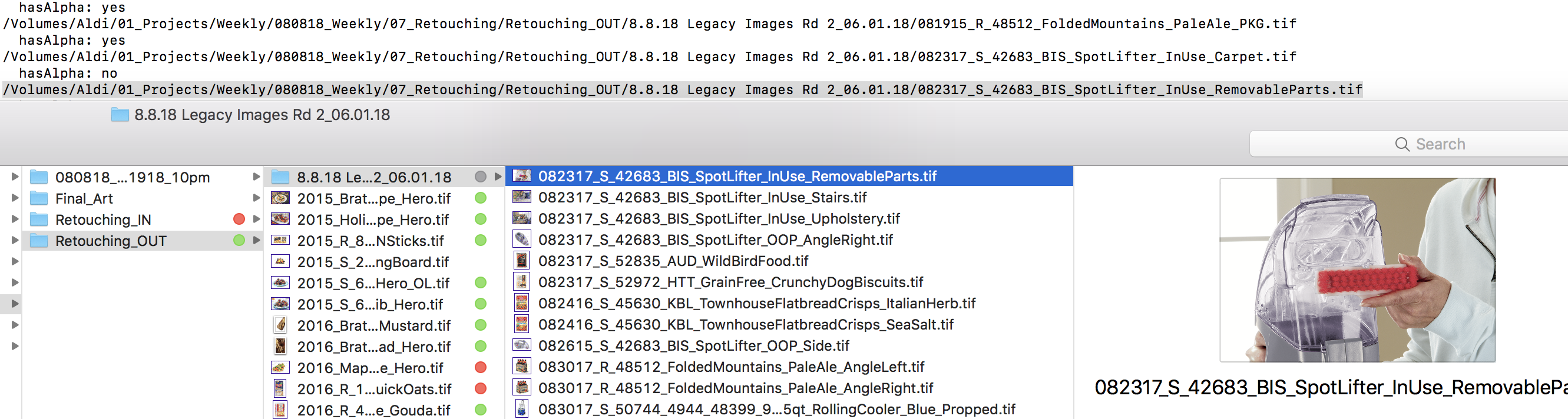
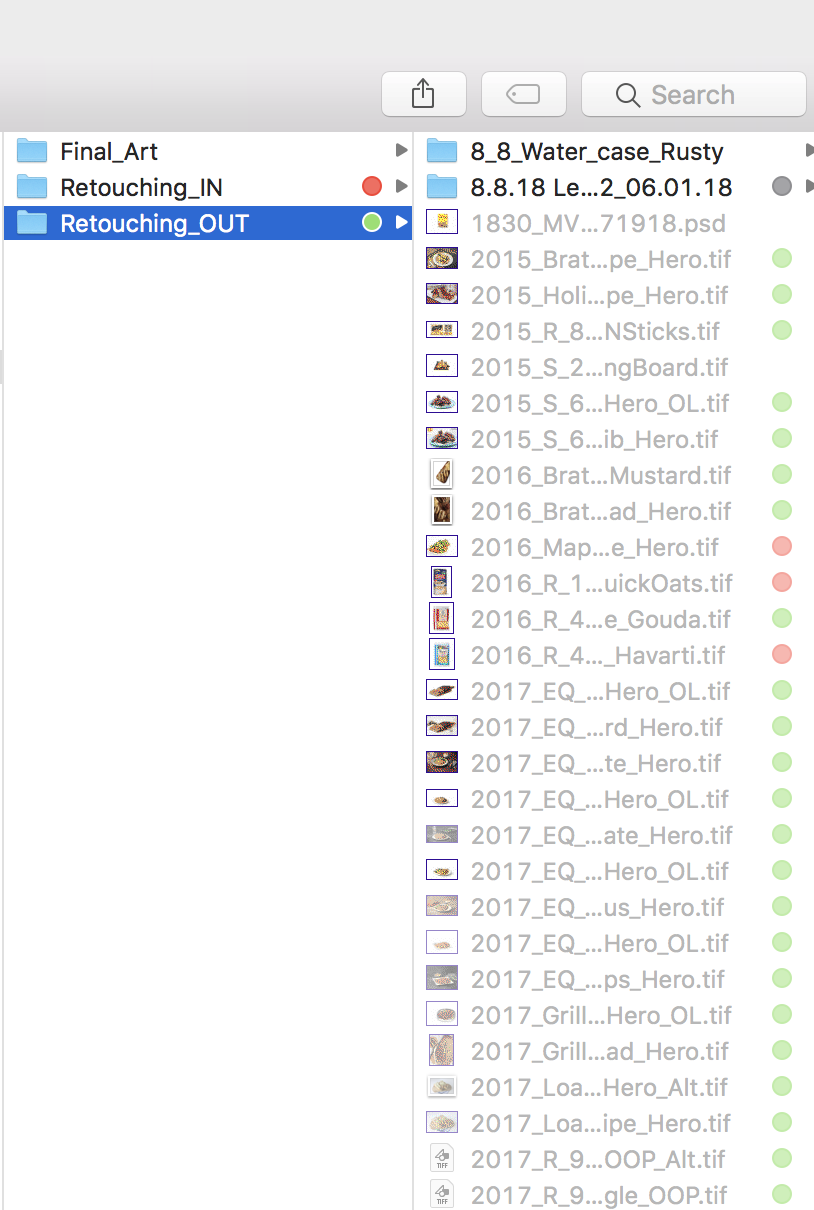
A bridge update came out today, so will try at home, as you now see supposedly can see transparency for .png & .svg. This would be great if this included .tif for our issue at work.
Copy link to clipboard
Copied
Your terminal suggestion is really great, so thank-you for coming back. What will slow me down is copying what I have selected, and pasting into finder >> go >> go to folder only to find that type of image is not a product shot so transparency does not need to be on.
Although it may not make a great deal of difference, you can also copy the path+filename from the results from Terminal and paste into Bridge’s Path Bar (rather than using the Finder’s Go to Folder command).
It would of course be beneficial to use some other attribute to help isolate the files, such as folder names, file names, metadata or some internal property of the file, in order to distinguish between product shots and others, presuming that there is something to mark them as different apart from eyeballing them.
You could also work the SIPS hasAlpha command into a more complex Mac script (shell script, AppleScript etc), that could move or rename or apply Finder labels, keyword metadata etc, much as I was suggesting via ExifTool.
Copy link to clipboard
Copied
Hi Stephen, I was a bit skeptical that the sips code would distinguish the TIFF transparency checkbox vs. transparent pixels, but it does, so the AppleScript is easy.
This only opens TIFF files in the chosen folder with the TIFF save transparency set to false, and then resaves with transparency set to true
set f to (choose folder with prompt "Select folder with TIFFs")
tell application "Finder" to set i to (every file in f whose file type = "TIFF")
repeat with x in i
set theFile to (POSIX path of (x as text))
set t to do shell script ("sips -g hasAlpha " & space & (quoted form of theFile))
if last word of t = "no" then
my reSave(theFile)
end if
end repeat
on reSave(tf)
tell application "Adobe Photoshop CC 2018"
open alias (tf)
tell current document
set fp to file path as string
set myOptions to {class:TIFF save options, transparency:true}
save in file fp as TIFF with options myOptions
close
end tell
end tell
end reSave
Copy link to clipboard
Copied
Hi Rob, thank you for contributing, your script is fantastic!
Hi Stephen, I was a bit skeptical that the sips code would distinguish the TIFF transparency checkbox vs. transparent pixels, but it does, so the AppleScript is easy.
To quote from the classics:
“I find your lack of faith disturbing”…
I usually do try to qualify and or substantiate my contributions before posting them. :]
P.S. My blogpost below covers downloading/saving scripts, including AppleScript:
Copy link to clipboard
Copied
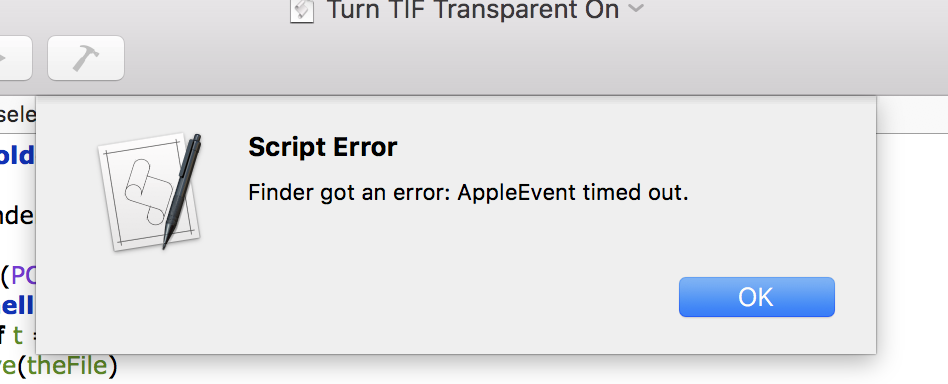
Rob this is great I ran on a folder of 3 images and finished that in a flash.
Unfortunately when running on our server with many many images
I got
We really should be saving as .psd which would eliminate this issue and allow us to turn off layers in InDesign. There are also other things I would improve and make consistent our workflow, but am not in a position to change. I did though enjoy very much learning some new things from both of you and your input is really appreciated.
Bridge just had an update which now shows transparency for .svg & .png. Unfortunately not for the other file formats.
Copy link to clipboard
Copied
You could try wrapping the code in a timeout—this would be 5.5 hours
with timeout of 20000 seconds
set f to (choose folder with prompt "Select folder with TIFFs")
tell application "Finder" to set i to (every file in f whose file type = "TIFF")
repeat with x in i
set theFile to (POSIX path of (x as text))
set t to do shell script ("sips -g hasAlpha " & space & (quoted form of theFile)) --This is the actual file conversion line
if last word of t = "no" then
my reSave(theFile)
end if
end repeat
end timeout
on reSave(f)
tell application "Adobe Photoshop CC 2018"
open alias (f)
tell current document
set fp to file path as string
set myOptions to {class:TIFF save options, transparency:true}
save in file fp as TIFF with options myOptions
close
end tell
end tell
end reSave
Copy link to clipboard
Copied
Hi Mike, in case it isn't obvious the code in #28 is AppleScript and can be pasted into a new AS doc and run out of Apple Script Editor. My earlier script was JavaScript. Backup your images before trying to run this.
Copy link to clipboard
Copied
We fill out an electronic request for IT and they usually close the case on anything outside of approved software or hardware not working. Asking them to install nonstandard software would not get approved and open up a whole can of worms of problems for me.

-
- 1
- 2

Find more inspiration, events, and resources on the new Adobe Community
Explore Now
 AdChoices