
Participant
July 3, 2025
Answered

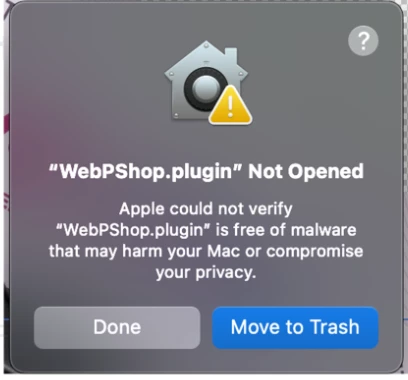
WebPShop.plugin not opening on managed Mac

  • July 3, 2025
  • 2 replies
  • 234 views

I am not able to open WebPShop.plugin on my MacBook which is managed by my company. The managed device settings allow downloads only from verified developers. Has anyone else had this issue? Any solutions would be apreciated. Thanks.
Correct answer Jeff Arola

No the developers of the plugin are responsible for getting them verified.


Photoshop 2022 and newer have the ability to open/save WebP files, albeit without a few of the features of the WebPShop.plugin.

https://helpx.adobe.com/photoshop/kb/support-webp-image-format.html

2 replies

Jeff Arola
Community Expert
Jeff ArolaCommunity ExpertCorrect answer
Community Expert
July 4, 2025

No the developers of the plugin are responsible for getting them verified.


Photoshop 2022 and newer have the ability to open/save WebP files, albeit without a few of the features of the WebPShop.plugin.

https://helpx.adobe.com/photoshop/kb/support-webp-image-format.html

Jeff Arola
Community Expert
Community Expert
July 4, 2025

Are you able to override your Mac security settings by following the directions here under

If you want to open an app that hasn’t been notarized or is from an unidentified developer

https://support.apple.com/en-us/102445

dan_5957Author
Participant
July 4, 2025
No the Gatekeeper setting cannot be changed to allow unverified developers
as it is against the company policy. I am able to download and open the
photoshop app just fine so I am not sure why the WebShop.plugin isn’t
verified. Maybe it’s on Adobe’s end?