

Answered
Weird behavior of layer style
This is really annoying:
I have a file in RGB mode, where I have a circle vector shape.
It has a 0% fill with a layer style of Inner Glow.
Whenever I open the file this is how it looks like:
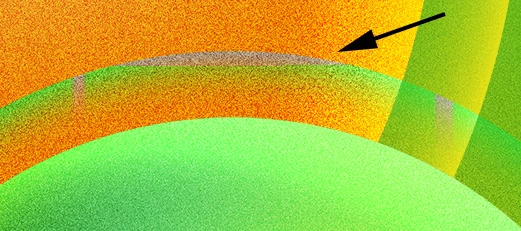
but, when I hide that layer, and show it again (only switching the visibility of the layer, than everything is OK:
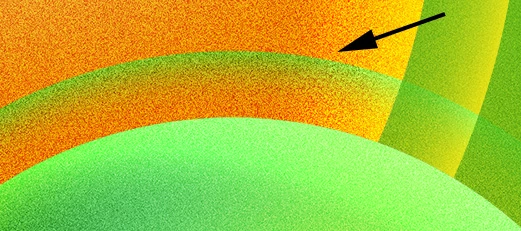
This is frustrating, but I can work with that... however, when I dragged the layers to a different file (also RGB) the show/hide trick didn't work at all:
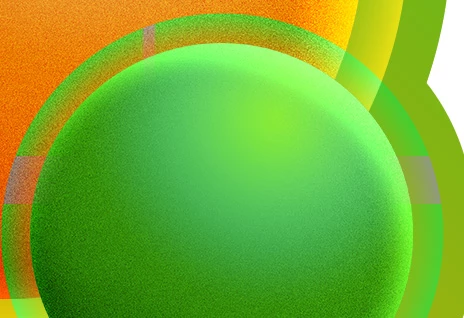
Any ideas on whats the problem and how to fix it?
Thanks
 AdChoices