Exit
  • Global community
    • Language:
      • Deutsch
      • English
      • Español
      • Français
      • Português
  • 日本語コミュニティ
  • 한국 커뮤니티
0

Weird problem with Photoshop

New Here ,
Apr 30, 2021 Apr 30, 2021
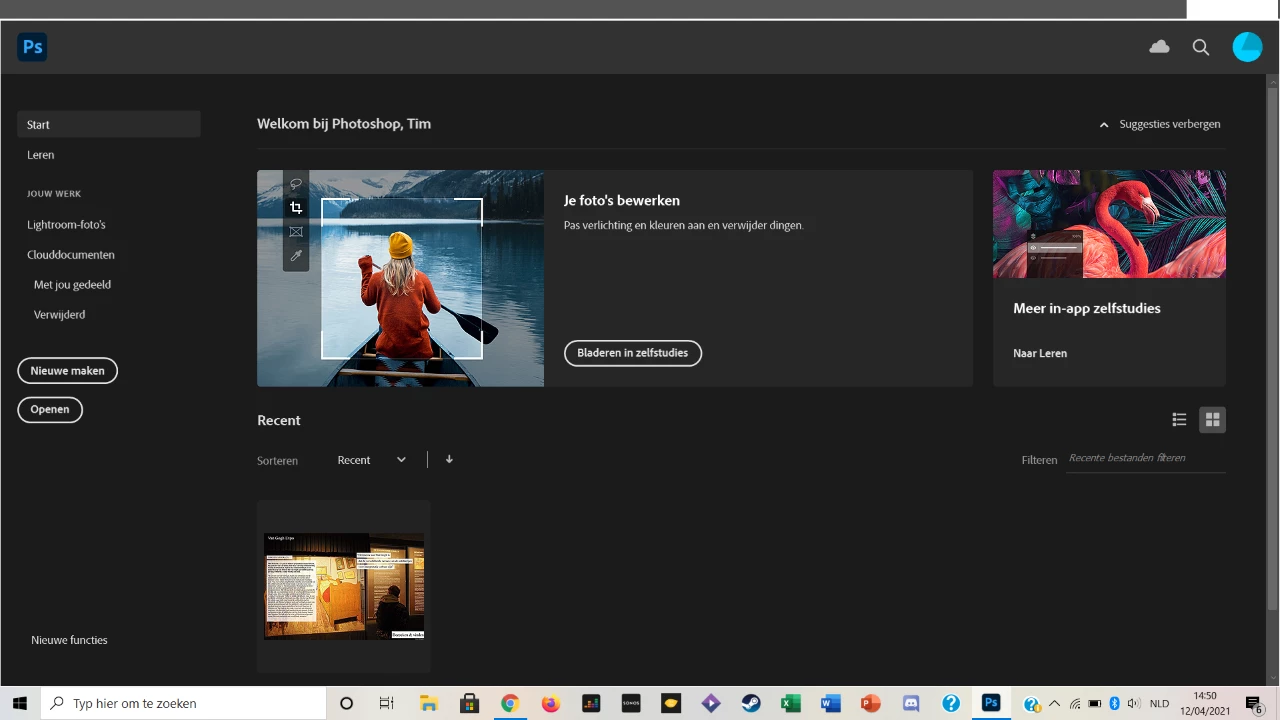
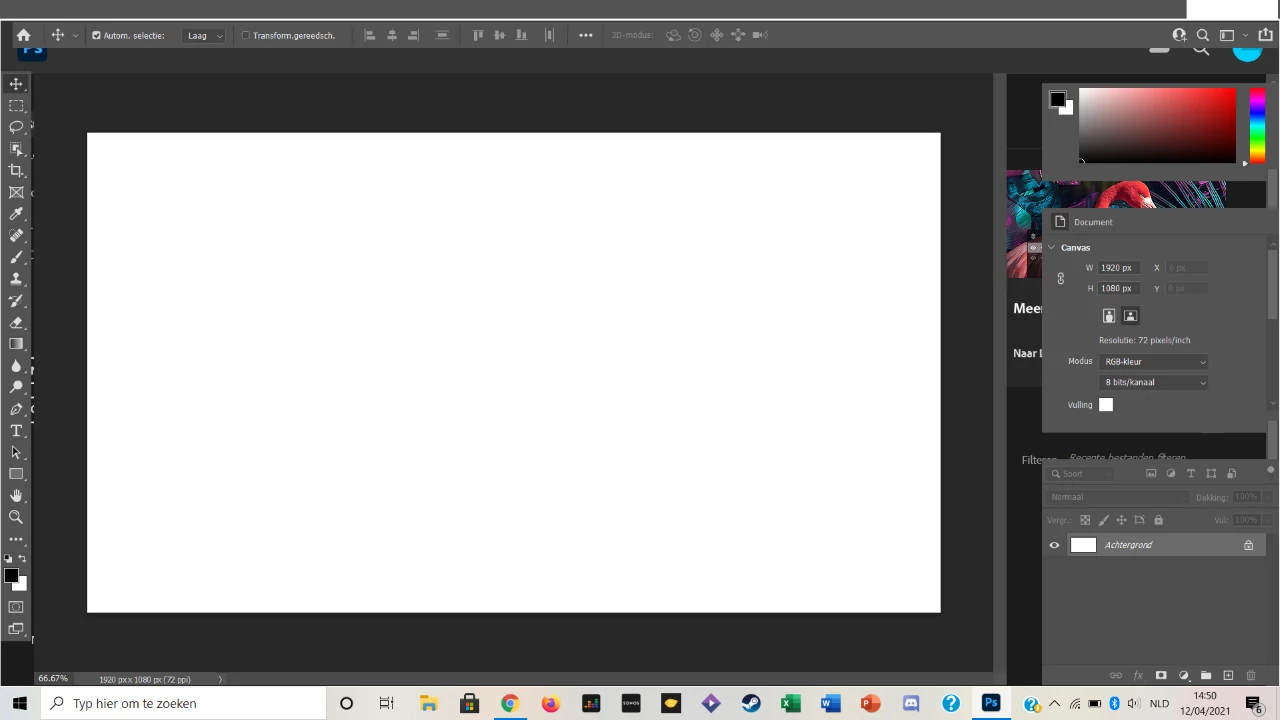
I have some troubles with my Photoshop-application. As you can see in the pictures, some parts have dissappeared and some won't dissapear. The top beam is gone and also the different 'pages', where you can have multiple pictures. The application also works slow and inaccurate. To solve this, I tried restarting Photoshop and my computer. I have also deleted the app and reinstalled it, but with no succes of fixing my troubles. Restoring the essentials workspace also didn't help.
 
Does someone else also have this problem and if so, how did you fix it? Could someone help me out with this annoying problem? Or does anybody know someone who can?
 
Thank you in advance.
 
defaulttxcm4eak9ove_0-1619776778516.png


defaulttxcm4eak9ove_1-1619776778527.png


TOPICS
Windows
267
Translate
Report
Community guidelines
Be kind and respectful, give credit to the original source of content, and search for duplicates before posting. Learn more
community guidelines
Adobe
Community Expert ,
Apr 30, 2021 Apr 30, 2021

Hi first thing is to check system requirements for the latest version if that ok then maybe its a bug I suggest you use the 2020 version for stable work...regards

Ali Sajjad / Graphic Design Trainer / Freelancer / Adobe Certified Professional
Translate
Report
Community guidelines
Be kind and respectful, give credit to the original source of content, and search for duplicates before posting. Learn more
community guidelines
New Here ,
Apr 30, 2021 Apr 30, 2021

Je rencontre exactement le meme probleme. 

Translate
Report
Community guidelines
Be kind and respectful, give credit to the original source of content, and search for duplicates before posting. Learn more
community guidelines
New Here ,
Apr 30, 2021 Apr 30, 2021
LATEST

With the help of Adobe Support center, here is a method that worked for me with the same issue as you.

Go into preferences in photohop and reinitiate your preferences settings and restart the program. Your file should appear normal again, at least for me it worked.


Translate
Report
Community guidelines
Be kind and respectful, give credit to the original source of content, and search for duplicates before posting. Learn more
community guidelines