
Weird Red Filter in Photoshop
Hi!
I'm having a trouble that I don't even know how to start to explain. I've started at a new job and I have two monitor screens. One of them is alright, but the other one has this weird issue: a "red filter" in Photoshop files. If you look at the image, you'll notice that the color tones in the file are different from the Navigator screen.
At the beginning, I thought it was the color adjust of the screen, but when I realized the difference between the canvas and the navigator preview, I noticed that maybe the problem is with Photoshop. Maybe something is setted to make this effect and I have no clue how to remove it.
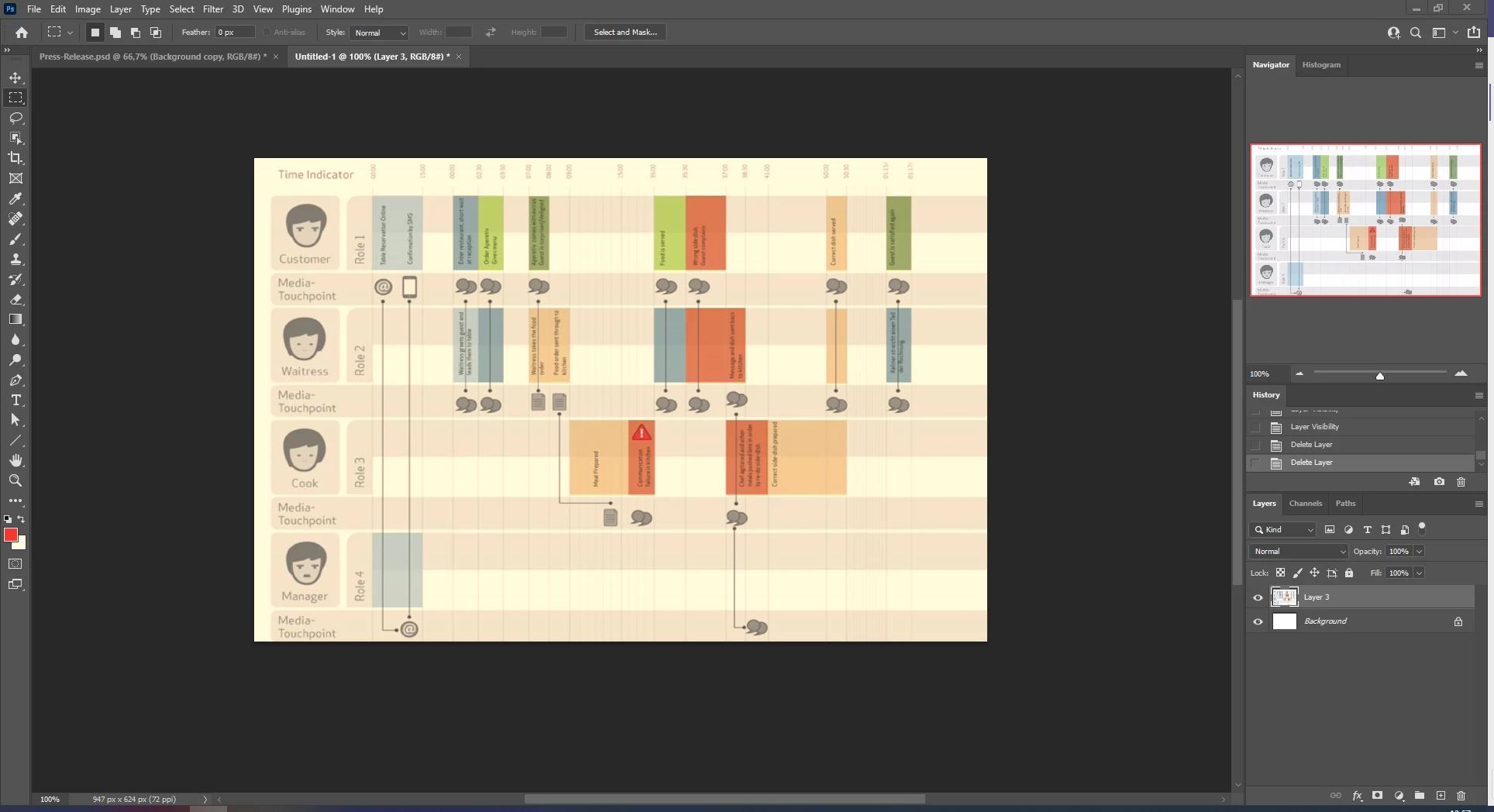
Also, while making some tests, I realized that the color that the program recognizes when I use the Eyedropper Tool is the real color (which is a shade of gray, despite it looks like a light red/pink at the canvas... and at the Color Picker window too).
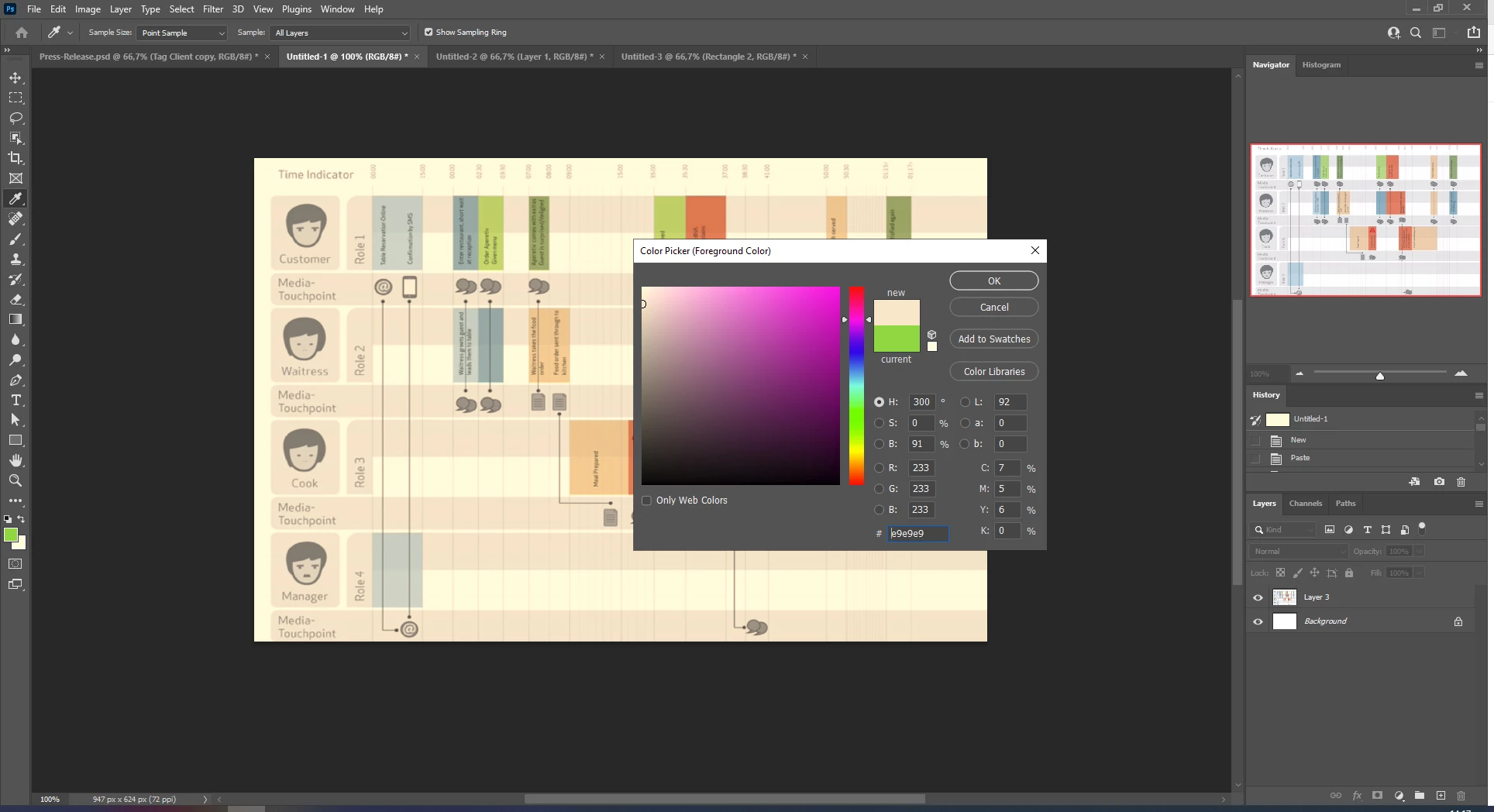
Other thing I realized is when I switch Photoshop to the other screen, the colors change back to normal, lol. So, I open a file at the first screen, paint it gray, switch the program between screens, the navigator tab still shows gray, but the file at the canvas shows light red/pink. Change the program back to the first screen and it is gray again.
Bottom line is I have no idea what is happening with this situation and I never saw something that weird in my entire designer life.
Could anyone help me with this confusing situation, please?
 AdChoices