
Richard___G
Inspiring
July 12, 2020
Question

What are Your Favorite Features

  • July 12, 2020
  • 2 replies
  • 711 views

I've been using Photoshop for years at a very superficial level.  I'm now diving much deeper into it using and playing with masks, layers, brushes, patterns, etc.  What I've really discovered is that there is so much more to learn!


SO, in order to help learn more about Photoshop, I'm asking the community to let me know what features they like most if y'all have the time.


My favorites are the stauration/desaturation tool, the presence sliders, hsl color control, brushes and their mulitude of uses in all the tools,  layers, layered patterns and revealing them in different ways using the eraser brush, and a few more.  


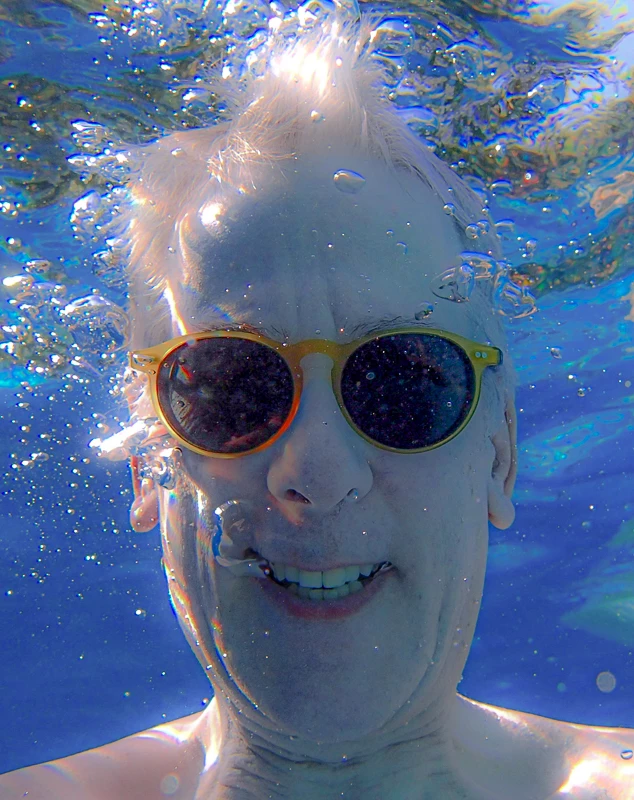
For example, attached is a vacation photo where I've played with much of the above.  Yes, what is a monkey on my arem in Costa Rica.  I picked this as it was dull  (it may still be, it cerainly isn't subtle) and I wanted to see what I couls do with it.  I had a lot of fun and like the result.


If you have the time/inclination please share your favorite features!! I'm sure we could all learn a tremendous amount from each other's experience and responses.


Thanks to any and all who participate!!


Richard

This topic has been closed for replies.

2 replies

JJMack
Community Expert
Community Expert
July 12, 2020

Photoshop Automation Actions and Script to use Photoshop features without having to repeatedly do the same processing over and over work only on those special images manually. Have no use for artboards myself. Users use Photoshop for many things perhaps all features in Photoshop are used I don't use many like CMYK, Artboards, LightRoom etc...  

JJMack
Richard___G
Inspiring
July 14, 2020

Hey JJMack,


Actually, actions and scripts kind of scared me off be cause of expected complexity (I don't care gor programming).

Are they difficult to use?


Thanks!

Richard
JJMack
Community Expert
Community Expert
July 14, 2020

Are you put off pushing button on tape recorder and feeding it media and voice input?  The Action Palette is  a full blown media recorder, editor  and player scary  indeed. Do let a child near it they may record something useful.


Scripting is definitely not child's play.   Scripting requires knowledge only an advance child may have. Scripting can be extremely difficult however some things are easily scripted and does do require much knowledge. 


See if you can read this and see what I mean:

Rotate(); 

function Rotate() { 

// validate that a document is open 
if (documents.length < 1) { 
	alert("No Open Document!"); 
	return; 
	} 
var orig_ruler_units = app.preferences.rulerUnits;
app.preferences.rulerUnits = Units.PIXELS;
// Rotate portrait to landscape orientation 
if (activeDocument.height > activeDocument.width) activeDocument.rotateCanvas(90); 
 
// Reset units to original settings
app.preferences.rulerUnits = orig_ruler_units;
}

That script come down to this:


if (activeDocument.height > activeDocument.width) activeDocument.rotateCanvas(90);


However, if that were that only line in the script.  The script would fail to rotate Portrait documents if the users rulers were set to percentage.  Width and Height would be 100%  the aspect ratio 1 square.   So I need to make sure the unit were not percentage.  To be fair to the user I saved their setting for rulers set rulers  to something other the  then  percentage.  Did the rotate step and restored the users rulers setting. 

JJMack
Richard___G
Inspiring
July 12, 2020

So, I'll be the first to reply...

Adobe provided this link in response to my post. A review of all the basic tools.  I didn't think it would offer much, but right away it showed me Art Boards.  Art Boards?  Who knew? For those like me who think they know ecerything:

https://community.adobe.com/t5/photoshop/live-from-adobe-max-new-features-tools-and-amazing-new-reveals/m-p/10713001?page=1#M274649

Richard