
What color profile to use for screencaptures in Photoshop?
I have a situation that is driving me bonkers. When I take a screenshot/capture, used to be (I think) I'd paste it into Photoshop with the default settings (US General Purpose 2). Save As with sRGB, and done.
Now, it seems like when I paste it, even if I set the thing to 'Don't manage color profile' OR sRGB, the pasted thing looks all washed out? It only retains the color if I choose AdobeRGB for the profile? But afterwards, it doesn't matter if I save it as AdobeRGB or sRGB, it looks the same.
I am not sure if this has something to do with my color profiler - I used to use a Pantone Huey pro and switched to a Color Munki Design some months ago.
I did a test image to show the differences. You can see the image yourself online here: https://www.pexels.com/photo/yellow-blue-red-pink-purple-green-multicolored-open-umbrellas-hanging-on-strings-under-blue-sky-163822/
I am confused as to whether something changed (be it my profiler, or something with how PS 18 works), or whether it's always been this way?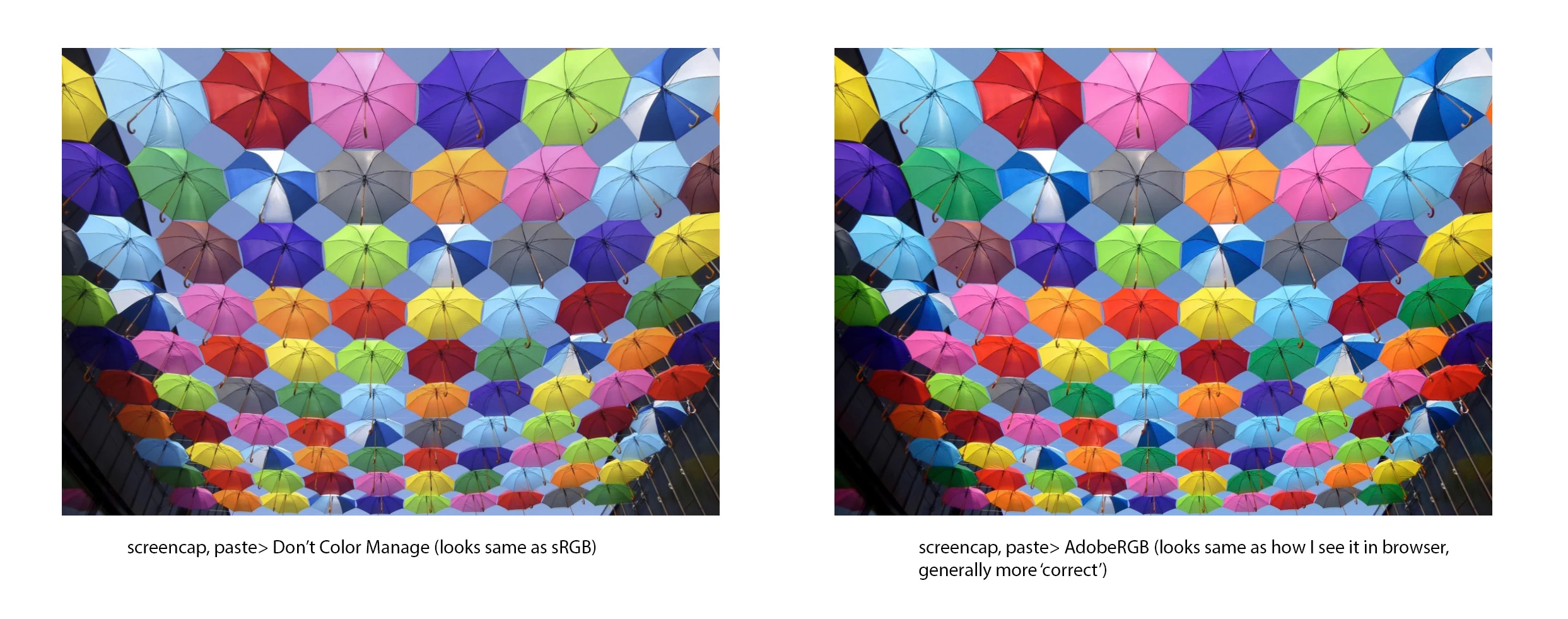
 AdChoices