
Nickfotoarts
Participant
November 19, 2018
Answered

What did you do to UNDO!!!

  • November 19, 2018
  • 2 replies
  • 1499 views

I just update the photoshop to 2019 and found this annoying change, the undo or CTRL+Z button.

Normally I press CTRL+Z to undo and press it again to redo. Just to check the change back and forth. Now it just continuously go back which is so annoying. We can do that with CTRL+ALT+Z. Why you have to make things confusing?  Especially when I do the liquify, it confuses me a lot.

Please just change it back. I believe many people want this.
This topic has been closed for replies.
Correct answer

Hi

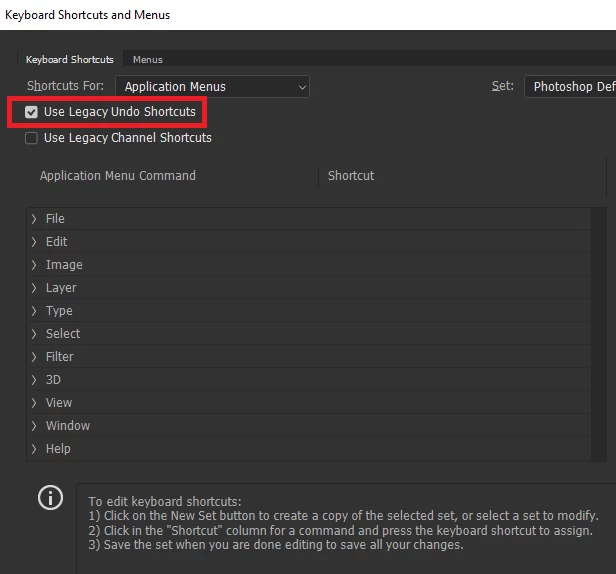
You can change it back in the Keyboards Shortcut settings

You may also want to take a look here

New and enhanced features | Latest release of Photoshop CC

2 replies

happie_97
Community Expert
Community Expert
November 19, 2018

One of the changes that was revealed with the new update is that CTRL+Z works the same as it does in the other programs. It continues to undo. Some people love this change and some don't.

As Ged said, you have options to go back to the legacy way.

Correct answer
November 19, 2018

Hi

You can change it back in the Keyboards Shortcut settings

You may also want to take a look here

New and enhanced features | Latest release of Photoshop CC