
Participating Frequently
April 23, 2022
Question

What does Photoshop download in the background? (macOS)

  • April 23, 2022
  • 1 reply
  • 432 views

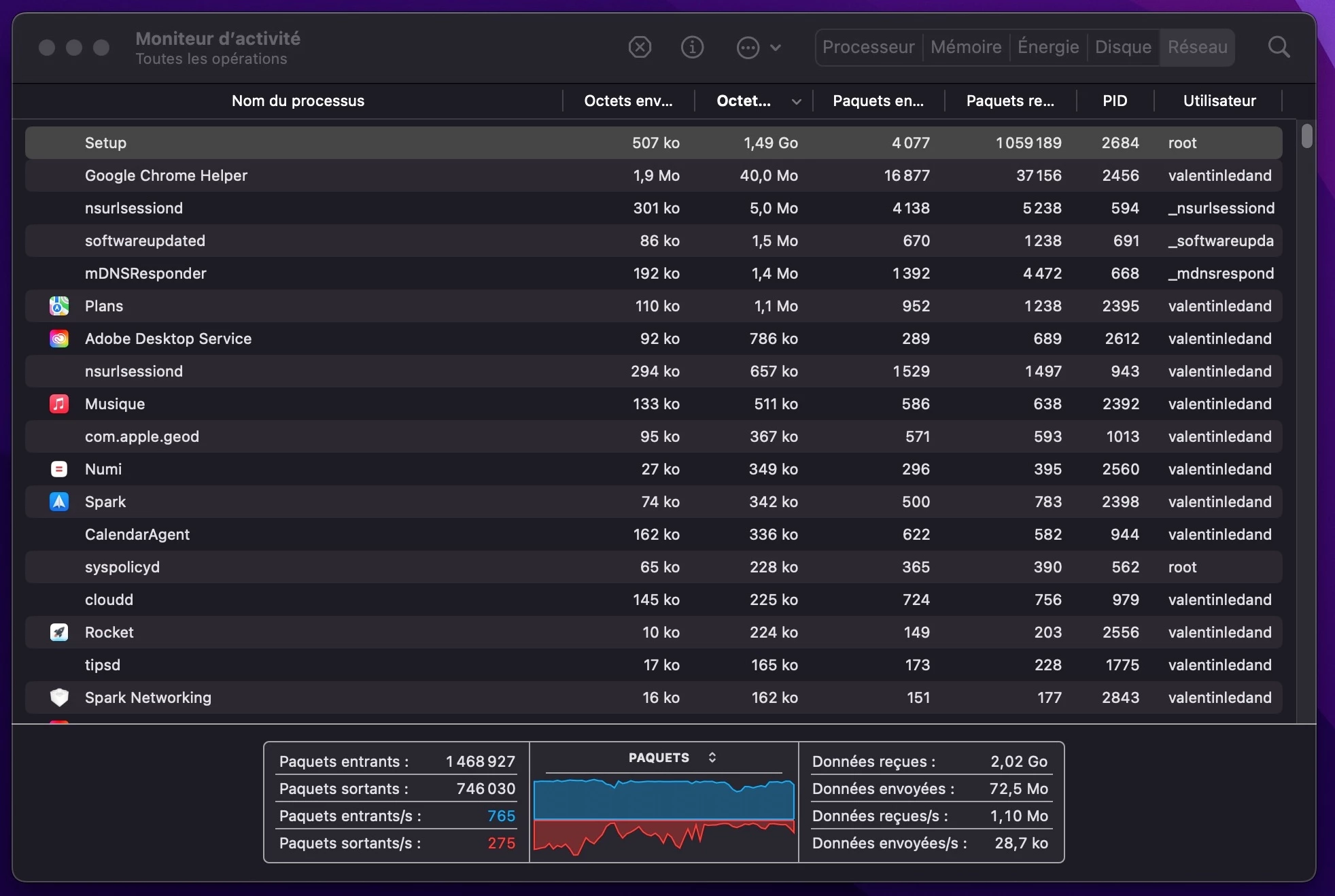
Sometimes I feel that my internet is slow, especially when I start my computer. When I look at the processes, I can see that a "Setup" process is taking all my bandwith.


When I take a closer look, I can see that behind this process, there is Adobe downloading gigabytes and gigabytes of data.


All my apps (I have only Photoshop) are up to date, Creative Cloud is up to date, Camera Raw is up to date, everything is up to date, the automatic updates are disabled and I have no data in the cloud. So what  [removed by moderator]  is Adobe downloading???


I mean this is not just few megabytes, this is several gigabytes! Sometimes Adobe is downloading like 5Gb in the background which is more than the size of Photoshop itself!!


This is super annoying, especially when you have a slow internet bandwith, and even more when Adobe starts to download in the background without asking you first, and even more when you don't have any idea of what it is actually downloading.


This topic has been closed for replies.

1 reply

TheDigitalDog
Inspiring
April 23, 2022

@valentinz92587952 wrote:

Sometimes I feel that my internet is slow, especially when I start my computer. When I look at the processes, I can see that a "Setup" process is taking all my bandwith.


I've got nothing showing up in Activity Montior called Setup. What makes you think it has anything to do with Adobe or Photoshop? 

Author “Color Management for Photographers" & "Photoshop CC Color Management/pluralsight"
Participating Frequently
April 23, 2022

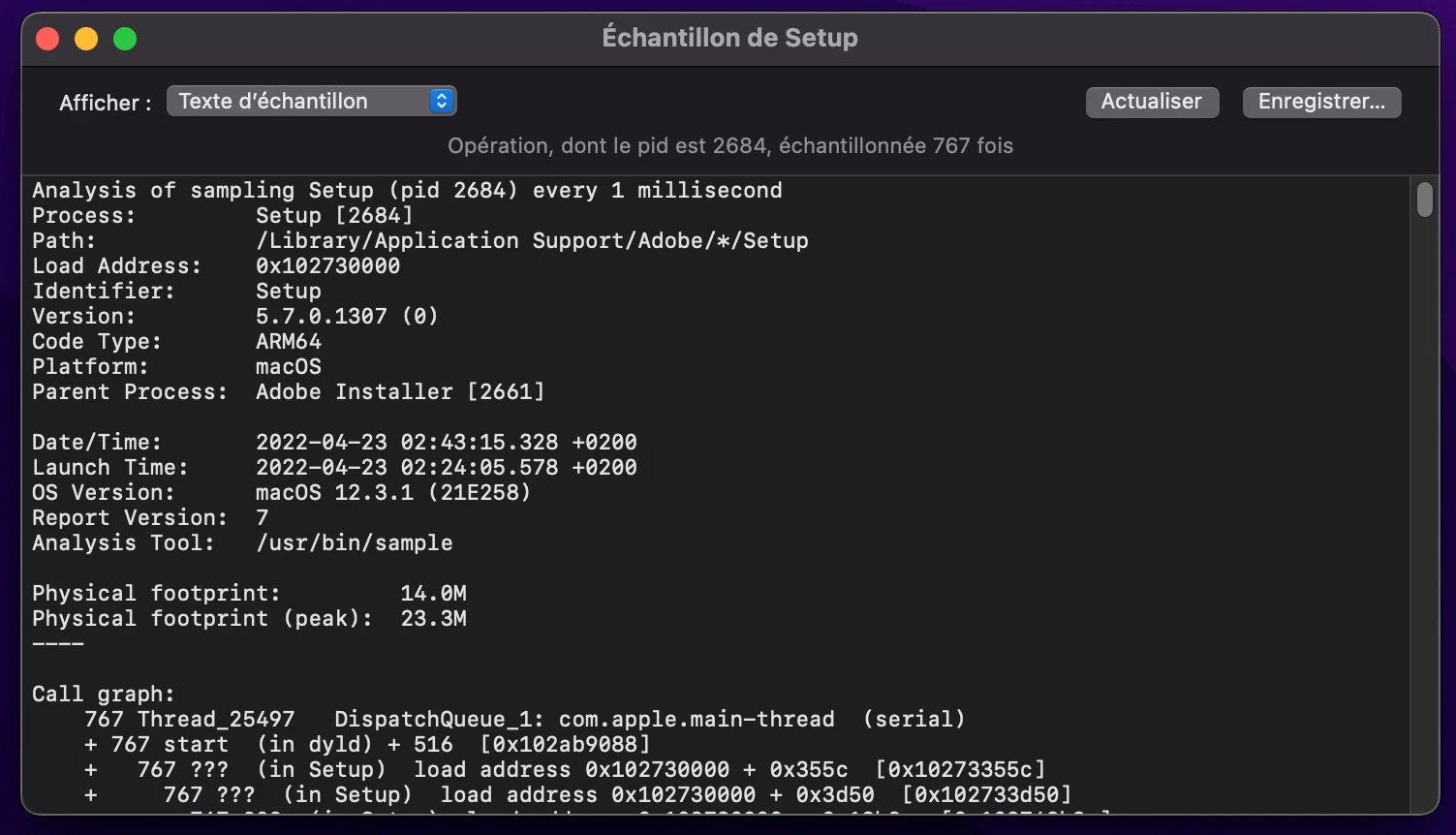
This process appears only when it is active (and downloading data), when it's done it disappears. It has everything to do with Adobe because when I inspect this "Setup" process, it shows you the path to what app is using it and the parent process, and as you can see on my 2nd screenshot, this app is Adobe. (instructions)

TheDigitalDog
Inspiring
April 23, 2022

It's not all the time of course, only from time to time. And it's not necessarily Photoshop, it can be Creative Cloud, Creative Cloud Helper, Adobe CCX Process, Adobe Core Sync or any of all these Adobe things


Unless someone can duplicate what you see, or an Adobe engineer comments, we can't go much farther. Again, I can't replicate what you are reporting. If you can find what triggers this activity, let us know. 

Author “Color Management for Photographers" & "Photoshop CC Color Management/pluralsight"