
Known Participant
March 3, 2020
Question

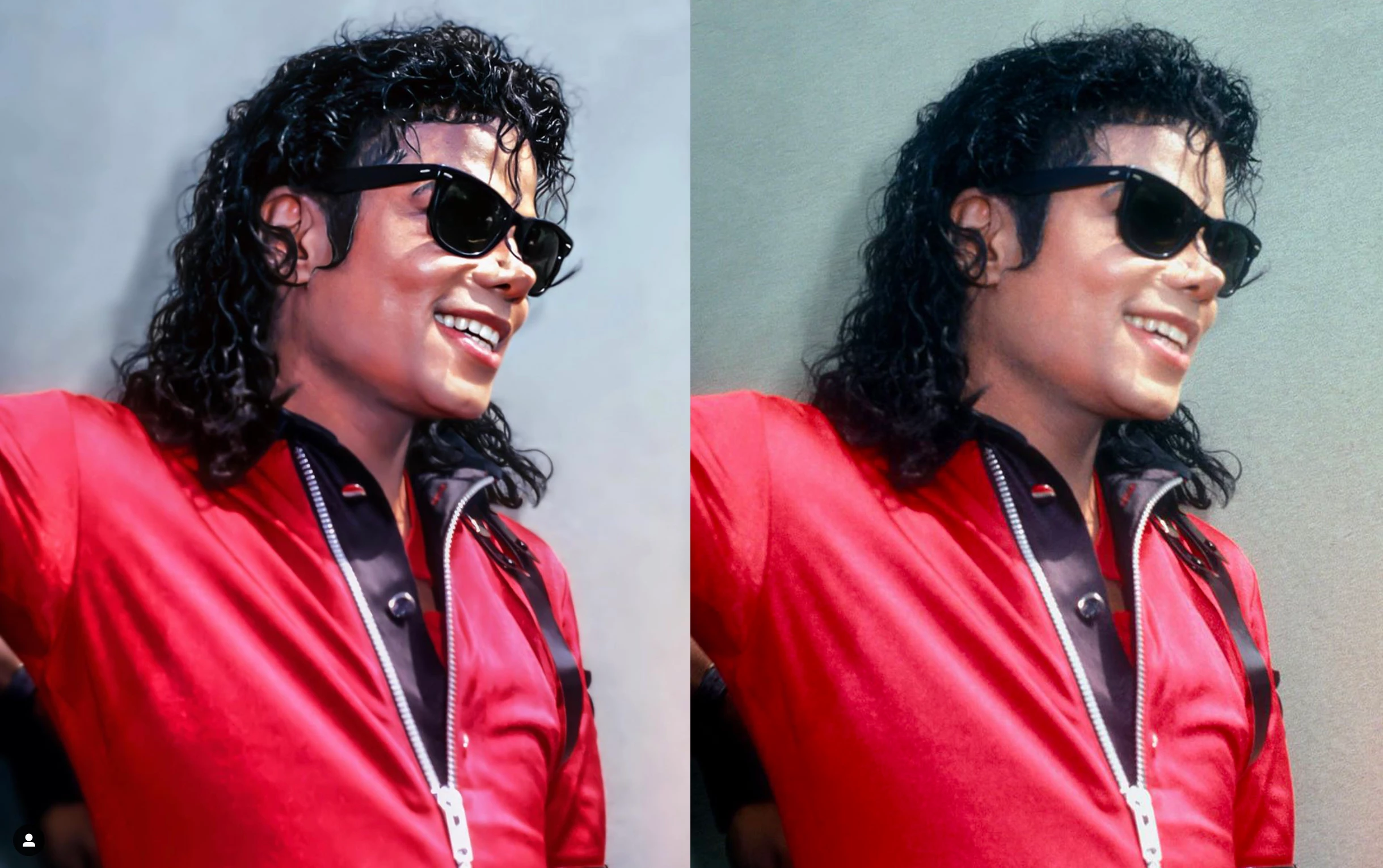
What is the filter used on this image ?

  • March 3, 2020
  • 3 replies
  • 740 views

Hello to all you experts,

I am repeatedly seeing a new type of filter being used to transform a mediocre quality photo into a smooth picture with sharp definition. I assume it's done with Photoshop but it could be an app.

The picture remains sharp but it is smooth at the same time. Also, the background has been blurred, which I noticed is always the case with this type of retouching. So maybe it's part of the automatic treatment, or something that the graphist does separately. Thanks in advance for your help !
 

This topic has been closed for replies.

3 replies

Laurent29Author
Known Participant
March 4, 2020

Thank you very much, i'll try that !

davescm
Community Expert
Community Expert
March 3, 2020

Hi

You could try:

1. Camera raw filter with Clarity turned up and texture turned down

2. Surface blur to blur the flat surfaces and leave the edges

3. Curves to adjust contrast

4.Hue and Sat layer with mask to whiten teeth


Dave

chanaart
Community Expert
Community Expert
March 3, 2020

Can beso many solutions.... Could be a blurred background with the Blur Gallery filter whcih you can blur an area by pushing the pin to the area. If you use it make sure you create a smart filter first! so you can edit it. You also can try other filter and use a layer mask to reveal or conseal the effect . In this one I used Iris Blur and PlasticWrap and conealed the area that was too much (see the layer mask)


Laurent29Author
Known Participant
March 4, 2020

Thank you very much for that. I'll try and see how it works !