

davidc1815
Legend
December 12, 2016
Question

What is the reason for the neon lines and colours I am seeing?

  • December 12, 2016
  • 1 reply
  • 496 views

I tried Affinity Windows yesterday and saw some strange high coloured lines and patches with electric colours, here and there in the image.  I do not see this problem in Photoshop or Corel Painter.  But today I tried applying some Topaz filters (Photoshop plugins) to some images and the bright lines and patches occurred again.  This is what it looks like -
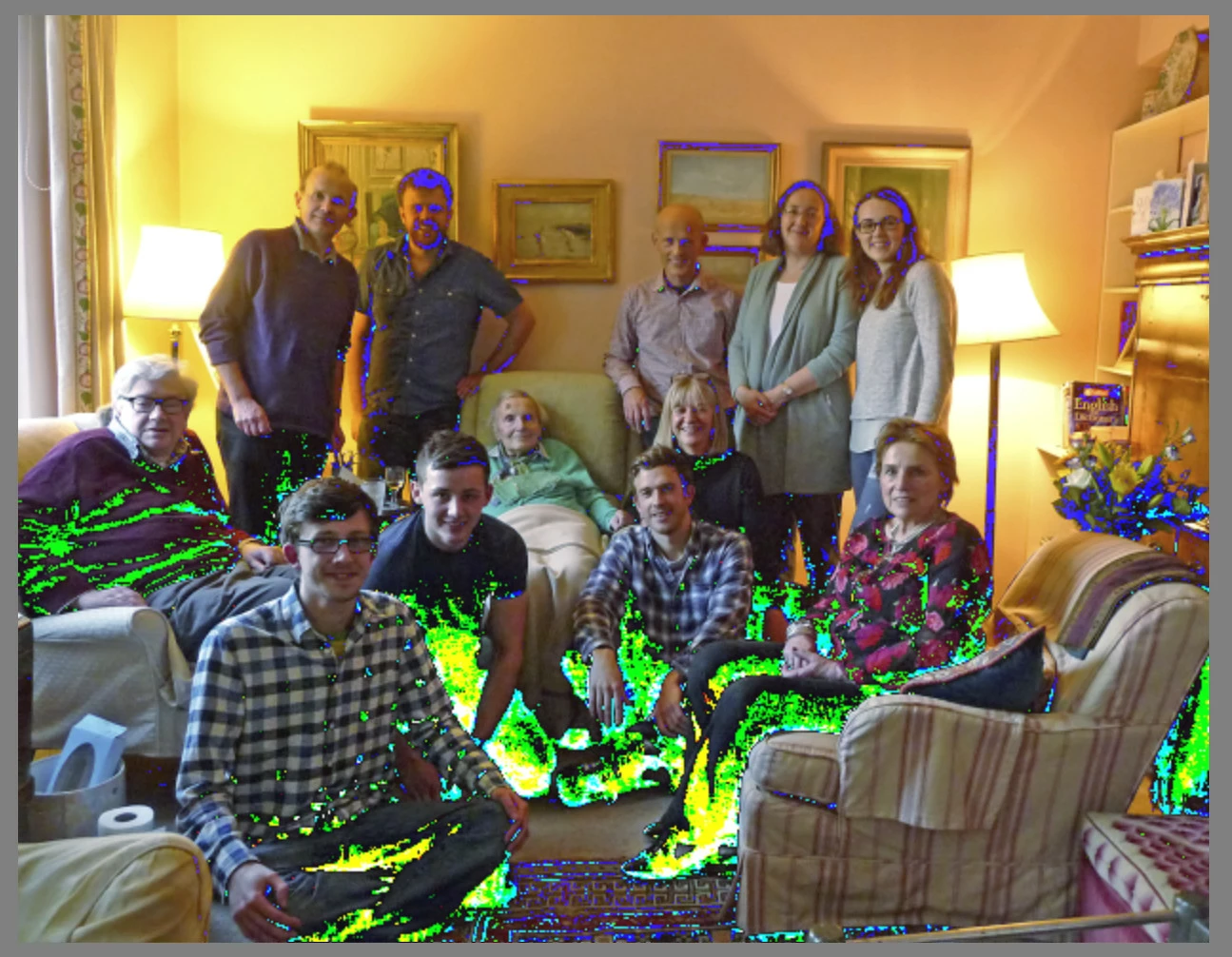
It looks a bit like indicators of out of gamut or clipped colours, but the images show the effect before any filter is actually applied.  It is inconsistent too - my Digital Film Tools plugin filter does not show the problem.  Does anyone have any ideas what could be happening, please?

I have recently had my BIOS updated (I have a Dell XPS 9550, with a 960M graphics card and Intel graphics too, 16Gb ram, and Windows 10 64bit) and this seemed to go without problem.  I have also rolled back my Nvidia driver, but that made no difference. I am up to date with all W10 updates.  I have Photoshop CC 2017 working with no problems.

I am baffled.

Thanks

David

    This topic has been closed for replies.

    1 reply

    davidc1815
    Legend
    December 13, 2016

    On a hunch, I rolled back a colour profile I created recently with my I1Display Pro to one I made earlier - a few weeks ago. The problem disappeared. No more strange highlighting.  Now I just have to go through my I1Display Pro software to find which parameter I changed that caused the issue.

    What a relief. 

    David

    davescm
    Community Expert
    Community Expert
    December 13, 2016

    David

    thanks for the update.

    I do not use Affinity but just from reading your post, does Affinity allow you to choose a monitor profile different to that set in Windows?

    Photoshop will use the profile set in Windows color-management so I would have expected an issue to show on both.

    Dave

    davidc1815
    Legend
    December 13, 2016

    I do not use Affinity either - I was trying it.  it is just one more thing to learn and I do not find it's adjustment filters or saving procedures intuitive. I am an old dog who needs a lot of encouragement to learn new tricks.  Affinity allows one to use any available profile (though I was using the default sRGB profiles when I experienced the problem and now when I do not) :

    I just made a new profile for my laptop's display to check that I would not be bound to my old profile for ever, and am relieved to say that the neon highlight problem has not resurfaced.  I do remember now seeing the neon highlights in the graphics of the profiling screen (on the small colour squares window) and wondered at the time what it was.  It was only later that I used Topaz and Affinity and encountered the neon highlights problem during work.

    The profile I made is indeed in use by Windows.

    I don't know what the problem was.  I am just glad it seems to be gone.