
Participant
January 6, 2023
Answered

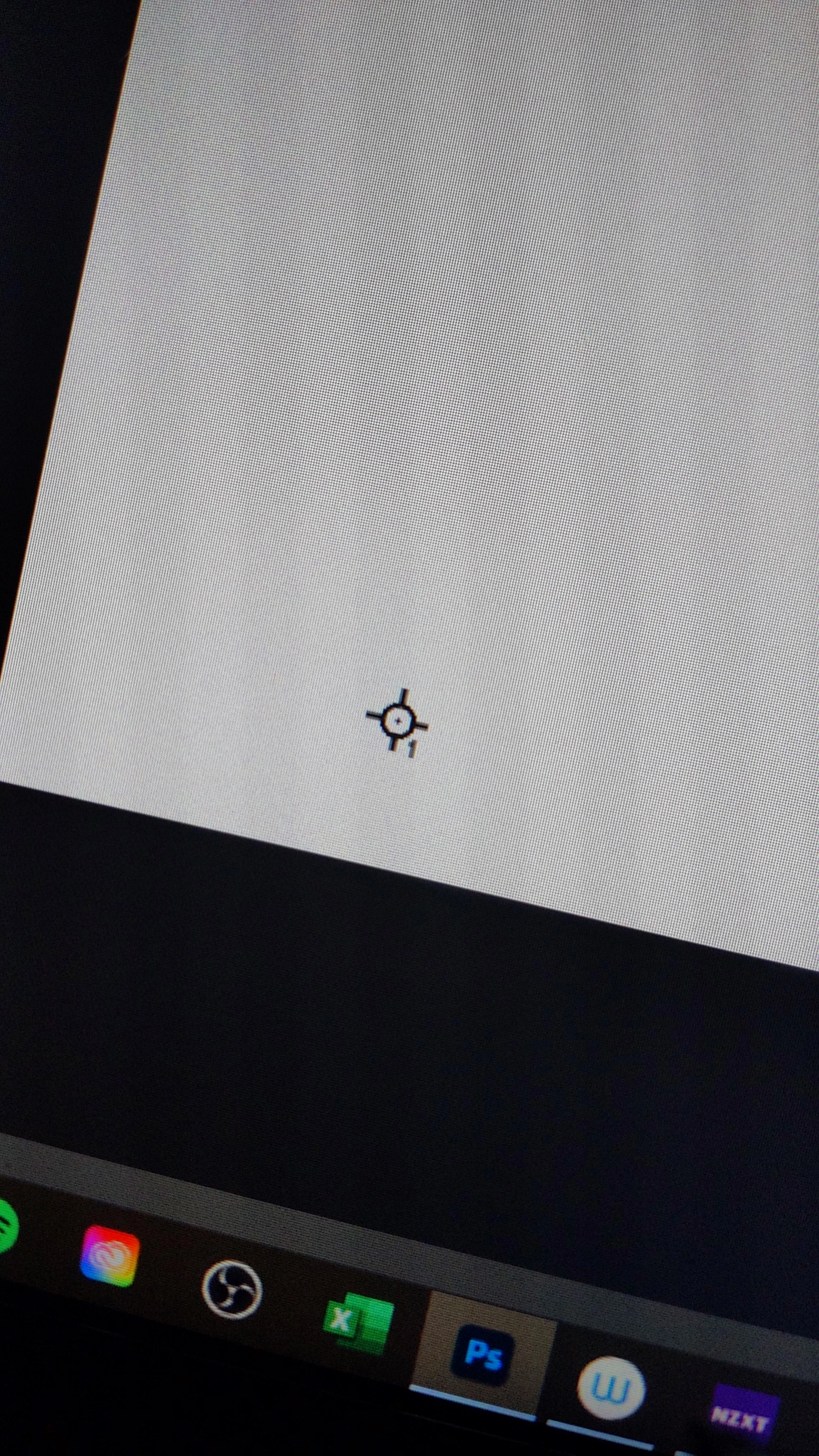
What is this pinned circle?

  • January 6, 2023
  • 1 reply
  • 152 views

I was working on a Photoshop file when I saw this in the corner? I don't know what it is or how it got there. I can't seem to move it with any tools or holding ctrl. I don't know much about Photoshop and I would like to remove it if possible. Any help would be appreciated ☺️
This topic has been closed for replies.
Correct answer Stephen Marsh

@Mikuishida – It's a colour sampler, the tool is part of the eyedropper tool group (i). It provides fixed readings of colour numbers in various colour modes under the Info panel (F8).


Once the colour sampler tool is active, you can alt/option click on the sampler to remove a single sampler or use the toolbar "clear all" button to remove multiples in one go.


https://helpx.adobe.com/au/photoshop/using/tools.html


1 reply

Stephen Marsh
Community Expert
Stephen MarshCommunity ExpertCorrect answer
Community Expert
January 6, 2023

@Mikuishida – It's a colour sampler, the tool is part of the eyedropper tool group (i). It provides fixed readings of colour numbers in various colour modes under the Info panel (F8).


Once the colour sampler tool is active, you can alt/option click on the sampler to remove a single sampler or use the toolbar "clear all" button to remove multiples in one go.


https://helpx.adobe.com/au/photoshop/using/tools.html