Participant
February 22, 2023
Answered

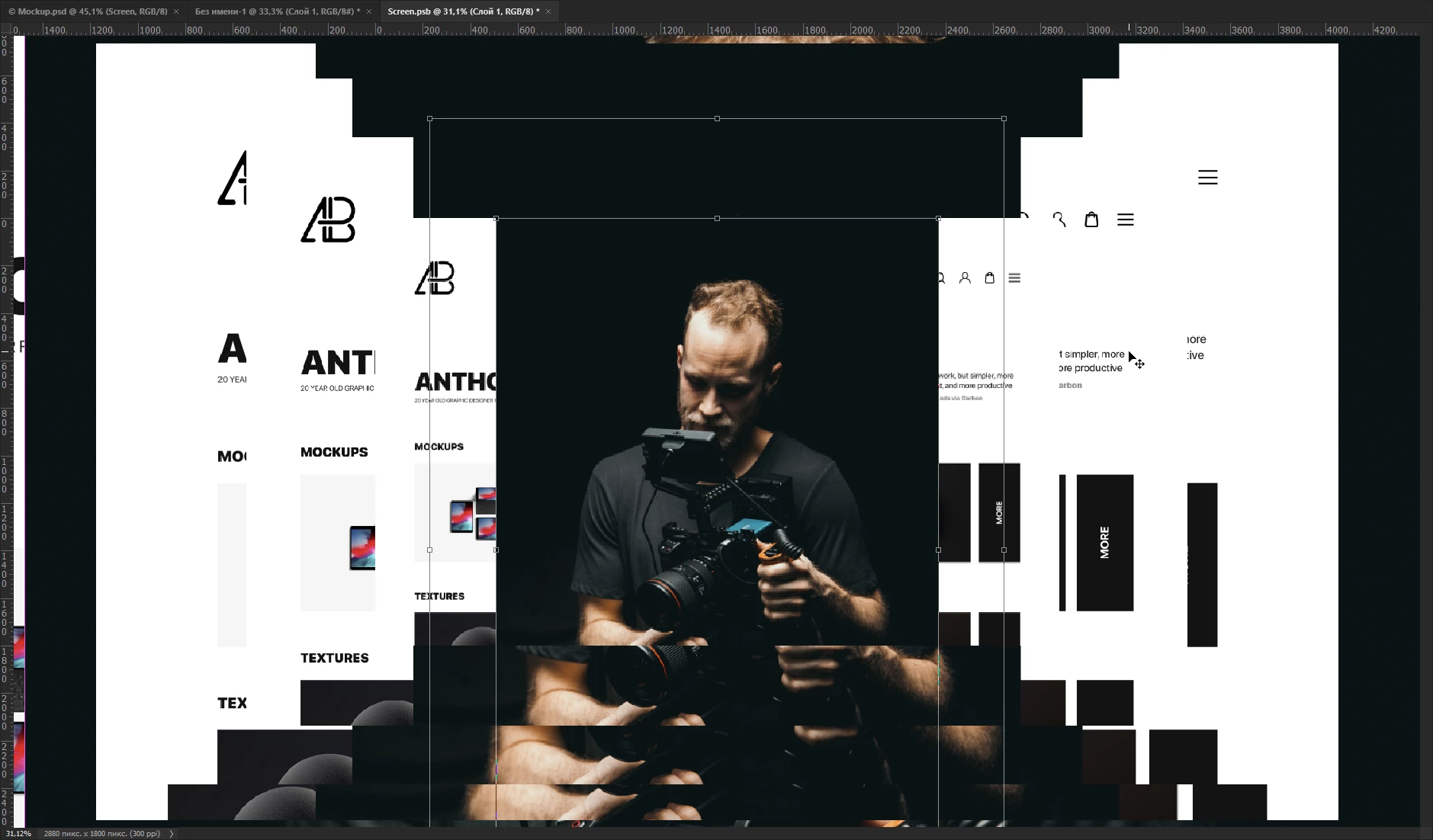
What's going on with this Photoshop?
  • February 22, 2023
  • 4 replies
  • 341 views

This topic has been closed for replies.
Correct answer Ged_Traynor

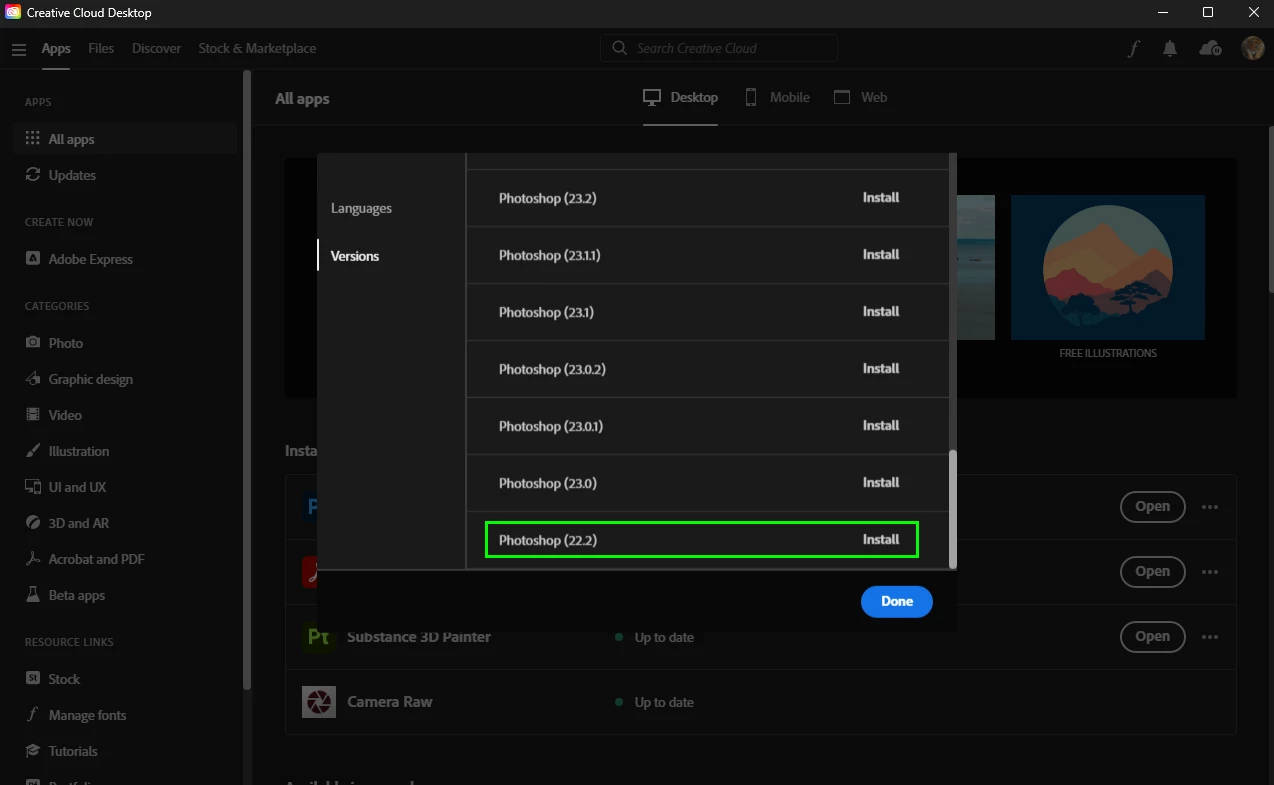
@elijahstar15160018 3D features in Photoshop are been discontinued, Adobe recommends using version 22.2 which is available from the Creative Cloud app

https://helpx.adobe.com/ie/photoshop/kb/3d-faq.html
4 replies

Participant
February 22, 2023

Thank you.

Ged_Traynor
Community Expert
Ged_TraynorCommunity ExpertCorrect answer
Community Expert
February 22, 2023

@elijahstar15160018 3D features in Photoshop are been discontinued, Adobe recommends using version 22.2 which is available from the Creative Cloud app

https://helpx.adobe.com/ie/photoshop/kb/3d-faq.html

Participant
February 22, 2023

This happens when I try to edit a 3D element. If I restart Photoshop, the issue goes away until I start editing 3D again. I turned on the "Deactivate Native Canvas" option in the settings, but it didn't help.

AxelMatt
Community Expert
Community Expert
February 22, 2023

Please try to disable the option to "Use Graphics Procesor" from Photoshop by going to Preferences, then Performance. Once done, quit & relaunch Photoshop to check if that helps. 


If you're unable to access Preferences and PhotoShop crashes before that, please go to the location C:\Program Files\Adobe\Adobe Photoshop 2021. Then rename the Sniffer.exe to Old.Sniffer.exe and try launching Photohsop again. 


If it helps, you can check out the steps suggested here:  https://helpx.adobe.com/photoshop/kb/troubleshoot-gpu-graphics-card.html 


If the issue persists, you can try to reset the preferences of Photoshop using the steps described here: 

Preferences in Photoshop (adobe.com) 

Please backup your settings before resetting the preferences. You can check: 

Migrate presets, actions, and settings (adobe.com) 


Another try it to turning on the option »Deactivate Native Canvas« (Photoshop > Preferences > Technology Previews) and restarting Photoshop. 


If this doesn't help we need more information about your environment. Please consider including the following questions: 

  • Adobe product and version number 
  • Operating system and version number 
  • The full text of any error message (s) 
  • What you were doing when the problem occurred 
  • Computer hardware, such as CPU; GPU; the amount of RAM; etc 


Is your system up-to-date? Check if there any patches and updates are available, especially for the graphic driver.  

My System: Intel i7-8700K - 64GB RAM - NVidia Geforce RTX 3060 - Windows 11 Pro 25H2 -- LR-Classic 15 - Photoshop 27 - Nik Collection 8 - PureRAW 6 - Topaz Photo AI
