
Answered
What’s the Difference Between Using Levels via Adjustment Layer vs Ctrl + L?
There are two ways to get levels.
-From Adjustment Layers
-By pressing Ctrl + L
What is the different between these two?
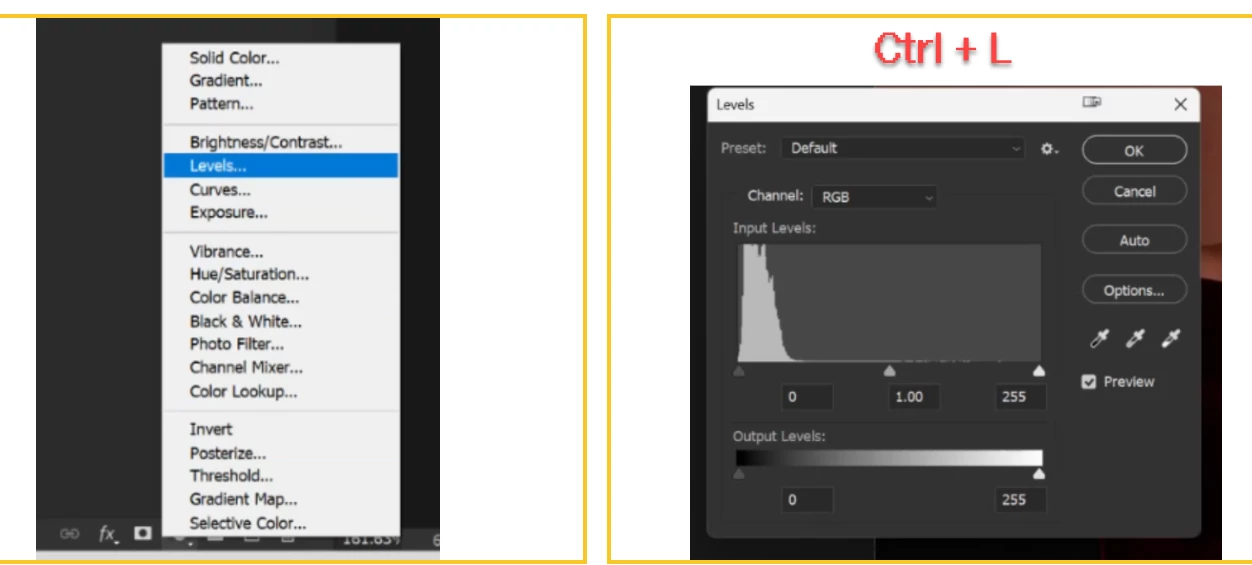

There are two ways to get levels.
-From Adjustment Layers
-By pressing Ctrl + L
What is the different between these two?
Ctrl+L gives you an adjustment which is made to the layer you have selected when you press Ctrl+L. When you press OK it is baked into the layer being adjusted.
An adjustment layer allows you to adjust, then go back and readjust later. It is not baked into the image layer itself so is non-destructive. In addition it affects the combined result of all layers below it in the layer stack (unless it is clipped to a single layer in which case it affects only that layer). Finally, you can change both the blending mode and the mask of an adjustment layer to further change how it interacts with the image layer(s).
Dave
Already have an account? Login
Enter your E-mail address. We'll send you an e-mail with instructions to reset your password.
 AdChoices