Participant
October 2, 2023
Resuelto

What's this icon that appears when cycling through the crop tools?

  • October 2, 2023
  • 1 respuesta
  • 131 visualizaciones

Hello!


I've been using Photoshop for about a decade. This little icon that appears in the top left of my canvas after cycling through all the crop tools has always been a mystery to me:


No matter how much I zoom in, the icon remains the same size on my screen. I can't seem to get rid of it without restarting Photoshop. What is it, and how do I disable it?
Este tema ha sido cerrado para respuestas.
Mejor respuesta de Ged_Traynor

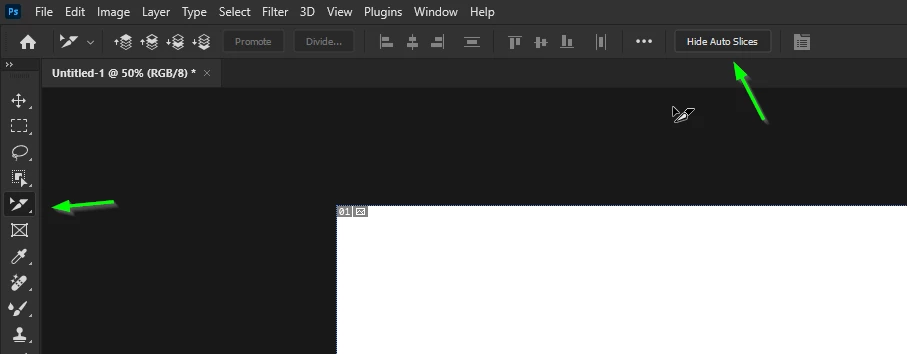
@Katie M Hall it's from the Slice Tool, select the Slice Select Tool and then click on Hide Auto Slices

1 respuesta

Ged_Traynor
Community Expert
Ged_TraynorCommunity ExpertRespuesta
Community Expert
October 2, 2023

@Katie M Hall it's from the Slice Tool, select the Slice Select Tool and then click on Hide Auto Slices