
ultrachrome
Inspiring
November 16, 2023
Question

What's up with pop up ads now when I open PS?

  • November 16, 2023
  • 1 reply
  • 948 views

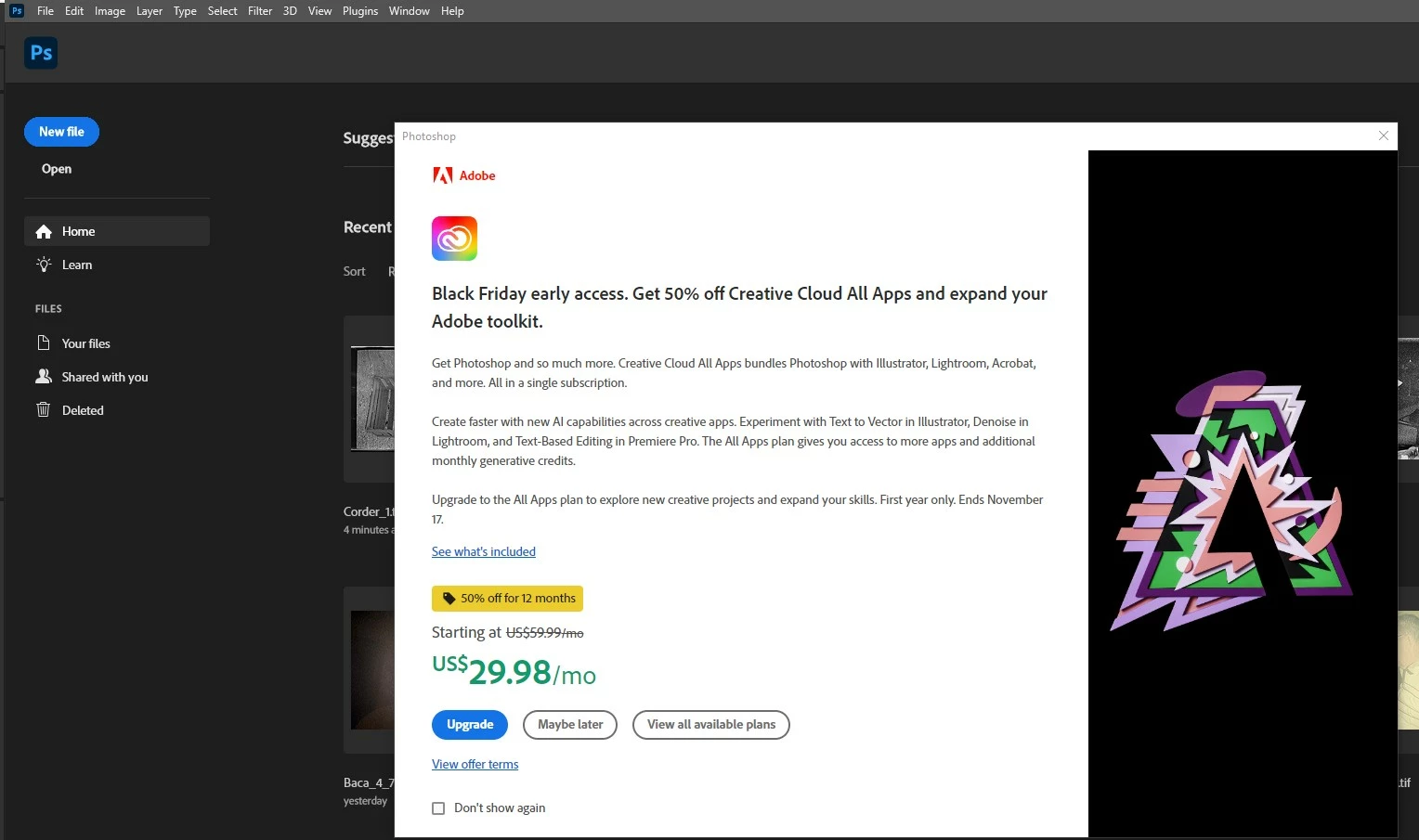
Please stop with the ads when I open Photoshop. This is a paid subscription and with that comes an expectation of not having to look at ads.  I don't like Black Friday and I don't use Creative Cloud. Annoying
This topic has been closed for replies.

1 reply

Trevor.Dennis
Community Expert
Community Expert
November 17, 2023

I did wonder if it was to do with Rich Tool Tips, but I have tried turning that on and can't seeany advertizing in Photoshop.  What sort of CC plan do you have?  Could it be to do with the Photography plan or a one app subscription?  I have all apps so they wouldn't need to try and sell it to me.  Does that make sense?

ultrachrome
Inspiring
November 17, 2023

I just have the package that comes with Photoshop, Bridge and Lightroom. These ads are new. In the past there has been tiny pop-up suggestions and now half screen ads. I wanted to mention it because I'm concerned about ad creep on Adobe programs. Maybe the next thing will be a pop up after I finish each image? It feels like a frog in boiling water situation like what happened at movie theaters. Originally they would just show up coming movie trailers, then the occasional ad sometimes and now a deluge of ads in our location at least.

Inspiring
November 18, 2023

I've clicked Don't Show Again a dozen or more times, and it still pops up everytime I open Photoshop.  I think it just started doing this today.  I think the problem is there is no option to dismiss the popup after clicking Don't show again.  Clicking the X in the upper right corner does close the box, but it opens again the next time I open Photoshop.

Chuck


More information on this issue with pop up add everytime I open Photoshop 25.1 on Windows 10 computer.  The ad is for a discounted upgrade to the All Apps Plan.  It says this offer ends November 17.  I thought since today is November 18, the offer would be over and the pop up gone but no such luck.  Does anyone have an idea about how to get rid of this pop up?