
InsertAliasHere
Inspiring
June 23, 2019
Question

What's up with the Clone Stamp Tool?

  • June 23, 2019
  • 3 replies
  • 902 views

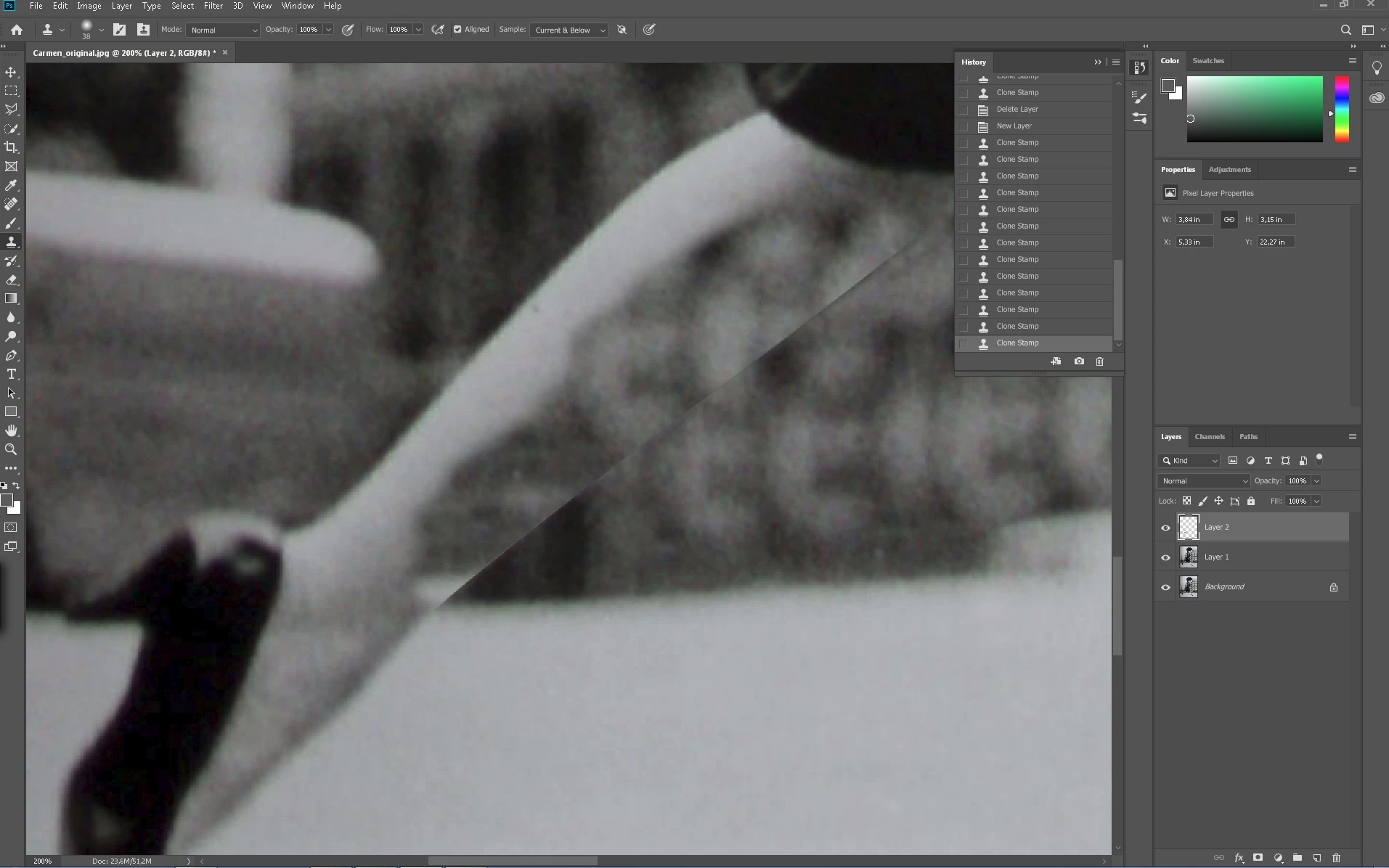
Opened a new empty layer, Flow, Opacity at 100%, sample current and below. Totally unusual behavior. Where does the edge come from??? Also used a mask before, same result.

This topic has been closed for replies.

3 replies

c.pfaffenbichler
Community Expert
Community Expert
June 23, 2019

Is a Selection active?

D Fosse
Community Expert
Community Expert
June 23, 2019

My thought too. A selection can be active but hidden with ctrl+H.

Semaphoric
Community Expert
Community Expert
June 23, 2019

Open the Brush Settings panel, and see if there's anything checked that shouldn't be.

Participant
June 23, 2019

Might it be the Aligned checkbox? I don't use that, but everything else seems like there shouldn't be an edge.

jane-e
Community Expert
Community Expert
June 23, 2019

Raspiratadantatay  wrote

Might it be the Aligned checkbox? I don't use that, but everything else seems like there shouldn't be an edge.

Hi Raspiratadantatay,

When Aligned is checked (default), it means you can stop and start and continue on. When it is unchecked, then the painting goes back to the source point each time you stop and restart. Try it both ways if this is new to you, but no. That would not cause this issue with the edge.

~ Jane

Participant
June 23, 2019

Thank you for that info! I agree with the last couple comments that he should do a deselect all then.