Known Participant
March 24, 2017
Answered

What Would be Best Way to Make Background Uniform?

  • March 24, 2017
  • 5 replies
  • 6267 views

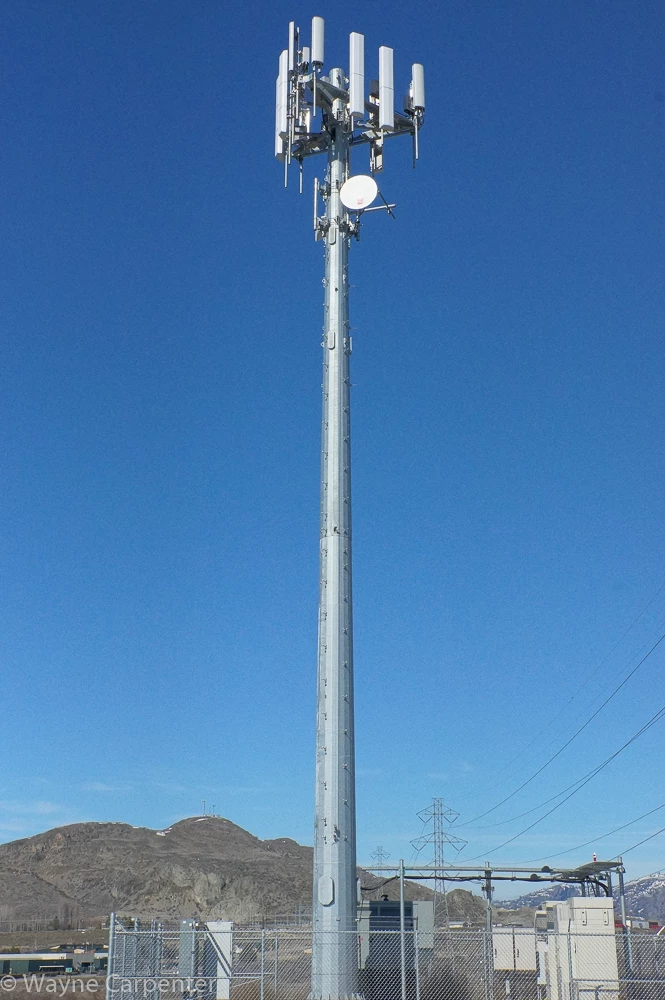
I took a photo and the sky didn't look a significantly different hue of blue from the top to the bottom but the camera's sensor exaggerated the slight difference. See attached photo. I would like to make the background a uniform blue. I am not experience with Photoshop and was wondering what be the easiest way to make the background uniform. Try to remove the background? The tower has quite a few small projections and there are other things too that would seem to make it difficult to remove the background. Maybe taking the photo at a different time of day would help.

Thanks
    This topic has been closed for replies.
    Correct answer bzareenk

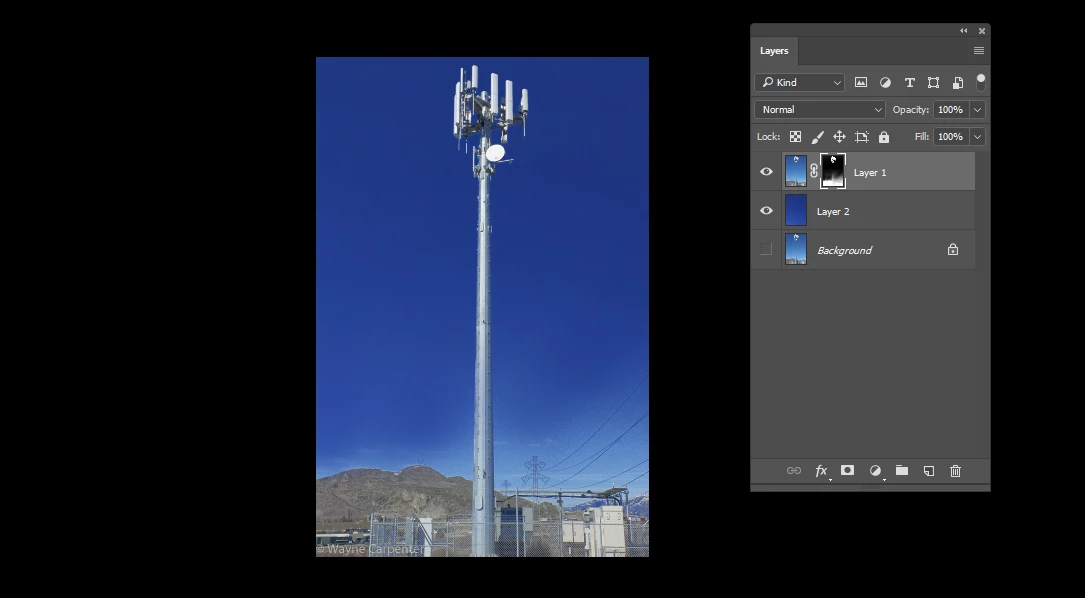
    See if this works. I selected the olor range which is blue and used a different blue sky and masked it around the tower.

    5 replies

    D Fosse
    Community Expert
    Community Expert
    March 24, 2017

    No complicated masks or selections should be needed here (and most likely that will just end up looking fake).

    Just a couple of Selective Color adjustments with soft gradients:

    Participating Frequently
    March 24, 2017

    This is a 20% opacity gradient overlay of blue sky color 1A56B1. These gradient overlay settings will leave the horizon alone and lighten the high sky. Useful if the deep blue or gradient is distracting from the antenna.

    Bettina Di Virgilio
    Participating Frequently
    March 24, 2017

    I'd do that way:

    1. from main menu choose select/color range and clic on the lighter area of the sky to have your selection. Adjust fuziness accordingly to select the lightest part, then pess OK.

    2. from main menu choose layer/adjustment layer/curves, then in the Properties panel clic on the half of the diagonal and drag it down to let the middle tones darker.

    Eternal Warrior
    Inspiring
    March 24, 2017

    Personally I quite like the photo as is.

    However you asked a question so I suppose I should answer and be helpful.

    This really depends how long you want to spend and how uniform it should be.

    The quickest way would be similar to Bahaar Khan​ and use a layer mask and a separate layer with a uniform blue pasted on.

    BUT then I would take this one step further and use some adjustment layers with layer masks to target the bottom of the sky and try to bring that blue closer to the uniform blue.

    Particularly I would try using a hue/saturation layer as this is what your camera sensor created...

    Again, I actually like the hue difference and the gradient it creates but this is how I would do it - to start with anyway.

    Best,

    EW

    Eternal Warrior
    Inspiring
    March 24, 2017

    In case you haven't used adjustment layers before you can find them here:

    bzareenkCorrect answer
    Inspiring
    March 24, 2017

    See if this works. I selected the olor range which is blue and used a different blue sky and masked it around the tower.