Exit
  • Global community
    • Language:
      • Deutsch
      • English
      • Español
      • Français
      • Português
  • 日本語コミュニティ
  • 한국 커뮤니티
0

What wrong with image rectangle bouding

Community Beginner ,
Apr 04, 2023 Apr 04, 2023

Hi,


I am a newbie photoshop. I do the following:

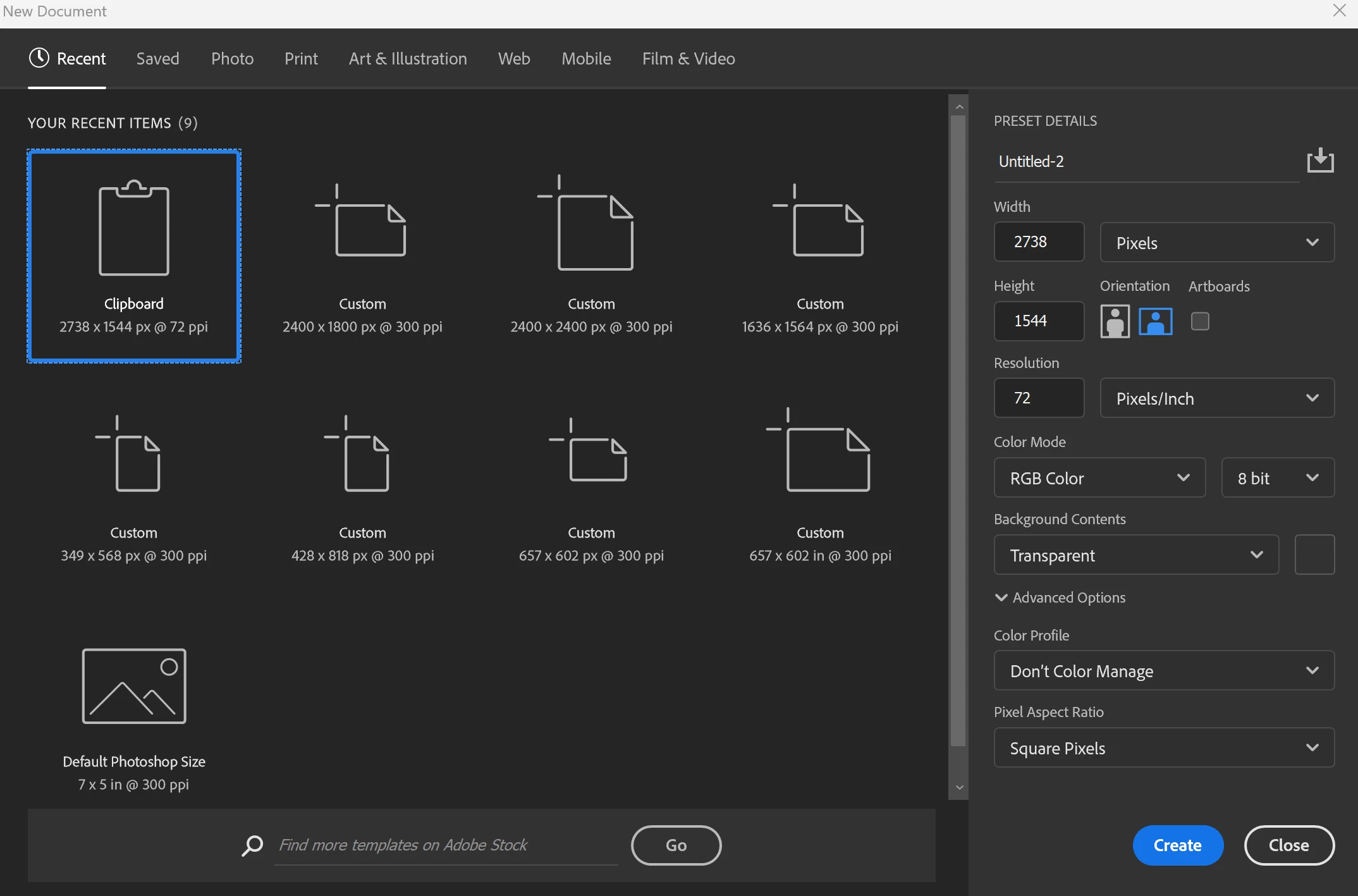
1- I create Clipboard like 1.png

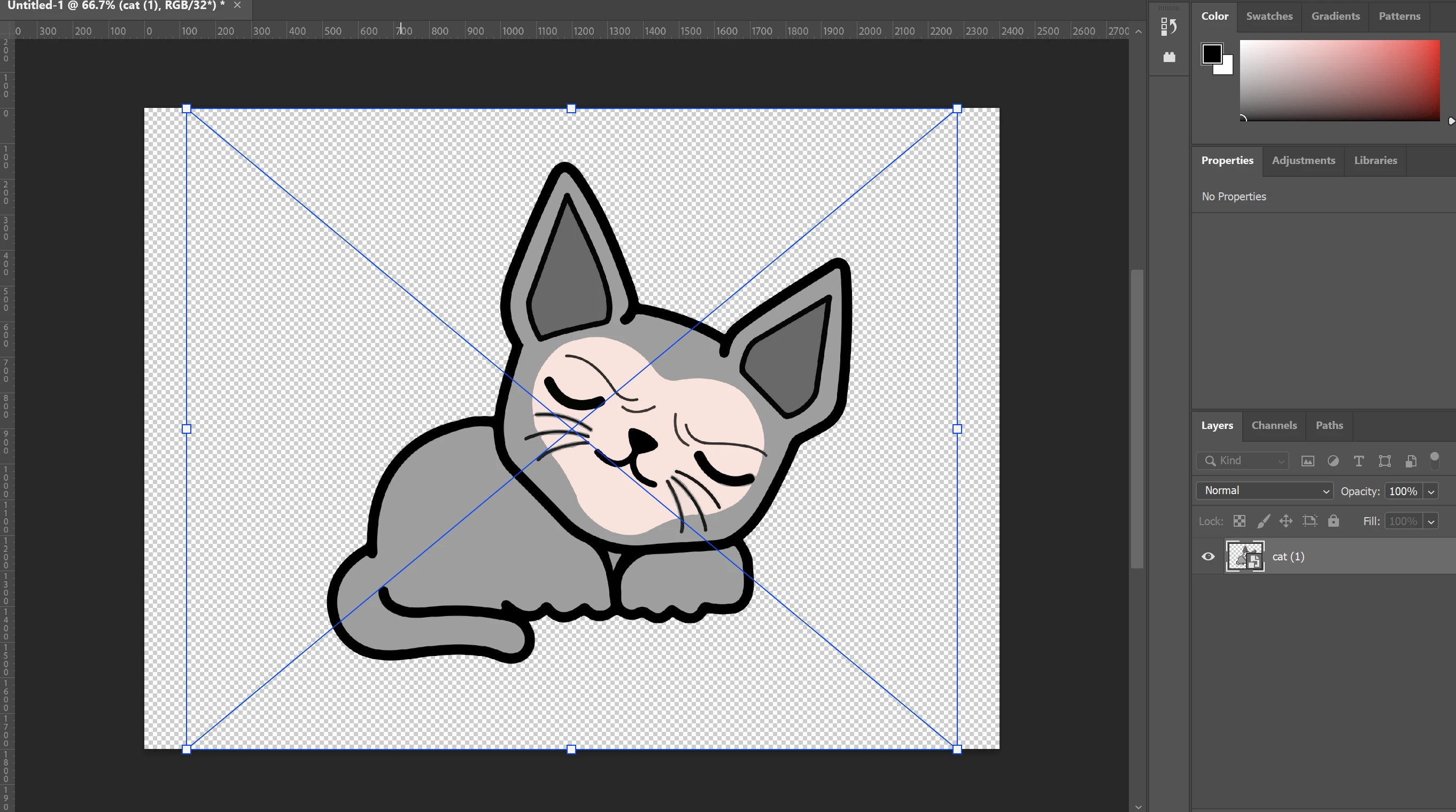
2- Then I drag an image to that, It showing large bounding

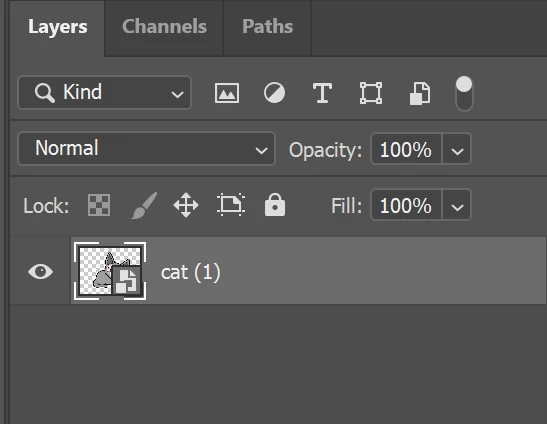
3- Then I click to layer item in the right box

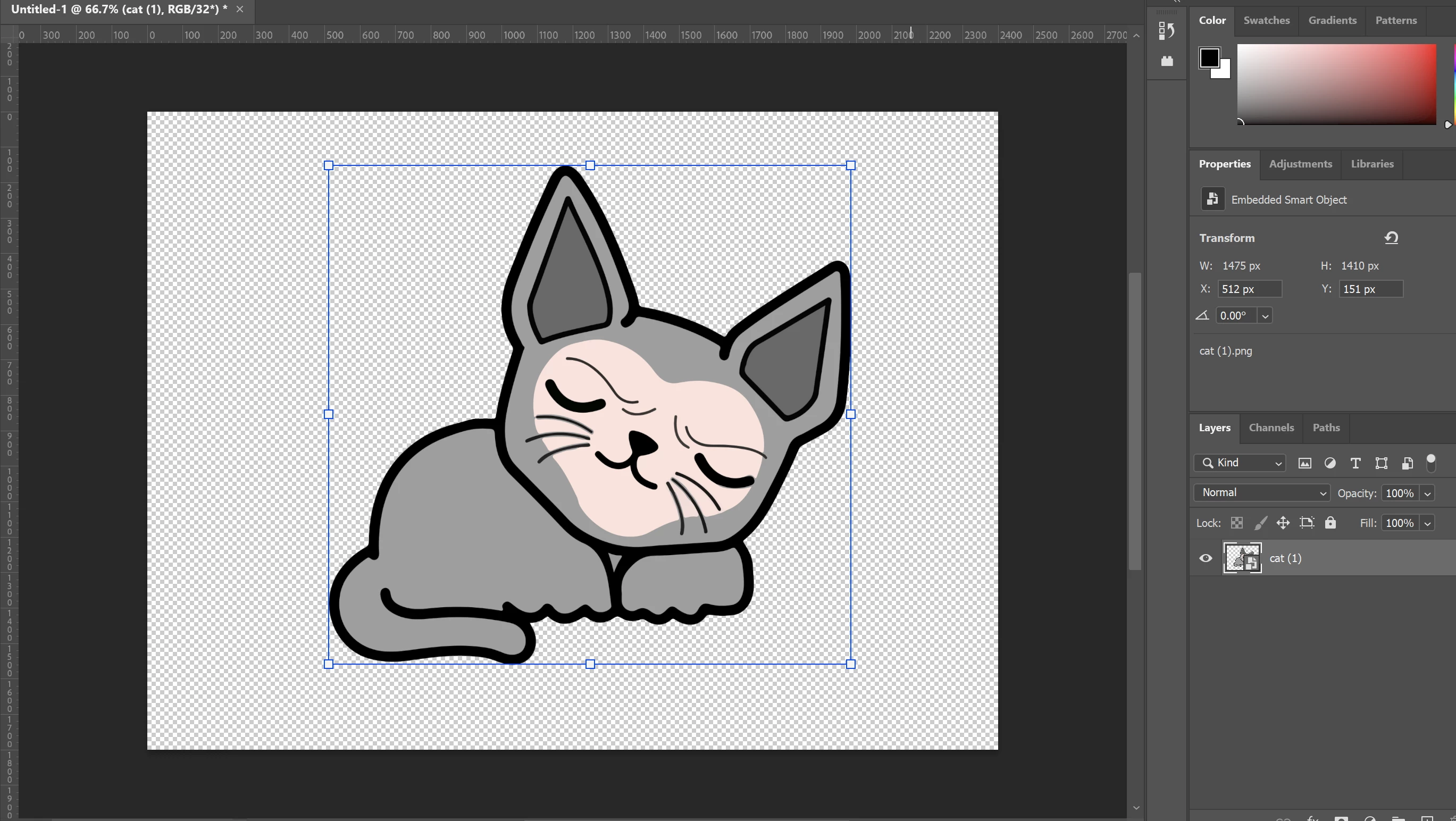
4- Look, now it's showing small bouding


So, now what's different of them?


5- When I drag more image to that Clipboard, and select on layer on the Layers box, it just showing small bouding? How can I disable it? I just want to show large bouding like step 1.


Thank you1.png2.png3.png4.png
TOPICS
Actions and scripting , macOS , Windows
859
Translate
Report
Community guidelines
Be kind and respectful, give credit to the original source of content, and search for duplicates before posting. Learn more
community guidelines

correct answers 1 Correct answer

Community Expert , Apr 05, 2023 Apr 05, 2023
quote

You are seeing a real bounding box in your second image - transparency doesnt existing when making selections.

View > Show > Layer Edges should circumscribe the pixels that are not completely transparent, even for a Smart Object. 

Translate
Adobe
Community Expert ,
Apr 04, 2023 Apr 04, 2023

Hi @thuydts when you place an image with a transparent background - the entire canvas is read for the original placement. Once it is placed, Photoshop clips the excess transparency to fit the placed pixel data. 

Translate
Report
Community guidelines
Be kind and respectful, give credit to the original source of content, and search for duplicates before posting. Learn more
community guidelines
Community Beginner ,
Apr 05, 2023 Apr 05, 2023

How can I show real bounding when click to layer item?

Translate
Report
Community guidelines
Be kind and respectful, give credit to the original source of content, and search for duplicates before posting. Learn more
community guidelines
Community Expert ,
Apr 05, 2023 Apr 05, 2023

Temporarily set the Move Tool to »Show Transform Controls«. 

Translate
Report
Community guidelines
Be kind and respectful, give credit to the original source of content, and search for duplicates before posting. Learn more
community guidelines
Community Expert ,
Apr 05, 2023 Apr 05, 2023

You are seeing a real bounding box in your second image - transparency doesnt existing when making selections.

Translate
Report
Community guidelines
Be kind and respectful, give credit to the original source of content, and search for duplicates before posting. Learn more
community guidelines
Community Beginner ,
Apr 05, 2023 Apr 05, 2023

Could you please help me check my video first? Thank you so much

Translate
Report
Community guidelines
Be kind and respectful, give credit to the original source of content, and search for duplicates before posting. Learn more
community guidelines
Community Expert ,
Apr 05, 2023 Apr 05, 2023
quote

You are seeing a real bounding box in your second image - transparency doesnt existing when making selections.

View > Show > Layer Edges should circumscribe the pixels that are not completely transparent, even for a Smart Object. 

Translate
Report
Community guidelines
Be kind and respectful, give credit to the original source of content, and search for duplicates before posting. Learn more
community guidelines
Community Beginner ,
Apr 05, 2023 Apr 05, 2023
LATEST

Thank you so much. Seem I got it.

Translate
Report
Community guidelines
Be kind and respectful, give credit to the original source of content, and search for duplicates before posting. Learn more
community guidelines