

When I make a brush stroke it disappears or doesn't register in Photoshop.
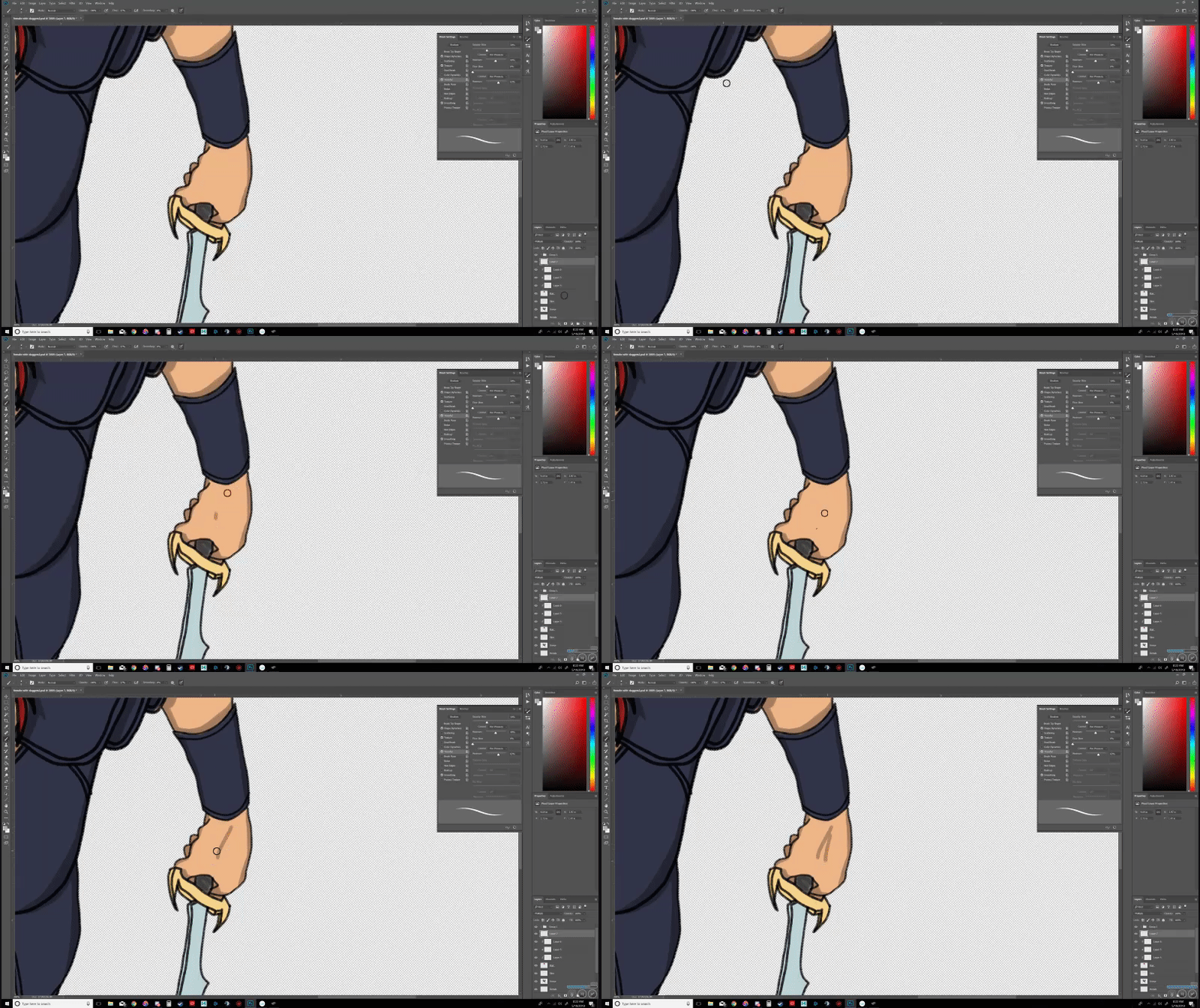
My question is this. Does anyone know why when I make a brush stroke, the stroke sometimes disappears or doesn't register? When I let off the mouse button or take the pen away from the tablet, the line I just brushed goes away. Please see the attached gif.
In an effort to be as precise as possible and save everyone's time, I will attempt to give as much info up front as I can.
Using Windows 10 and as of today 5/10/2018, it is up to date.
Using Geforce 1080ti and as of today, the drivers are up to date.
Using an Intel i9 - 7900x CPU w/ 16GB Ram.
Using dual monitor setup overall, but only run Photoshop in one window at native resolution 3840x2160.
Since the issue started, I have not changed any brush settings (that I am aware of. perhaps I hit a button combo that I was unaware of).
Since the issue started, I have not had any other issues with my Wacom tablet.
Since the issue started, I have not changed any settings on my Wacom tablet.
I have reset the brush tool.
I have tried resetting Photoshop with the Alt+Shift+Ctrl. Not sure if it did anything per the instructions in the Photoshop FAQ/Support area.
I have restarted Photoshop, many... many times.
I have restarted my computer.
I have used a system restore point.
I have changed brushes.
I have changed brush sizes.
I have changed brush settings.
I have check Photoshop settings versus another computer where I don't have this issue.
-The differences are mostly hardware, and it only has default brushes.
-The issue still persists while using standard brushes with no presets or adjustments.
My Wacom tablet works on other computers via photoshop, without this issue.
Things are a bit dusty, but the transfer of some of the said dusty equipment still works on the other systems without issue.
This issue persists while using a mouse or my pen tool.
When I make a new photoshop document and import my old PSD into the new document, the issue goes away for a few mins and then returns.
Slow brush movements don't draw at all or disappear when I let off the mouse button or pull the pen off the tablet.
Fast brush movements cause the line to be more likely to stay but it is silly to try to draw something with only fast brush movements.
Yes, my computer and all the drawing equipment that I referenced are plugged in.
Yes, it is all in the 'on' position.
I'd be grateful for any help.
Thanks!
 AdChoices