Participating Frequently
September 25, 2023
Answered

when i make my image smaller it becomes blurry

  • September 25, 2023
  • 4 replies
  • 14086 views

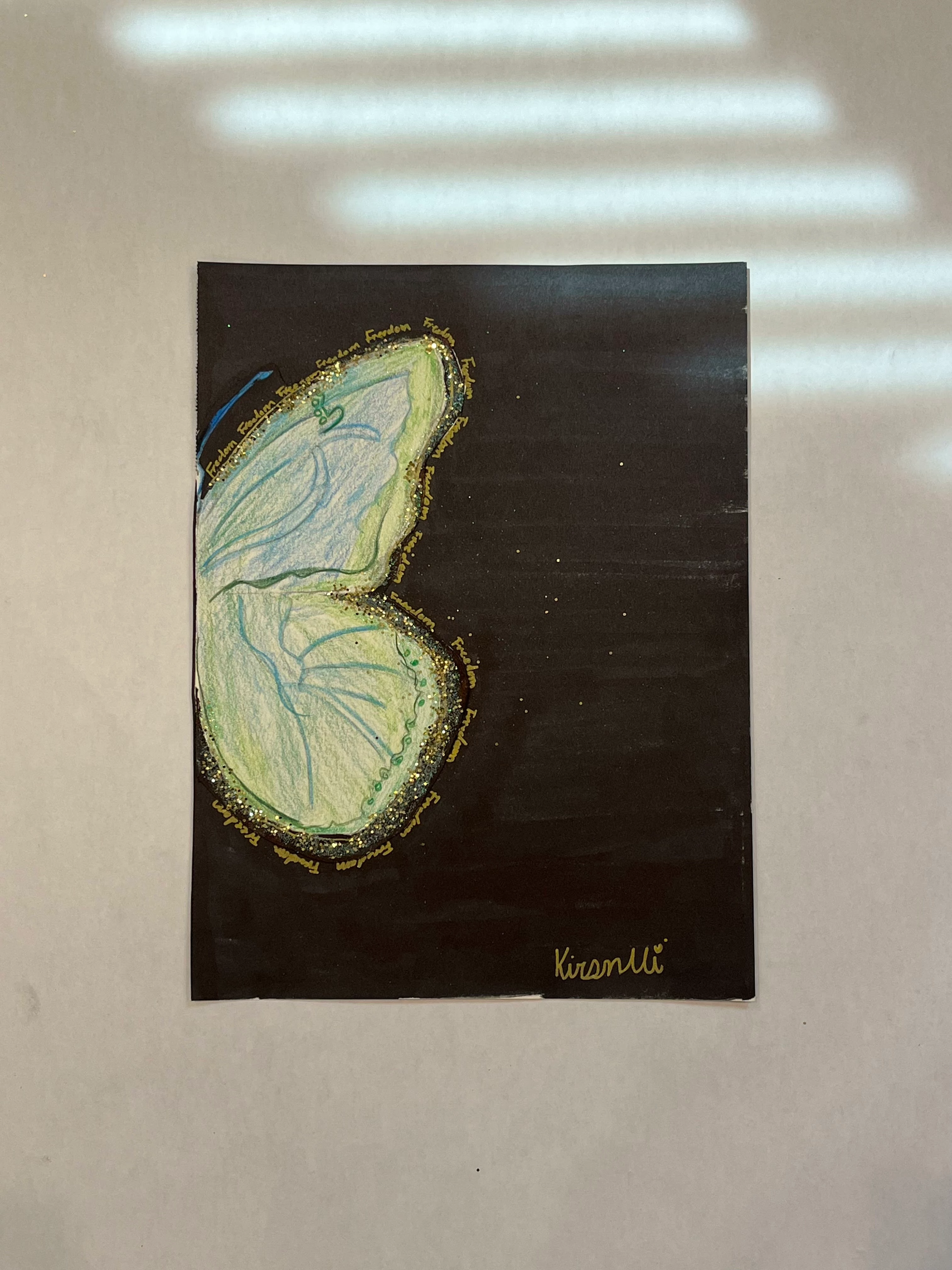
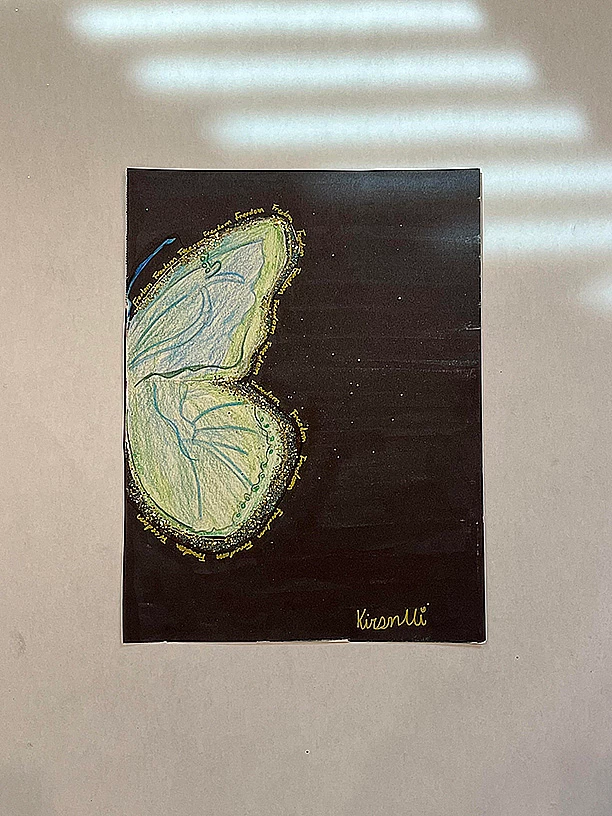
Hi when i make my image smaller it becomes blurry. I am sclaing my image down to 8.5 by 11.3 as you can see it gets blurry after i scale it down.

Correct answer D Fosse

An image is just pixels. How many pixels are you starting with, and how many do you end up with?


In addition to fewer pixels, the resampling itself softens and blurs. There is no way to avoid that. That's why it's common practice to sharpen the result up a little bit.

4 replies

Participant
April 21, 2025

This Problem also happened to me, please resolve it.

Stephen Marsh
Community Expert
Community Expert
April 21, 2025
quote

This Problem also happened to me, please resolve it.


By @Sakharam_Ajagekar7726


There are no magic answers.


There are the original pixel dimensions and the target pixel dimensions.


How you get there is choosing a resampling/interpolation method (algorithm). Some image content with fine repeating patterns detail may benefit from a pre-blur before resampling down to lessen aliasing and a suitable interpolation method. Usually careful sharpening of some description after the resize will help to improve the appearance. This is very much image content dependent and experimentation may be required for best results.

Trevor.Dennis
Community Expert
Community Expert
September 25, 2023

In our experience on this forum, and my own with camera club members entering digital images into club competitions, nothing seems to confuse people more than image size and PPI (Pixels Per Inch).  


You reduced your image from 3024 pixels wide to 612 pixels wide.  We don't know what Resample algorithm you used, (we'll come back to that later).

If we uncheck Resample, and change the Resolution to 300, it still has the same pixel size of 3024 X 816 and is still 34.9Mb, but the linear size has changed so if you were to print the image as it is now, it would produce a smaller print.


When you resample to change the pixel resolution you have a number of options. The default is Automatic  where Photoshop decides.  I suspect that is what yours was set to, and that Photoshop used Bicubic Sharper


I used Preserve Details 2.0 in the example below, and it gives a much better result.


This compares Preserve Details 2.0 on the left, and Bicubic Sharper on the right zoomed in to 400%


What do you think?

Participating Frequently
September 25, 2023

i will try that, do you put in 300 resoultion and the preserve 2.0?

Trevor.Dennis
Community Expert
Community Expert
September 25, 2023

No.  Set Width to Pixels, and the value 612

Resample must be checked (turned on) and set to Preserve Details 2.0

You might be inteerested in trying other options, but I think this one will give the best results.

Myra Ferguson
Community Expert
Community Expert
September 25, 2023

Are both versions JPEGs? JPEGs add compression. If you're compressing an already compressed image, then you could be introducing artifacts. You might try scaling down the original image and saving it as a PNG instead.

Participating Frequently
September 25, 2023

Hi yes i start with 72 and i end with 72

D Fosse
Community Expert
Community Expert
September 25, 2023

Not ppi, that's irrelevant. How many pixels wide by how many pixels high?

D Fosse
Community Expert
D FosseCommunity ExpertCorrect answer
Community Expert
September 25, 2023

An image is just pixels. How many pixels are you starting with, and how many do you end up with?


In addition to fewer pixels, the resampling itself softens and blurs. There is no way to avoid that. That's why it's common practice to sharpen the result up a little bit.

Participating Frequently
September 25, 2023

i start with 72 and end with 72 and i tried sharpining the image but it made no difference

Conrad_C
Community Expert
Community Expert
September 25, 2023
quote

i start with 72 and end with 72 and i tried sharpining the image but it made no difference

By @Kiran32518984c9x2


Do you mean 72 ppi? That’s only a measure of pixel density, not dimensions. The large image you uploaded is 3042 x 4032 pixels, and the small one is 612 x 816 pixels. So the number of pixels was reduced by 96%, only about 4% of the original detail remains.


That reduction in pixels is necessary to create a small image for a website or email, so there was nothing wrong with reducing it that much. But you want to study best practices for sharpening images for the web or video. This is a common procedure, so there should be tutorials and information about it all over the Internet.


How did you sharpen it? For example, I wouldn’t use Unsharp Mask, I would use the newer Smart Sharpen command that helps protect against unsightly artifacts.