Participating Frequently
February 11, 2024
Question

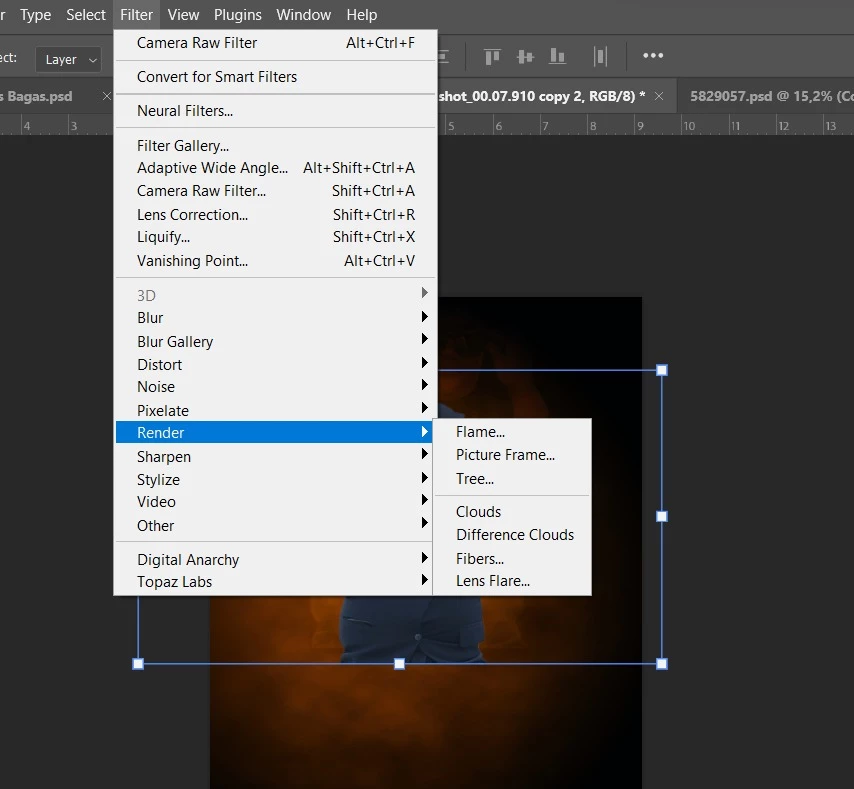
Where is lighting effect in photoshop?

  • February 11, 2024
  • 4 replies
  • 22512 views

Dear all.

Hello, i'm new in Photoshop. I have annual subscription and i have latest photoshop 2024 from my creative cloud app.

By the way, i see the tutorial from Adobe here https://helpx.adobe.com/photoshop/using/add-lighting-effects1.html
But unfortunately, i can not find ligthing effect in the effect.  

Anyone here help? thanks.
4 replies

Participant
August 19, 2024

I've been using Photoshop since Photoshop was born. But with these latest versions (over the past several years) I've become convinced that the Adobe techs who make these changes to the program never actually had to do any creative graphic design work in their life. Seems like they just have the ability to change stuff and so they do just because they can. Bring back the good ol' Photoshop 7 (or even 9) and leave well enough alone!  😉

Participant
March 30, 2024

Currently Adobe has removed "lighting effects" and 3D features from photoshop 2024 ... We also facing the problem... i think next update it should be in there... 

Trevor.Dennis
Community Expert
Community Expert
February 11, 2024

Colin Smith has an excellent workaround for the now lost Lighting Effects tool on his Photoshop Cafe channel.  I'd say it is better than the original.

Participating Frequently
February 13, 2024

Thanks @Trevor.Dennis , i don't think that gradient is an alternative for relight in photoshop.

Participant
July 17, 2024

I agree with Trevor that Colin's video is a truly good workaround, @DiskominfoKra . Did you give it a try?


Jane


This is a partial workaround for a small part of what was lost with the removal of lighting effects. A much bigger loss is being able to effectively use a new alpha channel as a bump map to make large scale changes to the image. It was a quick and easy solution to creating topographically shaded images. Now it looks like I'm going to have to literally create a normal map and render a 3D lit plane in Maya or Blender--a MASSIVE waste of time when it used to be possible in photoshop.

Derek Cross
Community Expert
Community Expert
February 11, 2024

It looks like that feature has been removed as has 3D features.

Participating Frequently
February 13, 2024

Thanks for reply @Derek Cross , and what the alternative???

jane-e
Community Expert
Community Expert
March 30, 2024

@Derek Cross 


Adobe recommends using Photoshop version 22.2 (from February 2021) if you need more stable performance with Photoshop’s 3D features. You can have more than one version installed. 


Details here:

https://helpx.adobe.com/photoshop/kb/3d-faq.html#using-latest-and-discontinued-features


Jane