Inspiring
April 2, 2022
Answered

Where is option 'paste into place' gone in Photoshop 2022?

  • April 2, 2022
  • 2 replies
  • 1584 views

I have to change some psd lay-outs and I want to replace existing images by new onces.

So to paste those images into the old onces is a great and fast way to work but that option seems to be disappearded as I only see 'paste' when I scroll in newer versions. (Photshop2022-MacCatalina)

Thanks for any tip! 

This topic has been closed for replies.
Correct answer jane-e


Hi Jane, I don't see that option??? only 'place'! strange.

Find it: it's cmd/alt/shift ! 

By @spyderABC


Can you show a screenshot of your Edit menu?
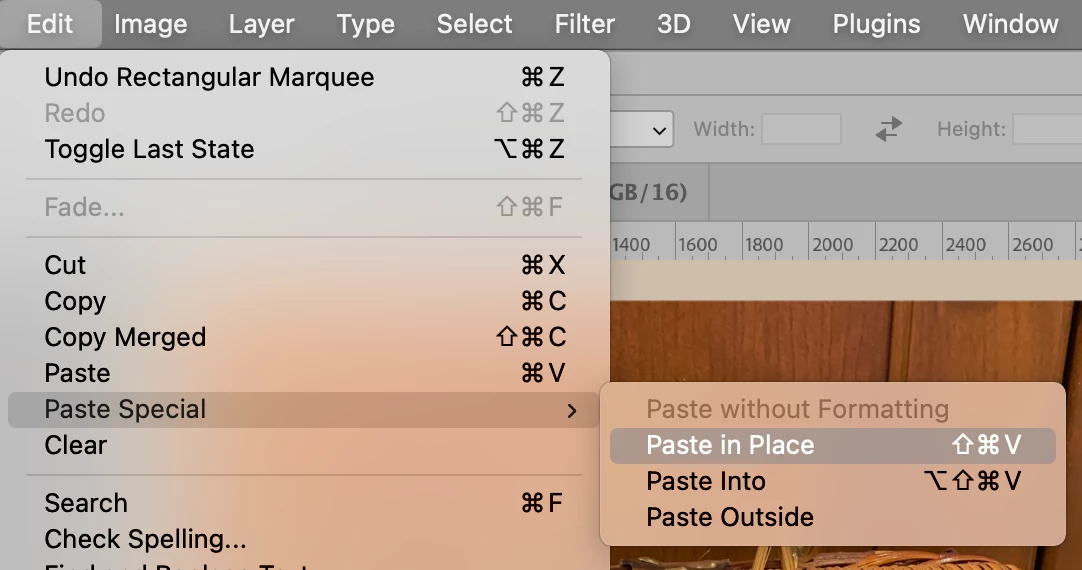
 

Paste Special should be under Paste. If it is not

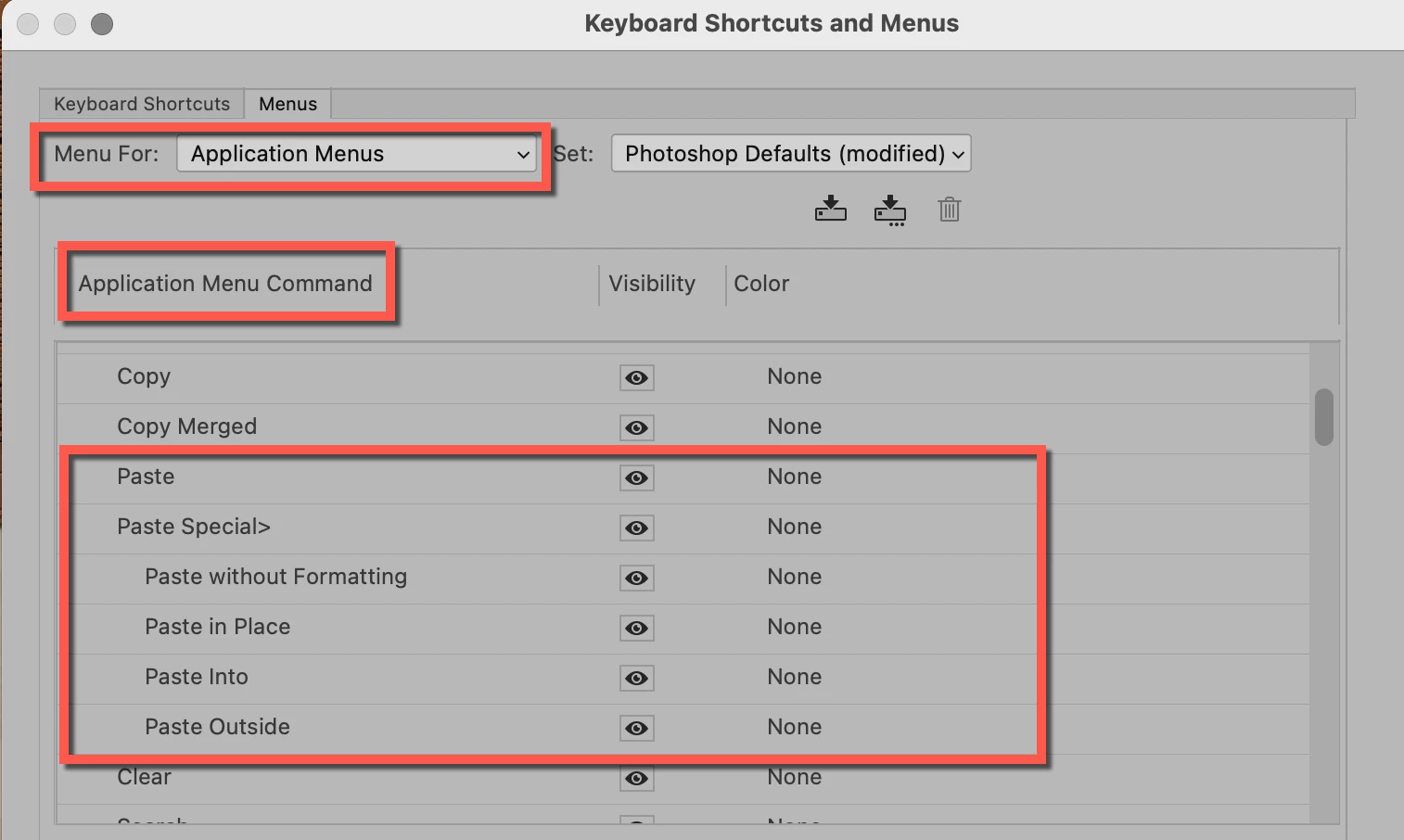
  • Go to Edit menu > Menus
  • In "Menu For:" (top left) > confirm "Application Menus
  • In the "Application Menu Command" area, you will see all the menu names. Expand the Edit menu
  • Scroll to the Paste Commands. Do see Paste Special here? If the eyeball for viewing is unchecked, click to enable it. If you don't see it, then share a screenshot of what you do see.
     

"Find it: it's cmd/alt/shift !"

Also notice that the keyboard shortcut is not "Command Alt Shift". Keyboard shortcuts can be changed, but not to those three keys alone.

  • Mac: Cmd+Shift+V
  • Win: Ctrl+Shift+V


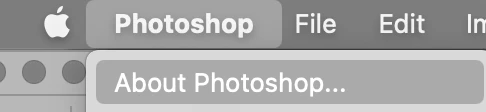
If you still don't see Paste in Place, go to Photoshop menu > About Photoshop and tell us the version you are using.
 

Jane

 

2 replies

spyderABCAuthor
Inspiring
April 2, 2022

Hi I received the solution in Dutch and it seems to be a whole other way of approaching:


https://www.youtube.com/watch?v=QE1bnzPLUHQ&list=PLgNLp3Uk3VDBPWoXD3V5wEhgIi8dDxnIL&index=9


spyderABCAuthor
Inspiring
April 2, 2022

Thanks for the replies !

Problem is solved!

jane-e
Community Expert
Community Expert
April 2, 2022


@spyderABC wrote:

Thanks for the replies ! Problem is solved!


You're welcome, Spyder. Can you tell us what solved it for you?


Jane


jane-e
Community Expert
Community Expert
April 2, 2022

@spyderABC 


Did you look in the submenu for Edit > Paste Special?


Jane

spyderABCAuthor
Inspiring
April 2, 2022

Hi Jane, I don't see that option??? only 'place'! strange.

Does it need a shortkey?


Find it: it's cmd/alt/shift ! 


Thanks a lot and have a nice day !!!!!

jane-e
Community Expert
jane-eCommunity ExpertCorrect answer
Community Expert
April 2, 2022


Hi Jane, I don't see that option??? only 'place'! strange.

Find it: it's cmd/alt/shift ! 

By @spyderABC


Can you show a screenshot of your Edit menu?


Paste Special should be under Paste. If it is not

  • Go to Edit menu > Menus
  • In "Menu For:" (top left) > confirm "Application Menus
  • In the "Application Menu Command" area, you will see all the menu names. Expand the Edit menu
  • Scroll to the Paste Commands. Do see Paste Special here? If the eyeball for viewing is unchecked, click to enable it. If you don't see it, then share a screenshot of what you do see.


"Find it: it's cmd/alt/shift !"

Also notice that the keyboard shortcut is not "Command Alt Shift". Keyboard shortcuts can be changed, but not to those three keys alone.

  • Mac: Cmd+Shift+V
  • Win: Ctrl+Shift+V


If you still don't see Paste in Place, go to Photoshop menu > About Photoshop and tell us the version you are using.


Jane
