
Participant
August 17, 2020
Answered

Where is the initial download saved on mac

  • August 17, 2020
  • 1 reply
  • 803 views

Hi there,

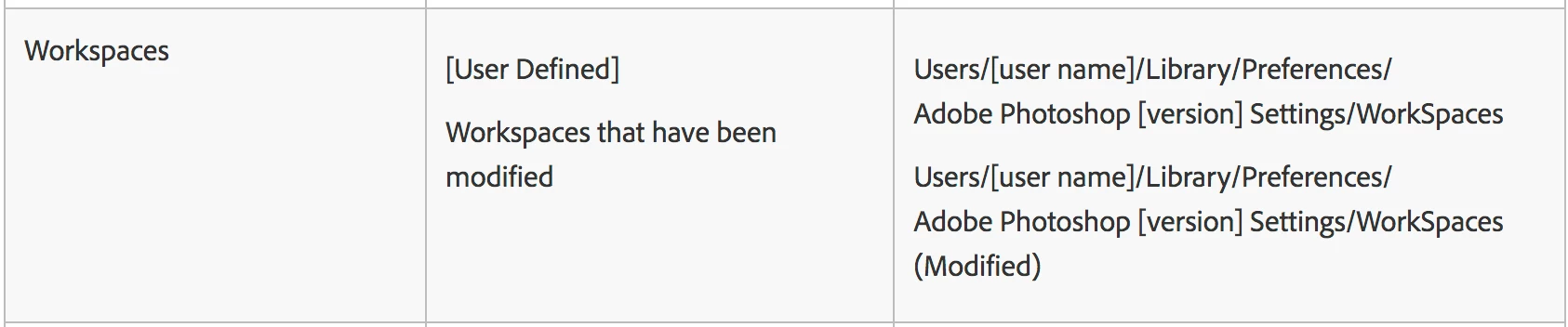
Any idea where the initial downloades files for Photoshop are stored / installed? I would like to add a new file on my workspace but can't find the location to save the file and then load into my workspace. Happy about any answer that helps? Thank you
This topic has been closed for replies.
Correct answer jane-e

I'm not sure that I understand your question, Hofstal.


What does this refer to: "path is Photoshop / Windows / Workspace " ?


If none of this helps, please clarify what you are trying to do so we can better assist.


~ Jane

1 reply

jane-e
Community Expert
Community Expert
August 17, 2020

Typically all downloads will go into your downloads folder on your Mac. Is that what you are asking?

https://osxdaily.com/2016/07/24/access-mac-downloads-folder/

~ Jane


hofstal2Author
Participant
August 18, 2020

Thank you Jane-e for your reply. I checked the download folder already and did not find any Photoshop related files there. I would like to add a file (color correction I downloaded) in Photoshop in my workspace (path is Photoshop / Windows / Workspace / and here I would like to add this file). Any idea how to do that, when I can't find the path to the workspace in the Finder on my mac? Again, appreciate any kind of helpful answer.

jane-e
Community Expert
jane-eCommunity ExpertCorrect answer
Community Expert
August 18, 2020

I'm not sure that I understand your question, Hofstal.


What does this refer to: "path is Photoshop / Windows / Workspace " ?


If none of this helps, please clarify what you are trying to do so we can better assist.


~ Jane