

LauraMacky
Inspiring
January 27, 2024
Answered

Where is the Paint Bucket in PS 25.2

  • January 27, 2024
  • 3 replies
  • 9316 views

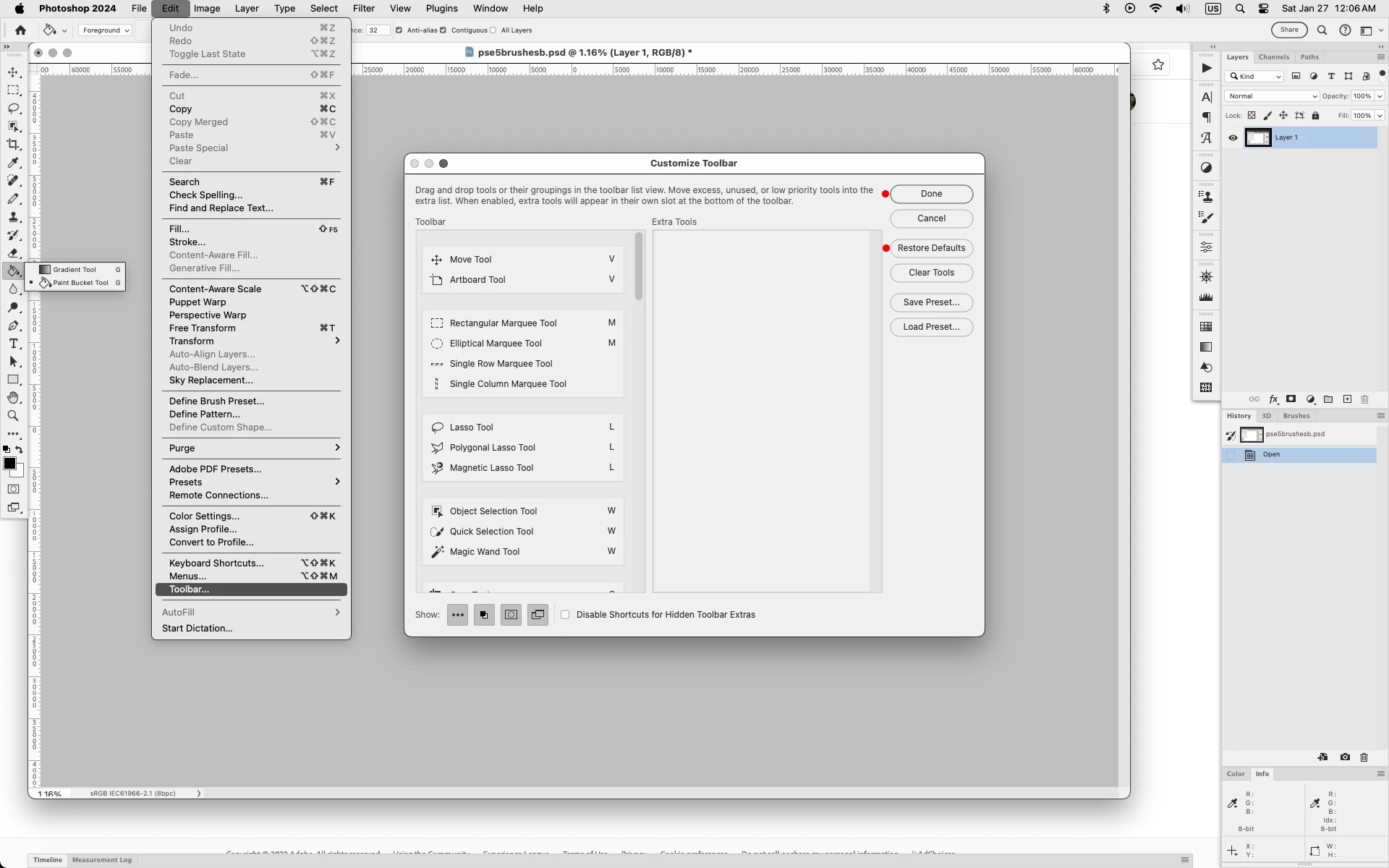
The paint bucket used to be in the gradient tool (or vice versa depending on what is showing at the time).  I don't see it there anymore.   All I see is a 3D paint bucket tool  at the bottom, separate from the gradient tool.  I'm on Mac OS Sonoma 14.3.


Does anyone have an answer for this?
Correct answer Jeff Arola

In Photoshop go to Edit>Toolbar, click Restore Defaults, then click Done


3 replies

Ged_Traynor
Community Expert
Community Expert
January 27, 2024

@LauraMacky sounds to me like you're in the 3D workspace, go to Window > Workspace and select Essentials ( Default )

Jeff Arola
Community Expert
Jeff ArolaCommunity ExpertCorrect answer
Community Expert
January 27, 2024

In Photoshop go to Edit>Toolbar, click Restore Defaults, then click Done


LauraMacky
Inspiring
January 28, 2024

Thank you.  Drives me nuts when these tools change on updates.

Laura Macky
Participant
January 27, 2024

Hi .


 You can try to search for it .

On the right side there is a search space , just right beside the blue share bottom , there you can type paint bucket .  It should show you where it is .

  Hope have helped you somehow.