Tbone520AZ
Participating Frequently
May 18, 2024
Answered

White and Gray Grid Behind Images- How to remove or make Transparent

  • May 18, 2024
  • 2 replies
  • 1542 views

Hello world!


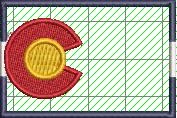
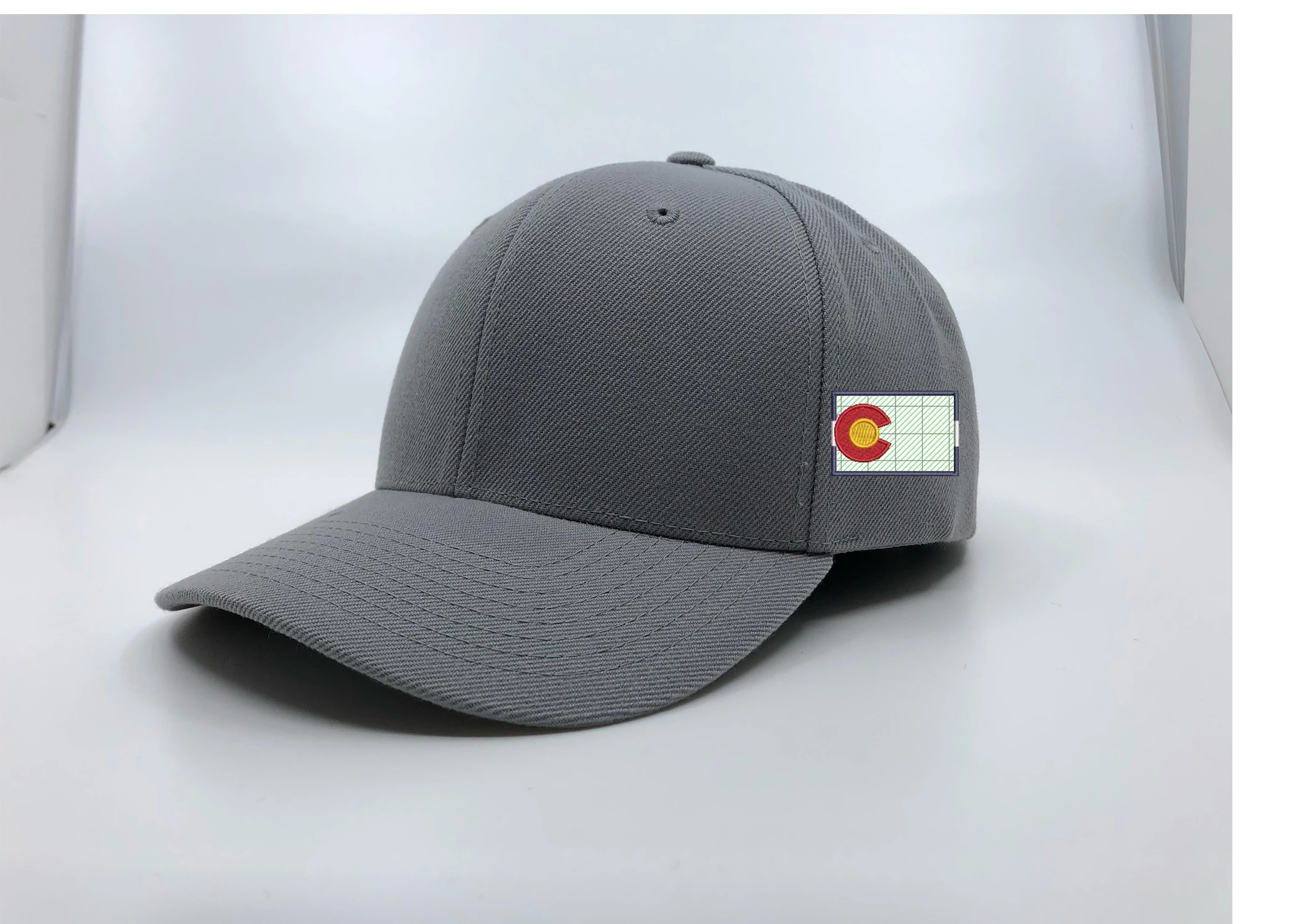
I'm trying to get rid of the white and gray grid behind an image. The image comes from Hatch 3 embroidery program and the background is being taken out. When I get it from Hatch and put it on photoshop I cannont get rid of it on the image. Im trying to make the image transparent so you can see the hat material behind the flag design. Does anyone know why this happens or how to fix it. Trying to put those images on hats for a website. I will attach an example. The image starts as an EMB file, then the background is removed. Then the image gets saved as a jpeg, and or PNG file after the background is removed. Thanks!  
This topic has been closed for replies.
Correct answer didiermazier

Thanks so much it looks great! Is it hard to explain how you did it? I have about 50 images that I need to do that to. Do you have a business or do this for a living? 


If OK please mark this answer as correct

The process is the following :

Select subject. Phshp identifies de G and select it. ⌘J to place the G on its own layer.

Select the inside square with rectangular selection tool.

Delete ⌫

Only border remains on this layer and G is above on its layer

(flaten the image- not mandatory) Quick Export as a PNG (to not downgrade quality as Jpeg would)

Of course the process will vary depending on what's on the image so I do not think possible to automatize with script or action…

I am mainly in the education industry after many years as a graphic designer and creative director.

I think that for this kind of job you could find people in India doing it fir a reasonable cost. But 50 is not a big number so you could as well spare money doing it by yourself…

Best

2 replies

Participant
May 23, 2024

Hi, I was facing the same problem with my website banner but finally resolved.

Check this out: https://www.futuristiclearning.com/selfmanagementcourses

didiermazier
Community Expert
Community Expert
May 18, 2024

Is the C the thing you want to extract ?

Or the C plus the square?

Also the image is way to little (177 px only). Do you hace a better res pic?


Tbone520AZ
Participating Frequently
May 19, 2024

Yea im trying to keep the C and the square or border of the design. Its the only one I have. 

didiermazier
Community Expert
didiermazierCommunity ExpertCorrect answer
Community Expert
May 23, 2024

Thanks so much it looks great! Is it hard to explain how you did it? I have about 50 images that I need to do that to. Do you have a business or do this for a living? 


If OK please mark this answer as correct

The process is the following :

Select subject. Phshp identifies de G and select it. ⌘J to place the G on its own layer.

Select the inside square with rectangular selection tool.

Delete ⌫

Only border remains on this layer and G is above on its layer

(flaten the image- not mandatory) Quick Export as a PNG (to not downgrade quality as Jpeg would)

Of course the process will vary depending on what's on the image so I do not think possible to automatize with script or action…

I am mainly in the education industry after many years as a graphic designer and creative director.

I think that for this kind of job you could find people in India doing it fir a reasonable cost. But 50 is not a big number so you could as well spare money doing it by yourself…

Best