
Participant
December 22, 2017
Answered

Why aren't my gradients fading?

  • December 22, 2017
  • 2 replies
  • 524 views

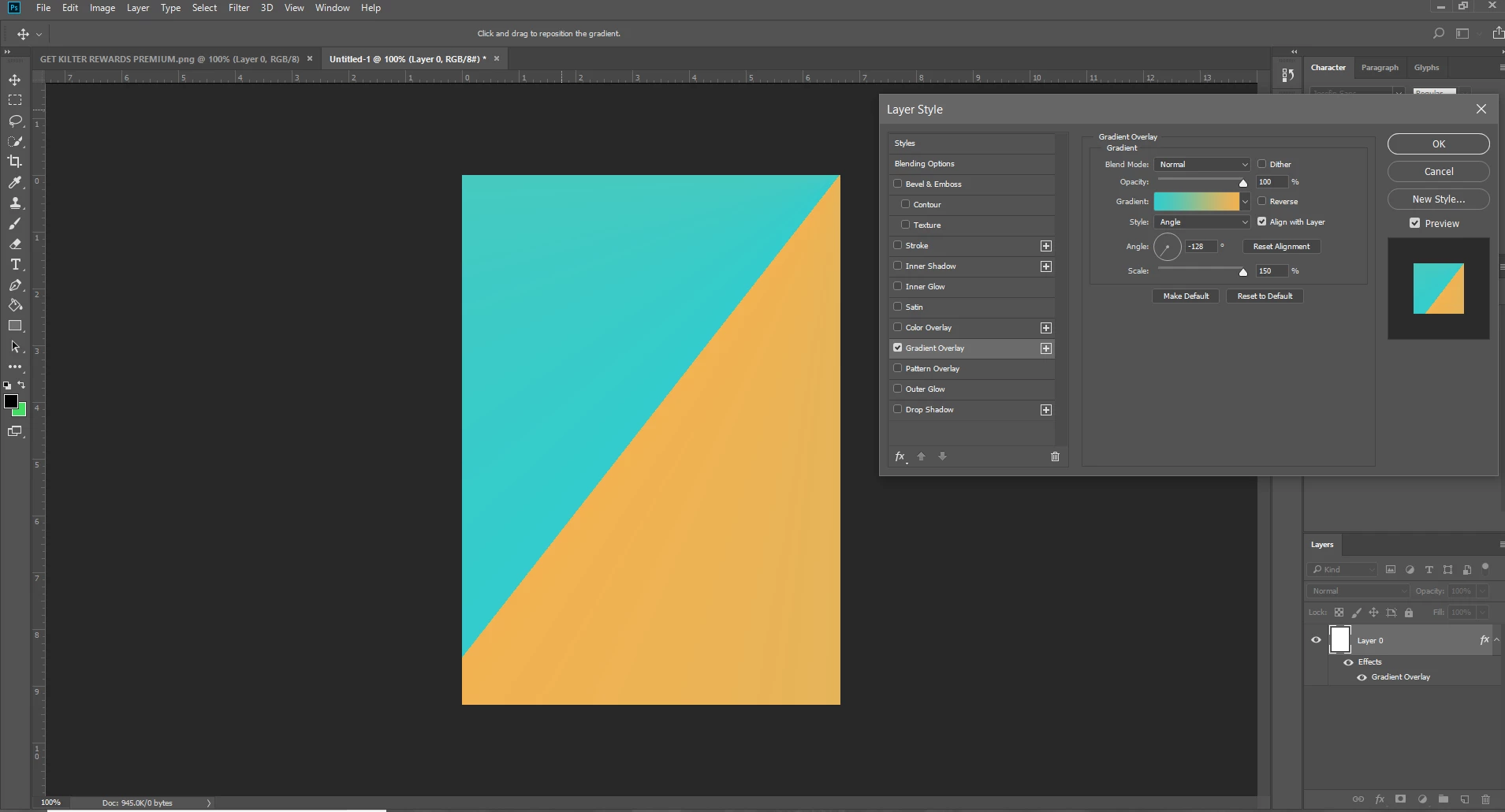
I'm stumped. I created a square, did a gradient overlay with blending options and the gradient isnt even faded. It's basically just 2 solid colors up against each other. What could be the issue here? I also tried creating a sqaure with the square tool and filling it with the same gradient but the same thing happened. I'm not sure what could be going on here. My Photoshop CC is updated to the latest 19.0.1 version as well.

Note: linear, diamond, reflected, and radial gradients fade as they should but this angled gradient just won't fade.
This topic has been closed for replies.
Correct answer Jeff Arola

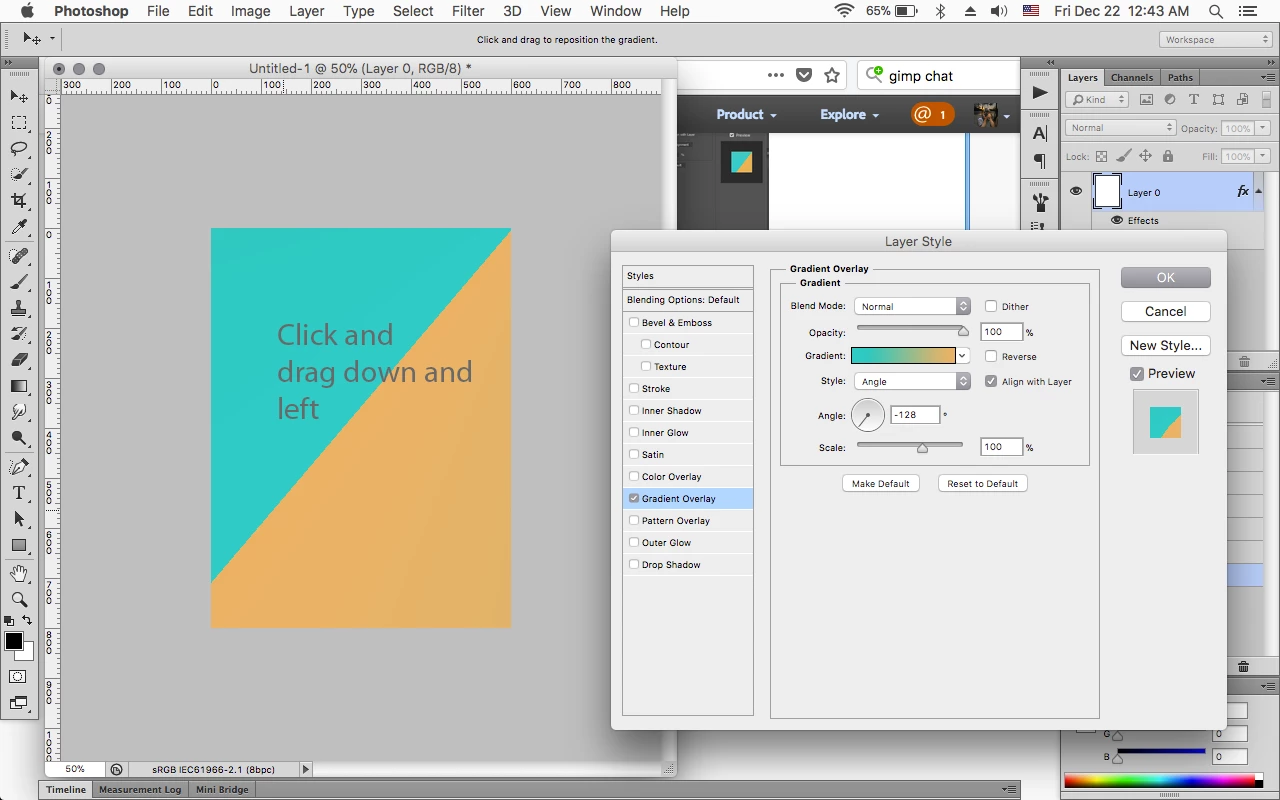
After you open the Layer Style dialog as in your screenshot, click and drag down and left in the document area to move the gradient.

2 replies

Trevor.Dennis
Community Expert
Community Expert
December 22, 2017

As Jeff says.  That's how angle gradients work

You can see it with the normal Gradient tool by the shape of the Angle icon in the Options bar.

Jeff Arola
Community Expert
Jeff ArolaCommunity ExpertCorrect answer
Community Expert
December 22, 2017

After you open the Layer Style dialog as in your screenshot, click and drag down and left in the document area to move the gradient.